Version 1.10 Page 59 of 203
Basic Configuration Parameter
↓
Test Definition Parameter
↓
Single Test Parameter
For example:
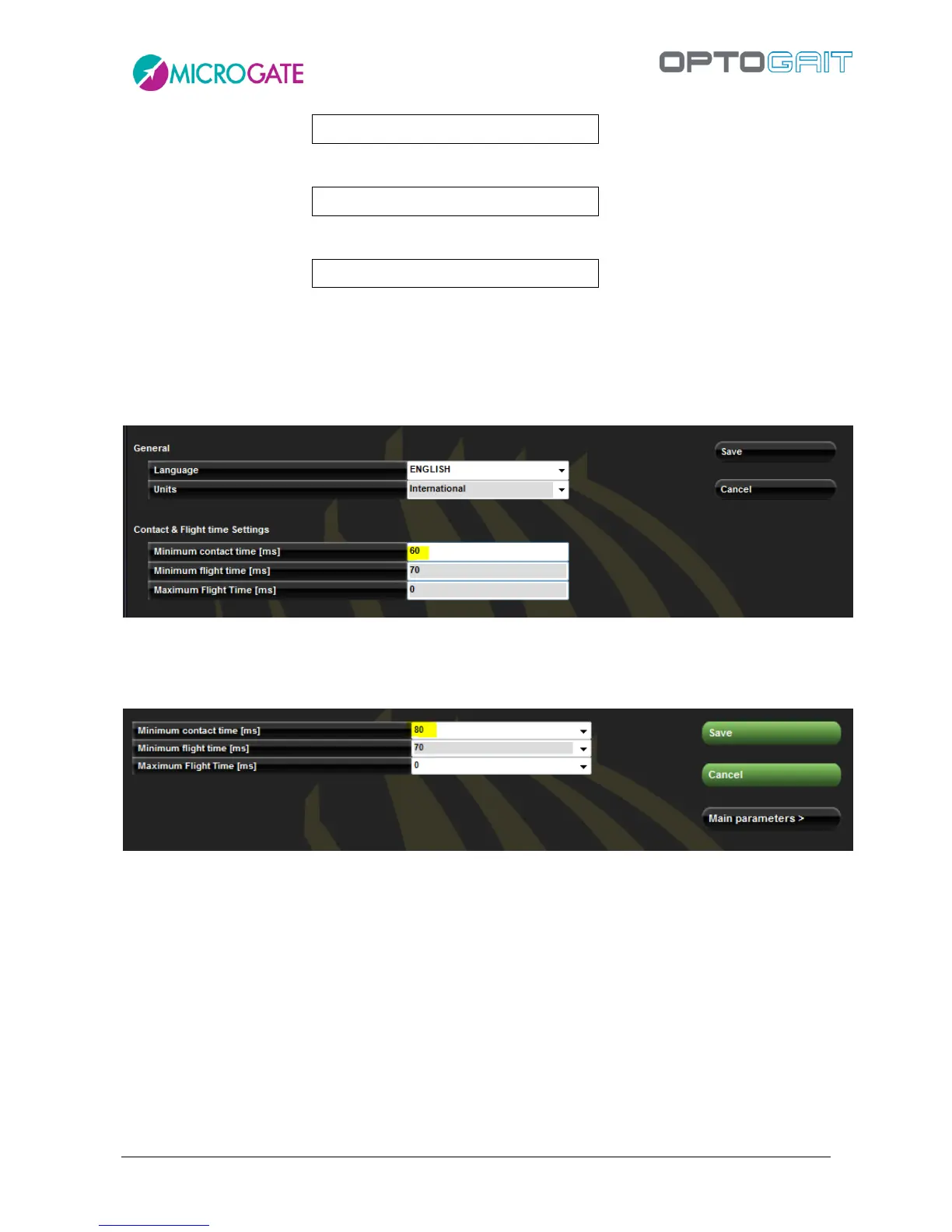
Under Utility/Basic Configuration set the ‘Minimum contact time’ to 60 ms. From this moment every
time new types of ‘Jump Test’ are created, they will have a default value of 60 ms (if this value is
acceptable, no further changes have to be performed in ‘Secondary Parameters’.).
Figure 38 - Basic Configuration Parameters
Let’s suppose that for special needs a new test type is needed (e.g. ‘Three Jumps’) with a different
value (e.g. 80 ms). Open <Secondary Parameters>, change the value, and save the test definition.
Figure 39 – Test Definition Parameters
Then have the athlete perform the test ‘Three Jumps’. The single test, having inherited the values
from its type, has of course the parameter 80 ms. Opening View Test (chap. 4.3.1) and pressing
<Settings>, the following window is displayed:



 To Next Page