© Microhard Systems Inc. 14
2.0 Quick Start
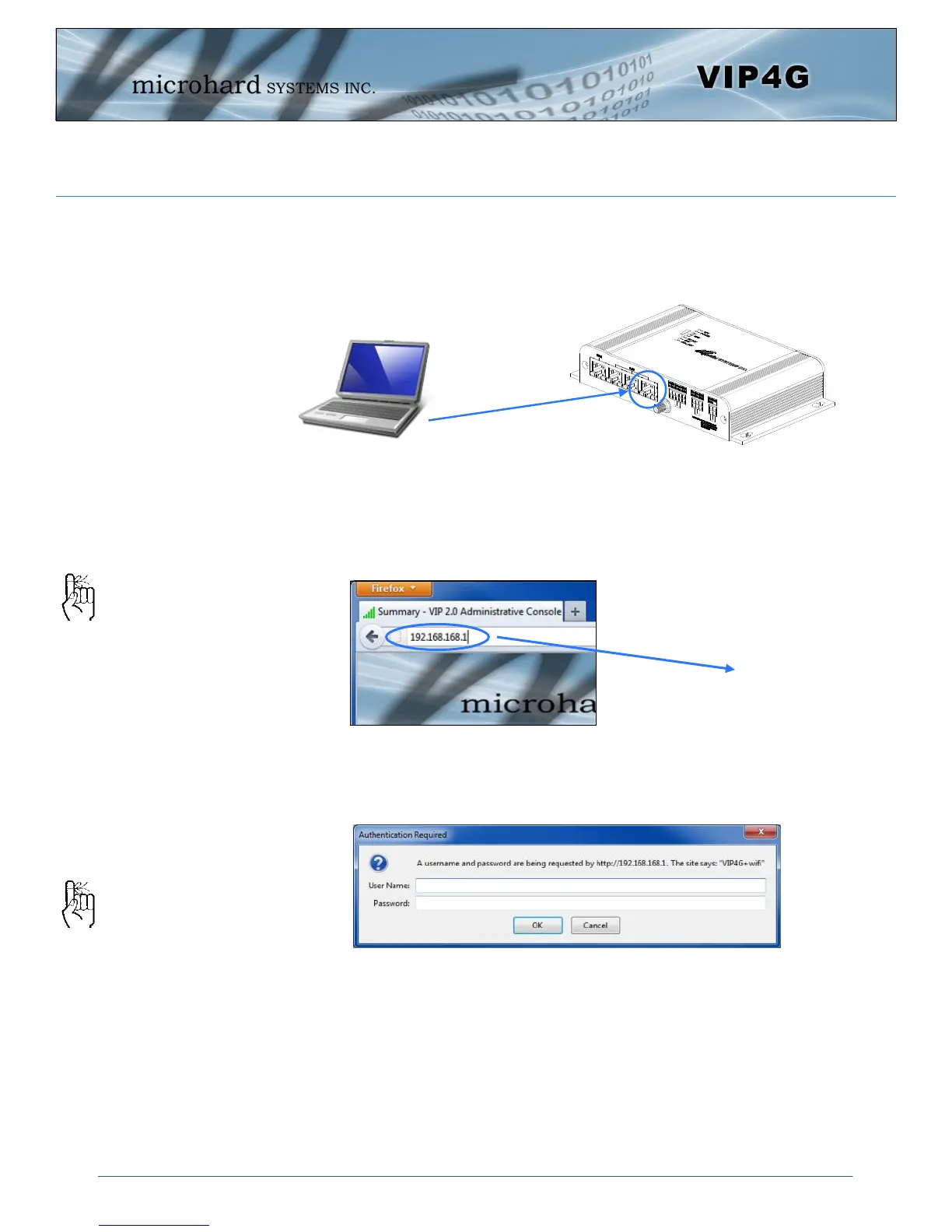
Connect A PC configured for DHCP directly to one of the LAN ETHERNET ports of the
VIP4G, using an Ethernet Cable. If the PC is configured for DHCP it will acquire a IP Ad-
dress from the VIP4G.
Open a Browser Window and enter the IP address 192.168.168.1 into the address bar.
The VIP4G will then ask for a Username and Password. Enter the factory defaults listed
below.
192.168.168.1
The factory default network
settings:
IP: 192.168.168.1
Subnet: 255.255.255.0
Gateway: 192.168.168.1
The Factory default login:
User name: admin
Password: admin
The factory default login:
User name: admin
Subnet: admin
It is always a good idea to
change the default admin
login for future security.



 To Next Page