53
4 Output
No. 99MAM029A
4.2
RS-232C Output of Measurement Data
The operation to output the measurement data to a PC connecting RS-232C conversion
cable (option) to the product is explained.
4.2.1 Connection of RS-232C Conversion Cable (Option)
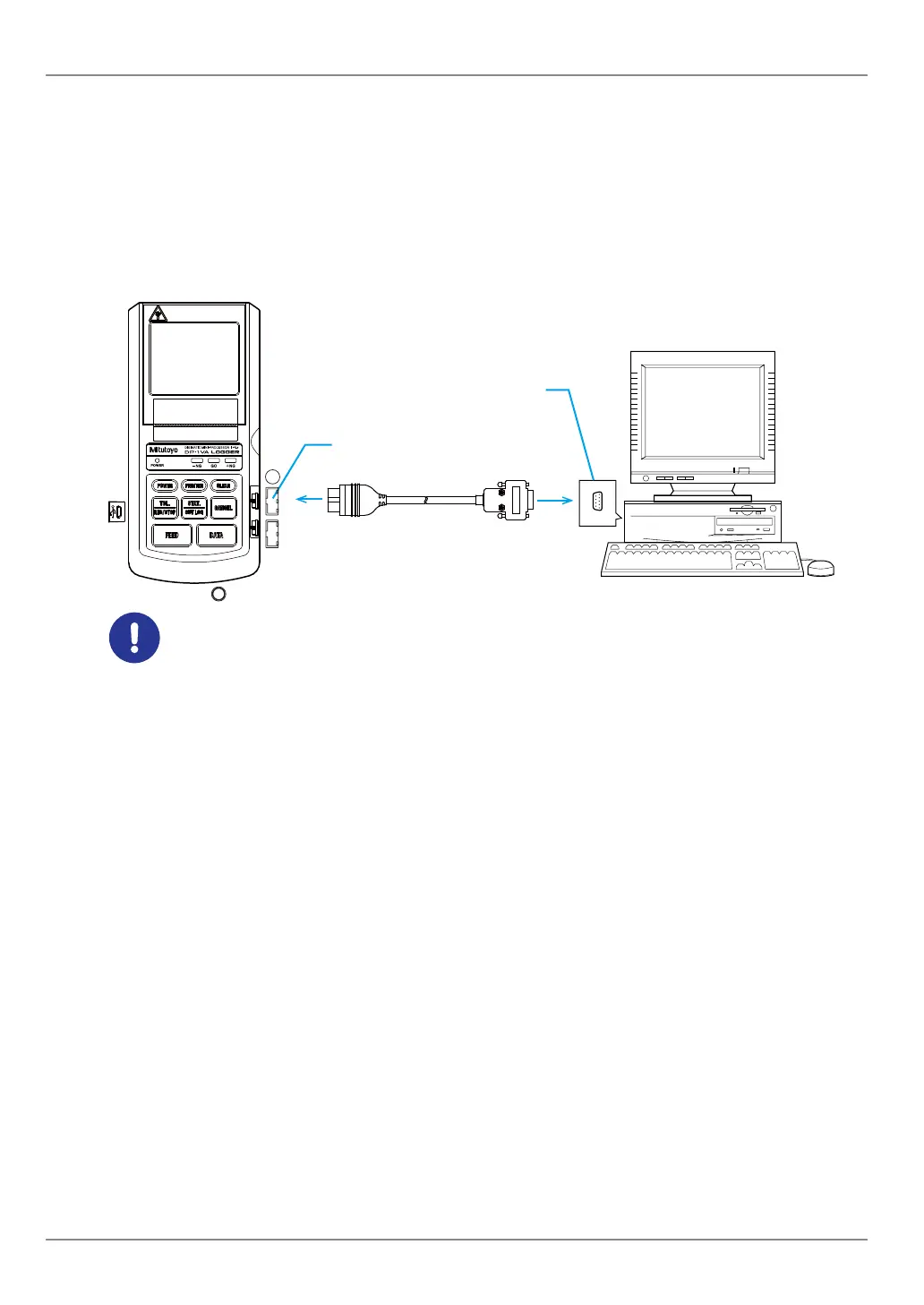
Connect the output connector (OUTPUT) of the product and the PC with a RS-232C conver-
sion cable (option, Parts No. 09EAA084, cable length: 1 m as shown in the gure below).
PC
INPUT
OUTPUT
IN OUT
Output connector (OUTPUT)
RS-232C port (D-sub 9 pin)
RS-232C conversion cable (option)
Removal/insertion of the cables shall be done while the power is turned off.
Tips
• The RS-232C conversion cable (option) and GO/±NG judgment cable cannot be used simultane-
ously.
• The RS-232C conversion cable (option) and RS-232C counter cable (Parts
No.
09EAA094) can-
not be used simultaneously.
Software required on PC
To fetch the measurement data to the PC, the software correspondent to the RS-232C
communication as shown below are separately required.
Mitutoyo's optional software
y Data Collection/Analysis Software : MeasurLink Real-Time (functional three type)
y Real-Time Standard
Inexpensive standard version dedicated to measuring instruments
y Real-Time Professional
High-performance version connectable with measuring instruments and equipment
products
y Real-Time Professional 3D
Full spec version corresponding to 3D display of workpiece
An example of store-bought software
y RS-232C communication software
y Microsoft Excel + Communication software
y Package software for quality control with communication function


 To Next Page
 Loading...