56
4 Output
No. 99MAM029A
4.2.2 RS-232C Communication Settings
It is required to perform the RS-232C communication setting in parameter settings ac-
cording to the usage environment to use RS-232C interface.
Setting
order
Setting items Setting contents Print Initial setting
4 BAUD RATE RS-232C: communication
speed
1200/2400/4800/
9600/19200
4800
5 PARITY Parity check method at the
time of RS-232C commu-
NON/EVEN/ODD EVEN (even
number)
6 DATA LENGTH Data length at the time of
7/8 7
1
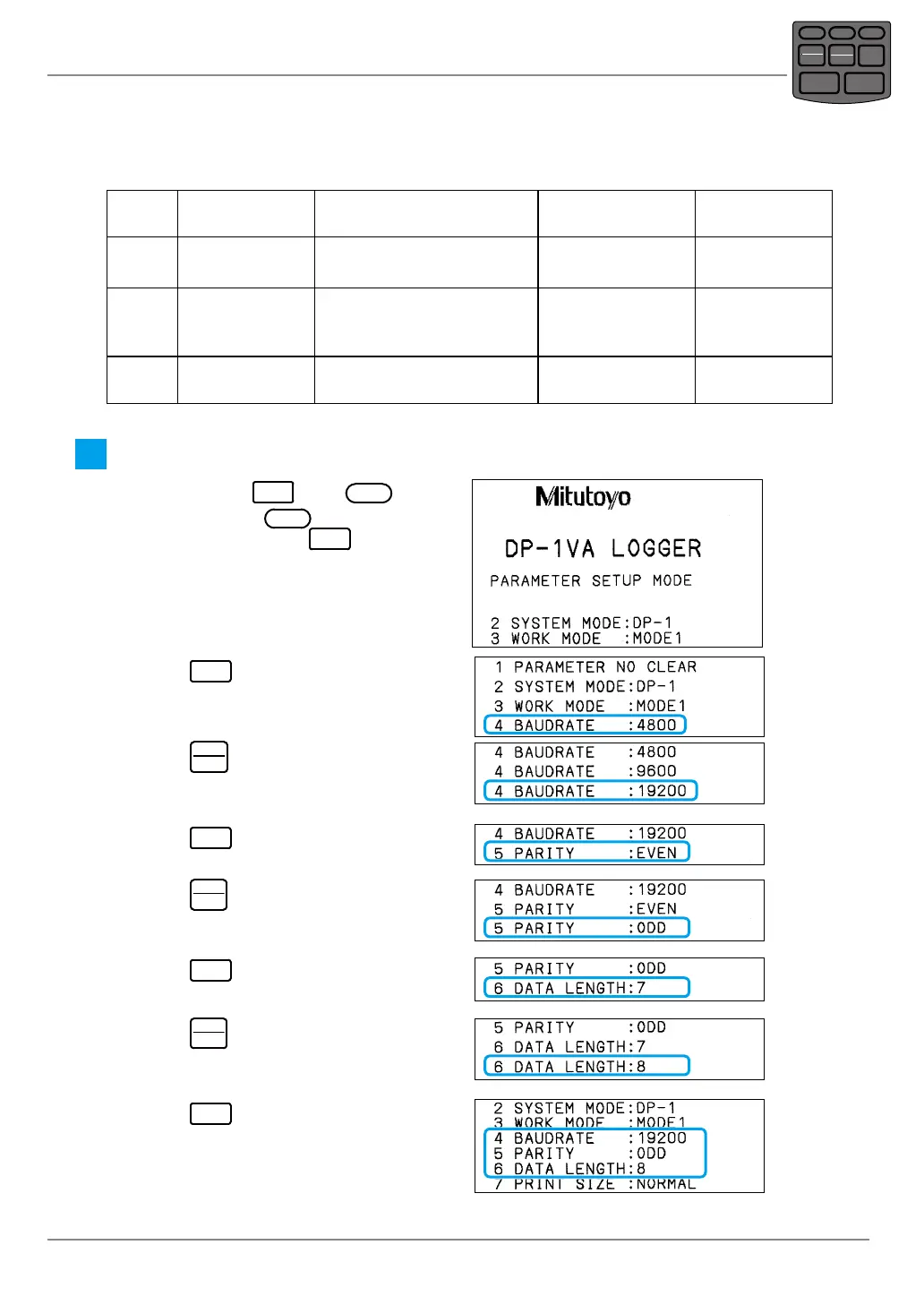
Set "BAUD RATE", "PARITY", "DATA LENGTH" of the parameters.
1
While pressing
DATA
press
POWER
,
then just release
POWER
, when the print-
ing starts, then release
DATA
.
» The power is turned on and enters the
parameter setup mode to print the list.
2
Press
DATA
repeatedly until "4 BAUD
RATE" is printed.
3
Press
STAT.
OUT LOG
repeatedly until the desired
communication speed to set to BAUD
RATE is printed.
4
Press
DATA
.
» The communication speed is determined.
5
Press
STAT.
OUT LOG
repeatedly until the desired
parity check method to set to PARITY is
printed.
6
Press
DATA
.
» The parity check is determined.
7
Press
STAT.
OUT LOG
repeatedly until the desired
data length to set to DATA LENGTH is
printed.
8
Press
DATA
repeatedly until the param-
eter settings list is printed.
» The parameter setting is completed.
POWER
TOL.
REC/STOP
PRINTER
CLEAR
STAT.
OUT LOG
CANCEL
DATA
FEED



 To Next Page