83
Installing the T26 Modules
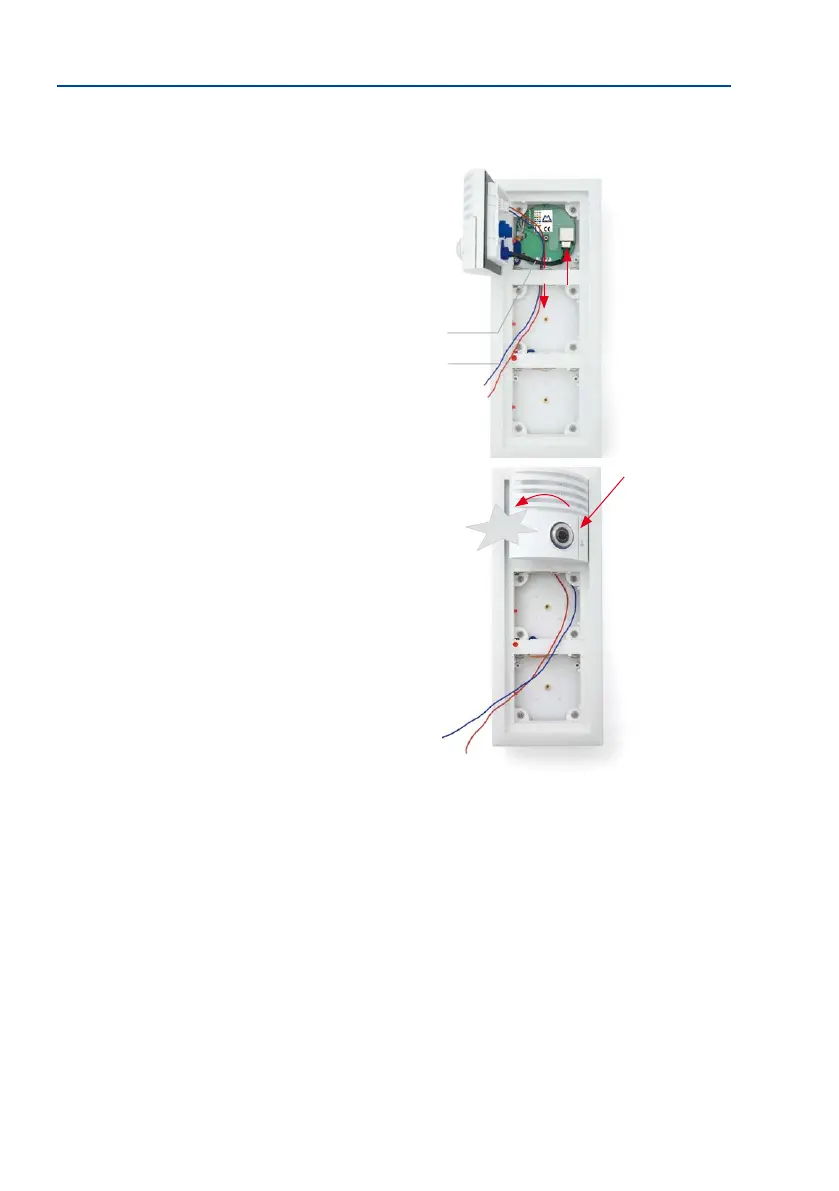
3. Guide the MxBus cable (to be shortened accordingly) into the housing and under
the frame so that it can be easily connected to the access module later on. Insert the
pre-installed camera module patch cable into the
RJ45 port on the terminal board.
4. First of all, insert the right side of the module into
the frame and then press rmly on the le side, until
the module audibly clicks into place.
Control click: If you do not hear a click, this means that
the module is not properly locked into place. In this case,
repeat the last steps, making sure that no cable or foreign
object in the housing is preventing the module from properly
clicking into place.
Pay attention to the
o-limits areas for cables
reserves (see Section 2.3.4)
MxBus cable
for access module
Patch cable
Click
With horizontal mount-
ing, the modules must
rst be positioned at the
top and then pressed
downwards rmly



 To Next Page