84
T26 System Manual Part 1: Installation
Network Connection Using Mx2wire+ Technology
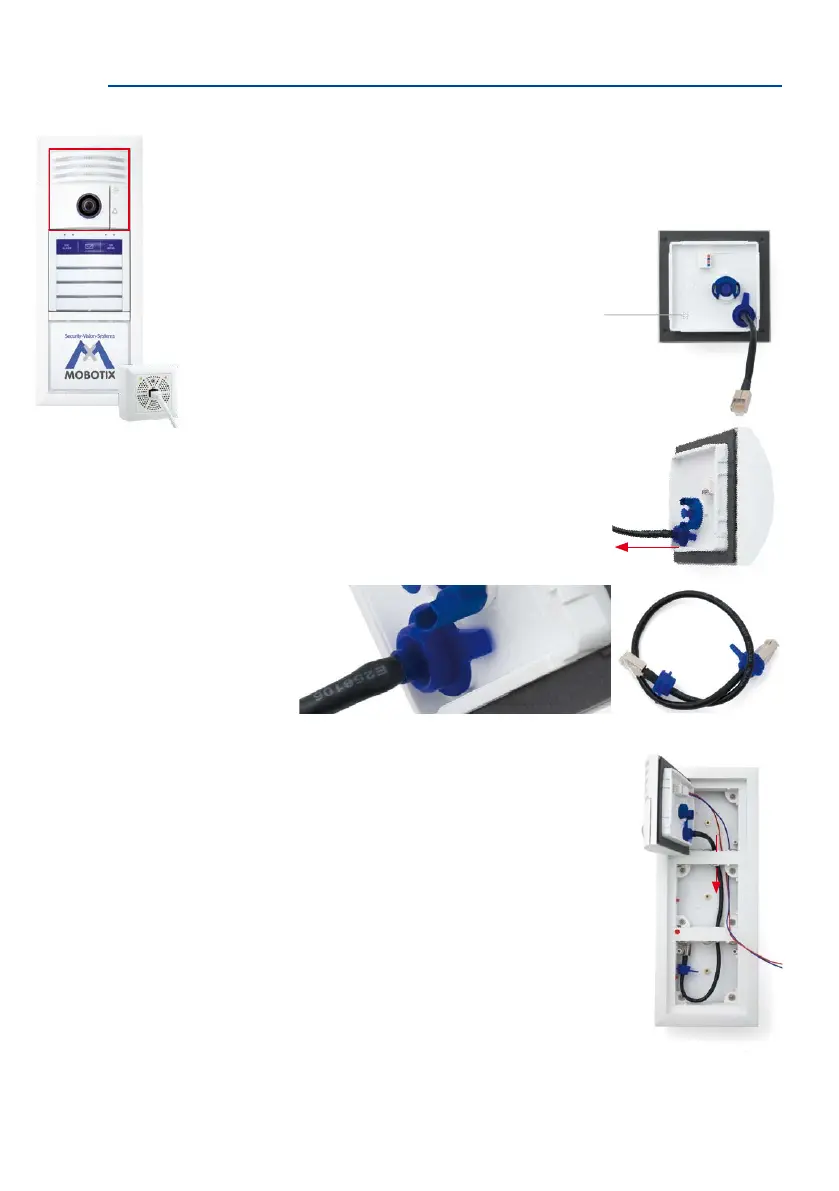
An Ethernet terminal board is not required for the T26 door station with Mx2wire+ technology.
Instead, the camera module is connected to the Info Module Mx2wire+ via a MOBOTIX patch
cable.
1. Ensure that the gasket is tted to the camera module.
2.
Remove the pre-installed camera module patch cable
and instead insert the supplied, longer patch cable into
the camera housing. Make sure that the blue rubber seal-
ing ring is in the correct nal position.
3.
Feed the MxBus two-wire cable from the camera (instal-
lation as described in Section 2.4.1) together with the
newly tted patch cable into the housing and under
the frame, so that the MxBus cable can be fastened to
the access module board and the patch cable to the
info module.
Gasket
Attach longer patch cable for the
Info Module Mx2wire+



 To Next Page