89
Installing the T26 Modules
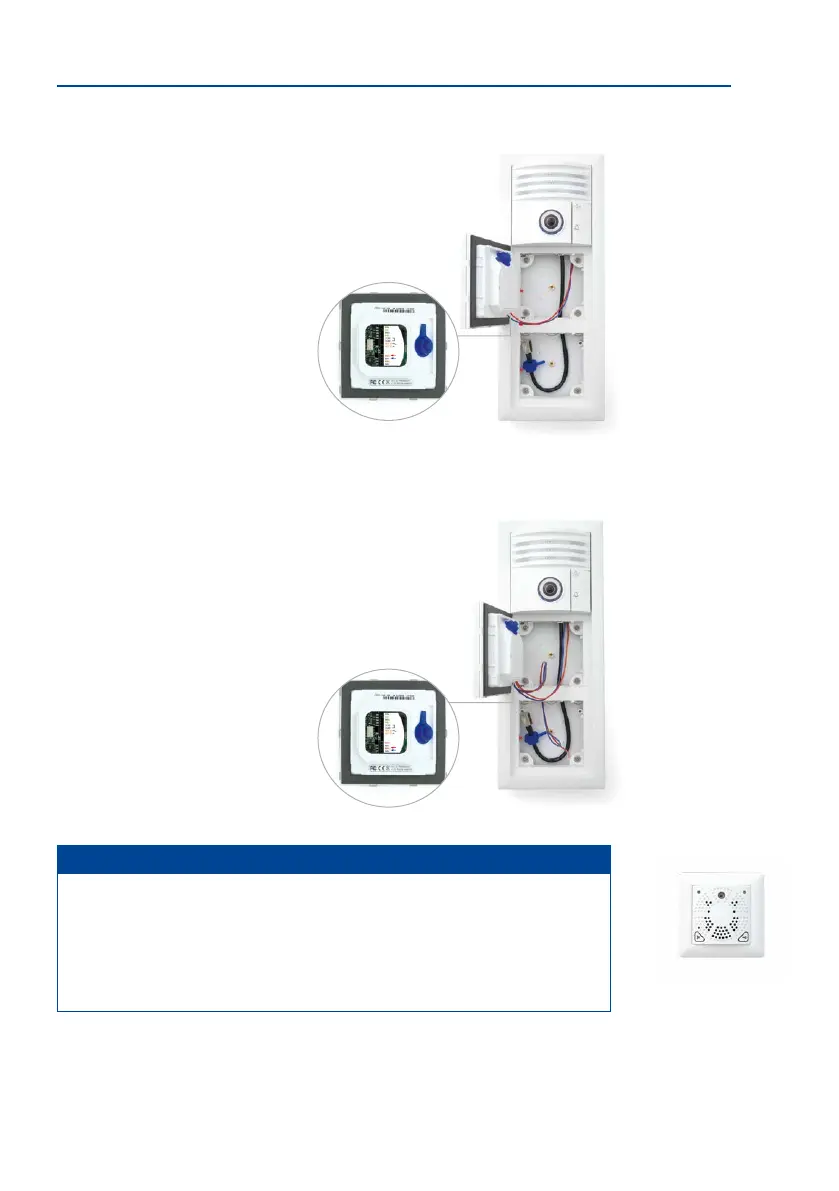
2.4.3 Installing the Access Module (KeypadRFID/BellRFID)
Installing the KeypadRFID or BellRFID access modules is identical; the pictures in this section
show who to install the KeypadRFID. For more information on these access modules, please
refer to the corresponding Quick Installation documents (www.mobotix.com > Support >
Manuals > DoorStation > Single Components):
•
Quick Installation: KeypadRFID
•
Quick Installation: BellRFID
Please pay attention to the dierent system wiring congurations that apply (described in
Section 2.1), depending on whether or not the MX-DoorMaster and external devices (e.g.,
lights) are used.
1. Ensure that the gasket is tted to the access module.
2. Loosen the rear cover plate (using a small screwdriver
or similar tool) and remove it. You now have a clear view
of the connectors located directly on the access mod-
ule board.
3.
Remove approximately 5 mm of insulation from each of
the cables to be connected and feed each cable through
one of the wire apertures in the housing (piercing the
rubber membrane).
T26 with KeypadRFID
Cindy Jones
Thomas Jones
The Jones Family
Dr. Jones, MD
T26 with BellRFID
4. Connect the two MxBus cables that come from the camera module to the access
module board.
– Red wire to MX + terminal
– Blue wire to MX – terminal
5. Connect two new MxBus cables to the access module board, and subsequently
connect these to the info module to power its backlight-
ing. Make sure that the cables are of the required length
and that they are routed correctly (does not apply to
Info Module Mx2wire+).
– Red wire to MX + terminal
– Blue wire to MX – terminal
Note
The two MxBus cables of the MX-DoorMaster can be connected to the access module
instead of the camera module, if the info module is connected to the MxBus connector
of the T26-CamCore door camera.
If no lighting function is required for the info module at all, the MxBus cables do not
need to be connected to this module.
See the circuit overview
diagram on the next page
Do not swap the polarity of
the + and – MxBus wires



 To Next Page