
 Need help?
Do you have a question about the Modecom MC-4220 and is the answer not in the manual?
Essential prerequisites for using the router, including DSL service and computer hardware.
Step-by-step guide for physically connecting the router to the phone line and network.
Configuration of internet connection types like PPPoE, PPPoA, and Bridged.
Configuration options for SSID, band, channel, and radio power for wireless networks.
Securing the wireless network using WEP, WPA, and WPA2 encryption methods.
Detailed steps for setting up a PPPoE internet connection with ISP credentials.
How to modify the router's local IP address and subnet mask.
How to configure the router to act as a DHCP server for the local network.
Instructions for changing the router's login username and password for security.
Steps to download and install the latest firmware for the router.
Solutions for common problems related to router installation, connectivity, and LEDs.
 General
| Security | WEP, WPA, WPA2 |
|---|---|
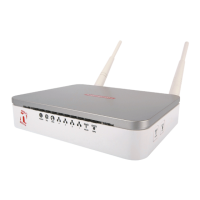
| Antenna type | External |
| Number of antennas | 2 |
| Frequency Band | 2.4 GHz |
| Antennas | 2 x 5 dBi |
| LAN | 4x 10/100BaseTX (RJ45) |
| WAN | 1 x 10/100 Mbps |

 To Next Page