MASCHINE 1.5 Reference Manual – 75
Modwheel Destination
Start
Here you can determine how incoming MIDI Modulation
Wheel data affects the Sample start parameter on Page 2.
CUtoFF
This allows you to modulate the Cutoff parameter of the
Filters with lter types LP, HP, BP (on Page 3) using the
MIDI Modulation Wheel.
lFo dEpth
Here you can adjust the effect of the MIDI Modulation
Wheel data on the LFO Depth of the LFO on Page 5.
pan
Another modulation target for the MIDI Modulation Wheel:
the panorama position on Output Parameter Page 1.
4.4 The Sampler Parameters in the Sound’s Output Tab (OUT)
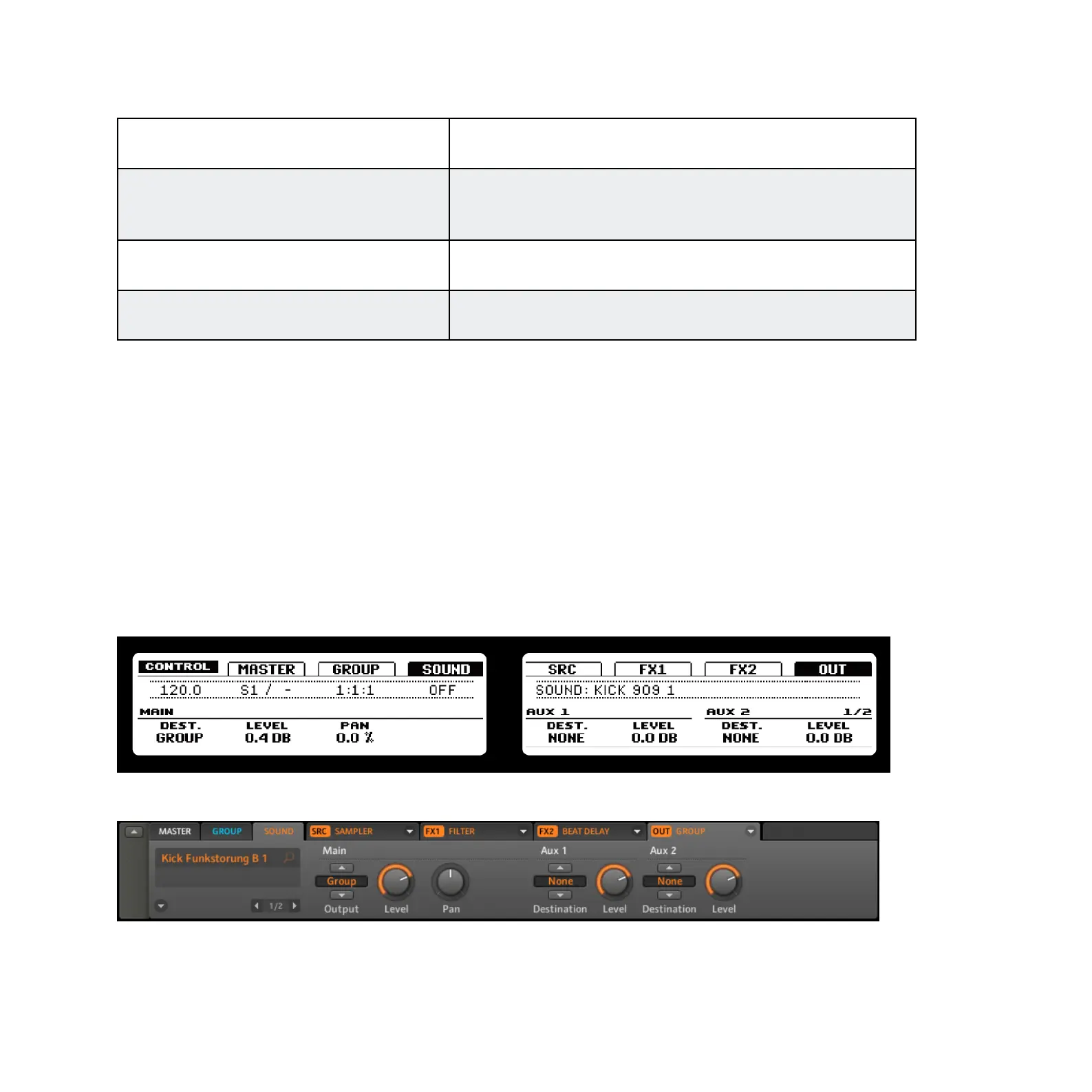
The Sound’s Output Tab allows you to route your Sound and dene Aux Sends. Aux Sends
allow you to send a denable amount of your Sound to other Groups or Sounds for further
processing. Read the chapter 9.8, ”Creating a Send Effect,” to get to know more about how
to set up a classic Send Effect.
4.4.1 Page 1: Main, Aux 1 and Aux 2
Page 1 of 2 from the Sampler Output Tab on the hardware
Page 1 of 2 from the Sampler Output Tab on the software



 To Next Page