Basic
Camera
Setup:
The
Setup
Menu
€)
Date
Set
the camera clock and choose home and travel destination
time
zones.
Date
Set
camera clock
to
current date and time.
The operation
of
each option displayed
is
as
follows.
•
.....
~:
Move through the items
(day,
month,
year,
hour, minute and the order
of
the date).
• •
T:
Adjusts the content
of
the selected item.
•
@:
Activates the setting.
Time zone
Set
the home
(6)
time zone (district) or daylight saving time. When
~
(destination
time zone)
is
selected, the time difference
(l'Il19)
is
automatically calculated and
the date and time in the selected region
are
recorded. Useful when travelling.
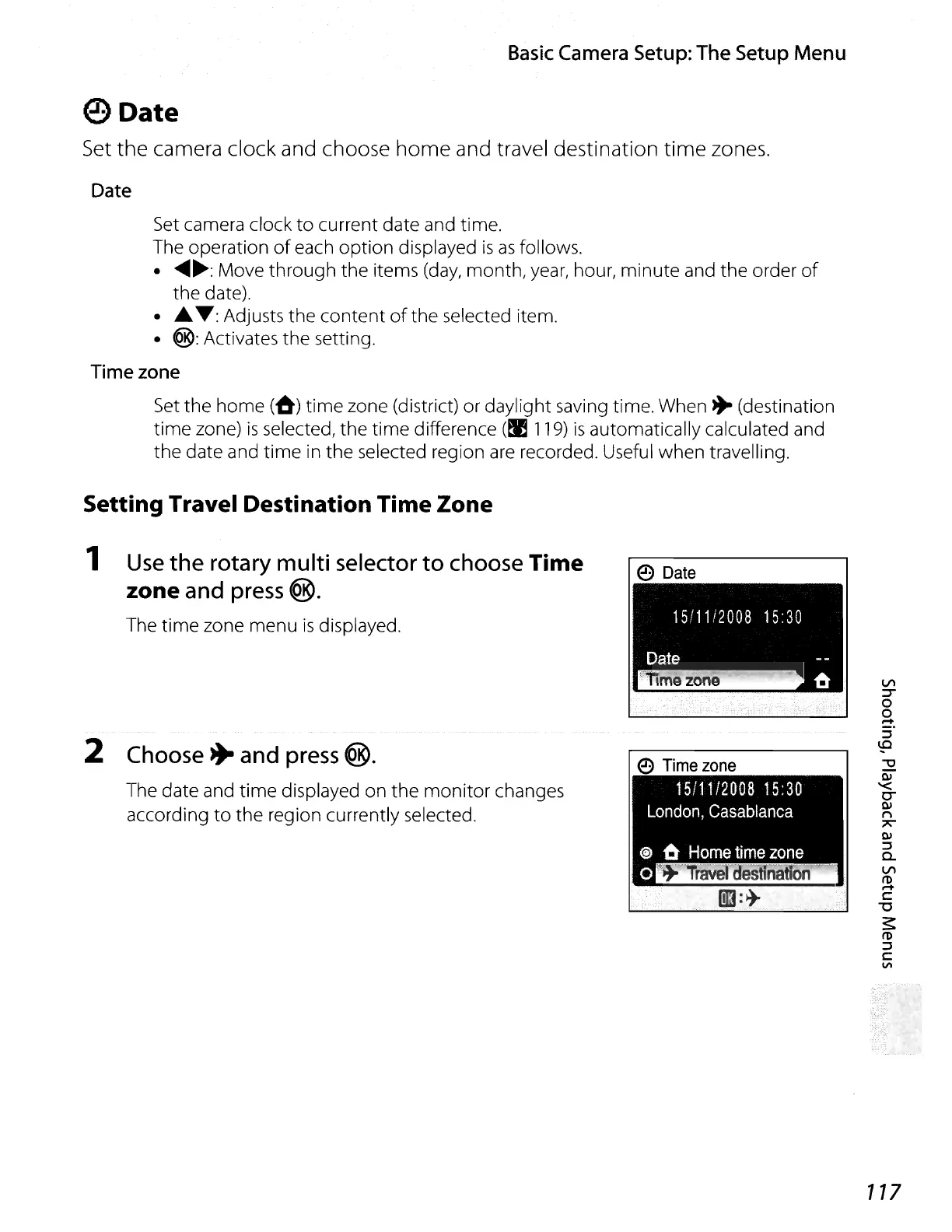
Setting Travel Destination Time Zone
1 Use
the
rotary multi selector
to
choose Time
zone
and press @.
The time zone menu
is
displayed.
2 Choose
~
and press
@.
The date and time displayed on the
monitor
changes
according
to
the region currently selected.
e
Date
117















 To Next Page