Insert!
ng the
Battery
Removing
the
Battery
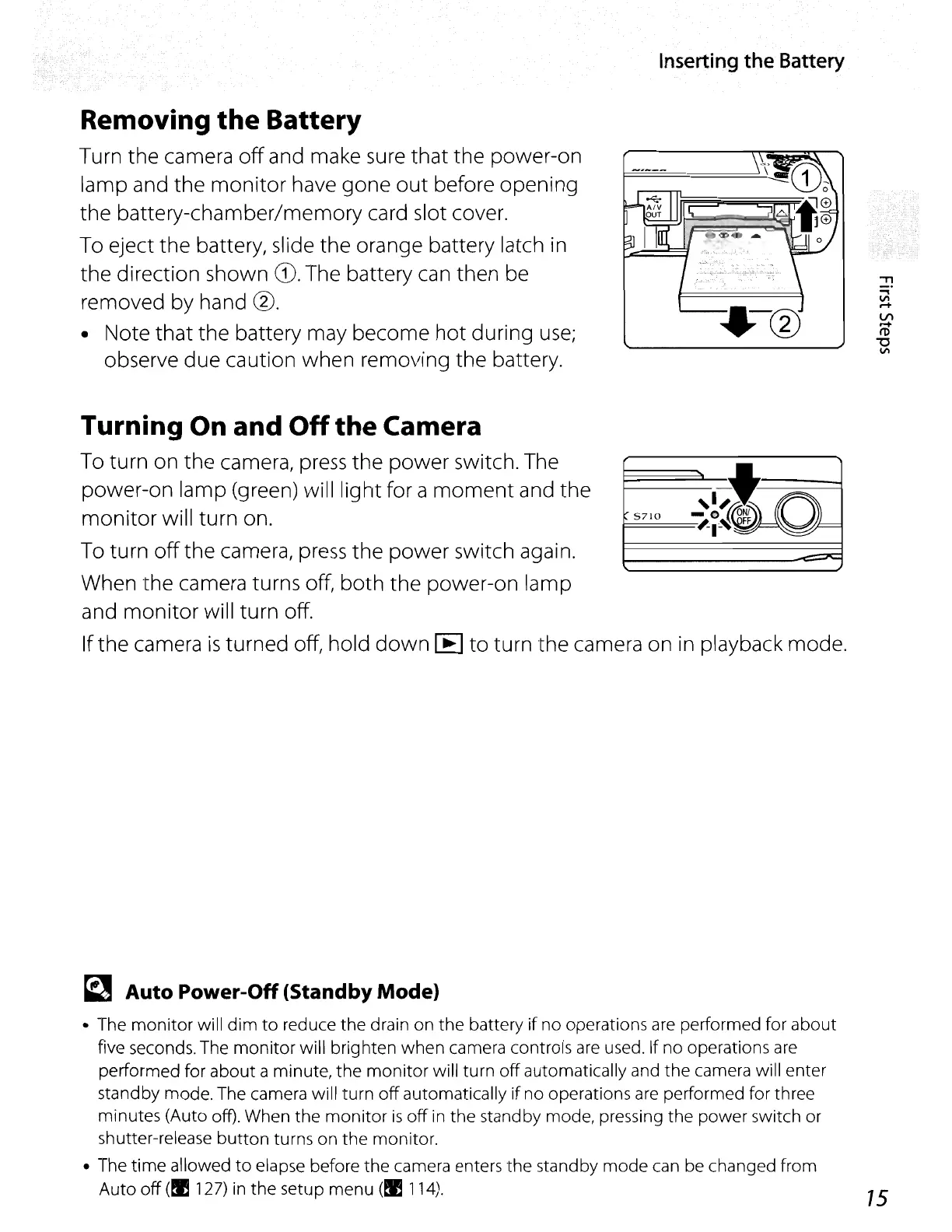
Turn the camera
off
and make
sure
that the power-on
lamp and the monitor have gone
out
before opening
the battery-chamber/memory card slot cover.
To eject the battery, slide the orange battery latch
in
the direction shown
CD.
The battery
can
then be
removed by hand
0.
• Note that the battery may become hot during
use;
observe due caution when removing the battery.
"T1
.....
Vl
.-+
VI
.-+
I'D
"'C
Vl
~~,I
5710
O~
~I~
FF
'='"
--...--
Turning On and
Off
the
Camera
To
turn on the camera,
press
the power switch. The
power-on lamp (green) will light for a
moment
and the
monitor will turn on.
To
turn
off
the camera,
press
the power switch again.
When the camera turns off, both the power-on lamp
and monitor will turn off.
Ifthe camera
is
turned off, hold
down
[E] to turn the camera on
in
playback mode.
~
Auto Power-Off (Standby Mode)
• The
monitor
will dim
to
reduce the drain on the battery
if
no operations
are
performed for about
five seconds. The
monitor
will brighten when camera controls
are
used. If no operations
are
performed for about a minute, the
monitor
will turn
off
automatically and the camera will enter
standby mode. The camera will turn
off
automatically
if
no operations
are
performed for three
minutes (Auto off). When the
monitor
is
off
in
the standby mode, pressing the power switch or
shutter-release
button
turns on the monitor.
• The
time
allowed
to
elapse before the camera enters the standby mode can
be
changed from
Auto
off
(!I
127)
in the setup menu (!I
114).
75















 To Next Page