R(Aperture-Prlorlt;y Auto)
MOde
Set
the
aperture value and shoot pictures
(~
50).
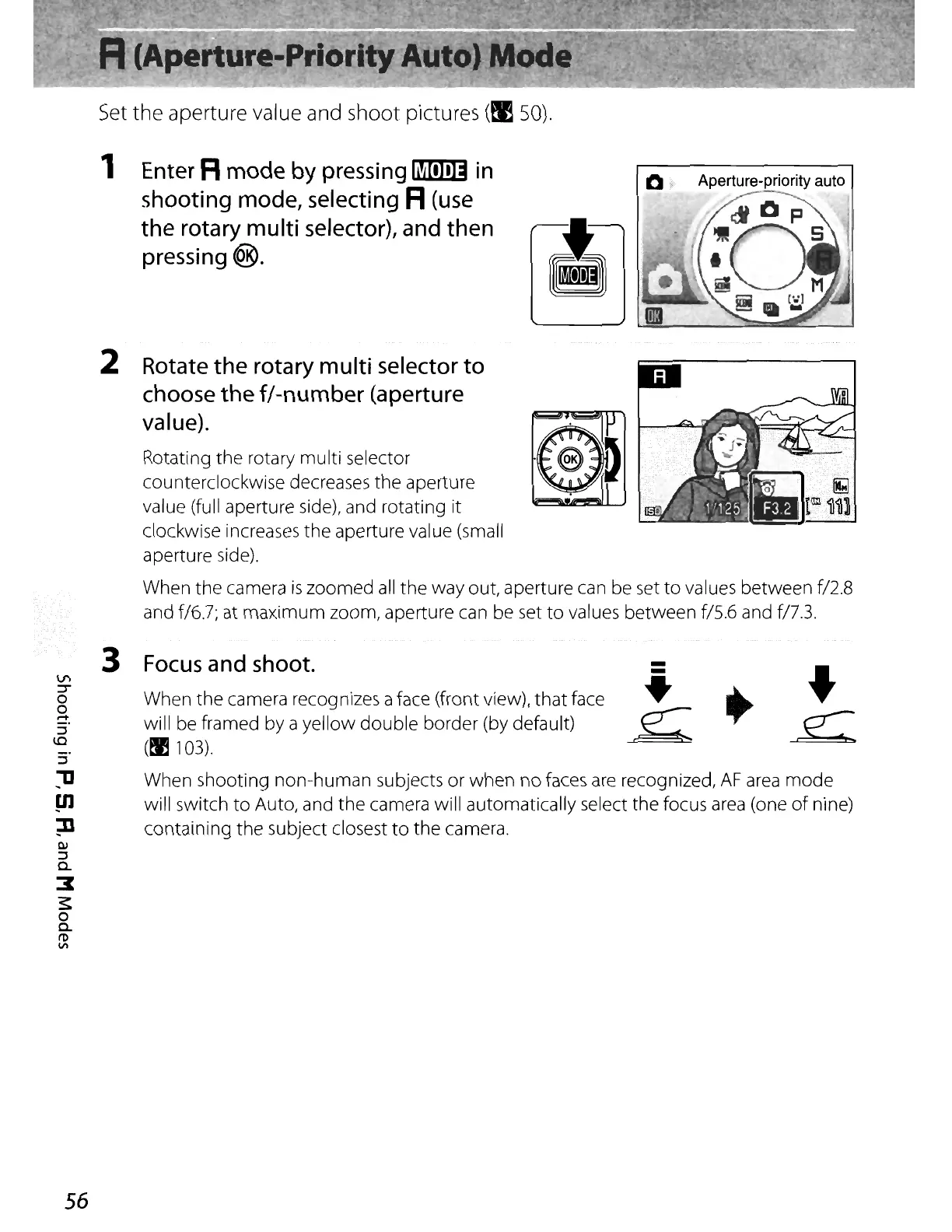
1 Enter R
mode
by pressing
~
in
shooting mode, selecting R(use
the
rotary multi selector), and then
pressing
<@.
10
f
Aperture-priority
auto
.
"IW
~
. I
Rotating the rotary multi selector
counterclockwise decreases the aperture
value (full aperture side), and rotating
it
clockwise increases the aperture value (small
aperture side).
When the camera
is
zoomed
all
the
way out, aperture can be set
to
values between f/2.8
and f/6.7; at maximum zoom, aperture can be set
to
values between f/5.6 and
fl7.3.
Rotate
the
rotary multi selector
to
choose
the
f/-number
(aperture
value).
2
When shooting non-human subjects or
when
no faces
are
recognized,
AF
area
mode
will switch
to
Auto, and
the
camera will automatically select
the
focus
area
(one
of
nine)
containing the subject closest
to
the
camera.
3
Focus
and shoot.
When
the
camera recognizes a face (front view),
that
face
will be framed by a yellow
double
border (by default)
(~
103).
-
-
~
~
•
,e:
56















 To Next Page