Using
the
Flash
co
OJ
III
n
\j
-=r
o
....
o
lO
~
OJ
"'0
-=r
'<
DJ
::J
0..
\j
DJ
'<
rr
DJ
n
?':
»
c
....
o
~
o
0..
I'll
The flash
has
a range
of
approx. 0.5-8.5 m
(1
ft.
8 in.-27 ft.)
when
the
camera
is
zoomed
out
all
the
way. With
maximum
optical
zoom
applied, the range
is
approx.
0.8-4.3 m
(2
ft. 8 in.-14 ft.) (when ISO sensitivity
is
set
to
Auto). The
following
flash modes are available.
tRuro
Auto
Flash
fires automatically
when
lighting
is
poor.
t@
Auto
with
red-eye
reduction
Reduces "red-eye"
in
portraits
(~
29).
Off
Flash
will
not
fire even when lighting
is
poor.
Fill
flash
Flash
fires when a picture
is
taken.
Use
to
"fill-in" (illuminate) shadows and back-lit
subjects.
tri
Slow
sync
tRuro
(auto)
is
combined
with
slow shutter speed.
Flash
illuminates main subject; slow shutter speeds
are
used
to
capture
background at
night
or under
dim
light.
Setting the Flash
Mode
1
Press
~
(flash
mode).
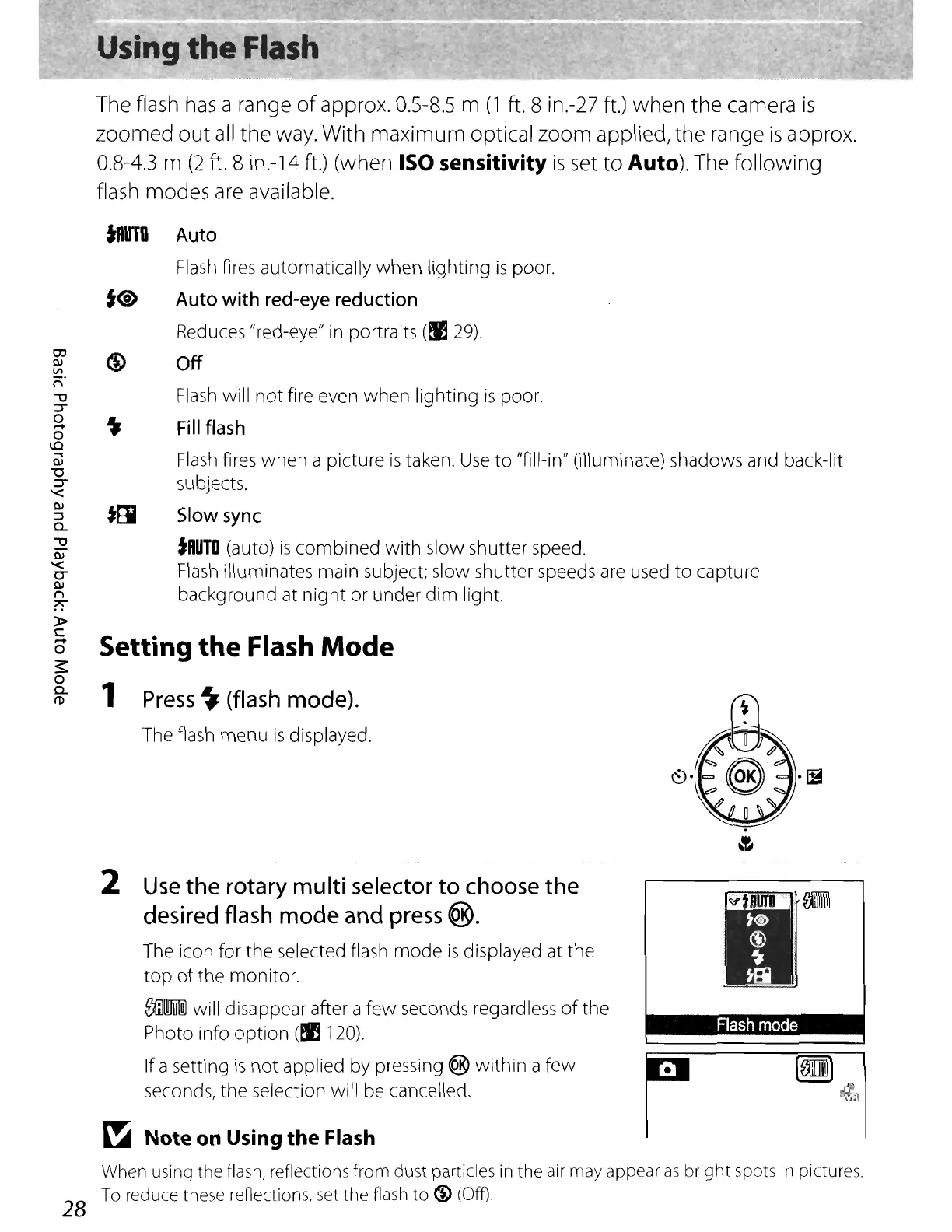
The flash menu
is
displayed.
.
&
2
Use
the
rotary
multi
selector
to
choose
the
desired
flash
mode
and
press
®.
The icon for the selected flash
mode
is
displayed at the
top
of
the monitor.
roM
will disappear after a
few
seconds regardless
of
the
Photo info
option
(~
120).
If a setting
is
not
applied by pressing ® within a
few
seconds, the selection will be cancelled.
~
Note
on Using
the
Flash
r
Flash
mode
When using the flash, reflections
from
dust
particles in
the
air may appear
as
bright
spots in pictures.
To reduce these reflections, set the flash
to
(f) (Off)
28















 To Next Page