Step 3 Focus and Shoot
OJ
Ql
VI
f"\
"
::r
o
r-+
o
1.0
....
Ql
"0
::r
'<
Ql
:J
0-
"
Ql
'<
rr
Ql
f"\
?:
»
c
r-+
o
s=
o
0-
ro
1
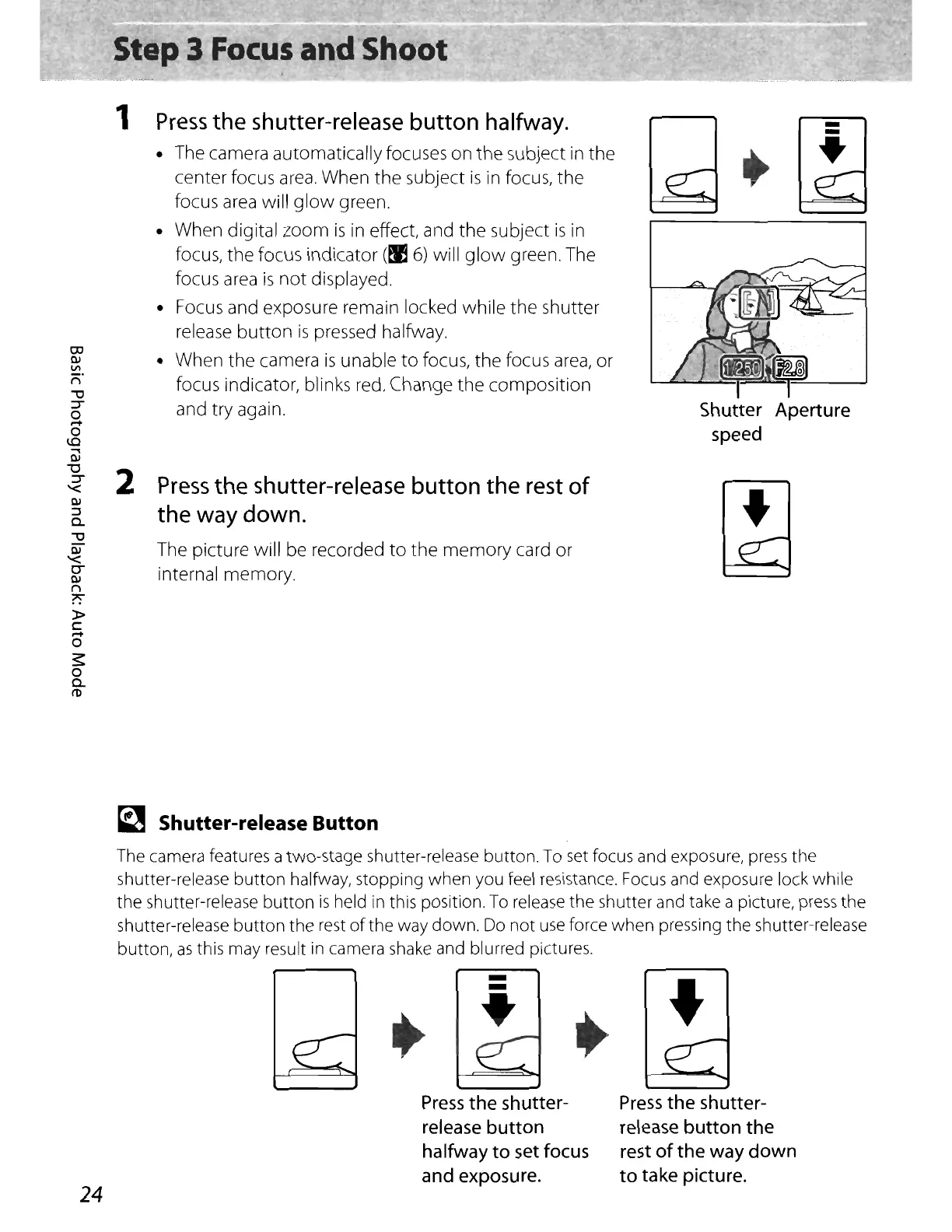
Press
the
shutter-release
button
halfway.
• The camera
automatically
focuses
on
the
subject
in
the
center
focus area.
When
the
subject
is
in focus,
the
focus area will
glow
green.
•
When
digital
zoom
is
in effect, and
the
subject
is
in
focus,
the
focus
indicator
(~
6) will
glow
green. The
focus area
is
not
displayed.
• Focus and exposure remain locked
while
the
shutter
release
button
is
pressed halfway.
•
When
the
camera
is
unable
to
focus,
the
focus area,
or
focus indicator, blinks red. Change
the
composition
and
try
again.
2
Press
the
shutter-release
button the
rest
of
the
way
down.
The
picture
will be recorded
to
the
memory
card
or
internal
memory.
-
-
~
•
~
Shutter-release Button
The camera features a two-stage shutter-release button.
To
set
focus and exposure,
press
the
shutter-release
button
halfway, stopping when you feel resistance.
Focus
and exposure lock while
the shutter-release button
is
held in this position.
To
release the shutter and take a picture,
press
the
shutter-release button the rest
of
the way down.
Do
not
use
force when pressing the shutter-release
button,
as
this may result
in
camera
shake
and blurred pictures.
Press
the shutter-
release button
halfway
to
set focus
and exposure.
+
Press
the shutter-
release button the
rest
of
the way
down
to
take picture.
-
-
•
24















 To Next Page