=---
"ill
moo
~
CB'
Editing
Pictures
Creating a
Cropped
Copy: Crop
This function
is
only available when
mmog
~
is
displayed
in
the
monitor
with
playback zoom
(lI!62)
enabled. Cropped copies are stored
as
separate files.
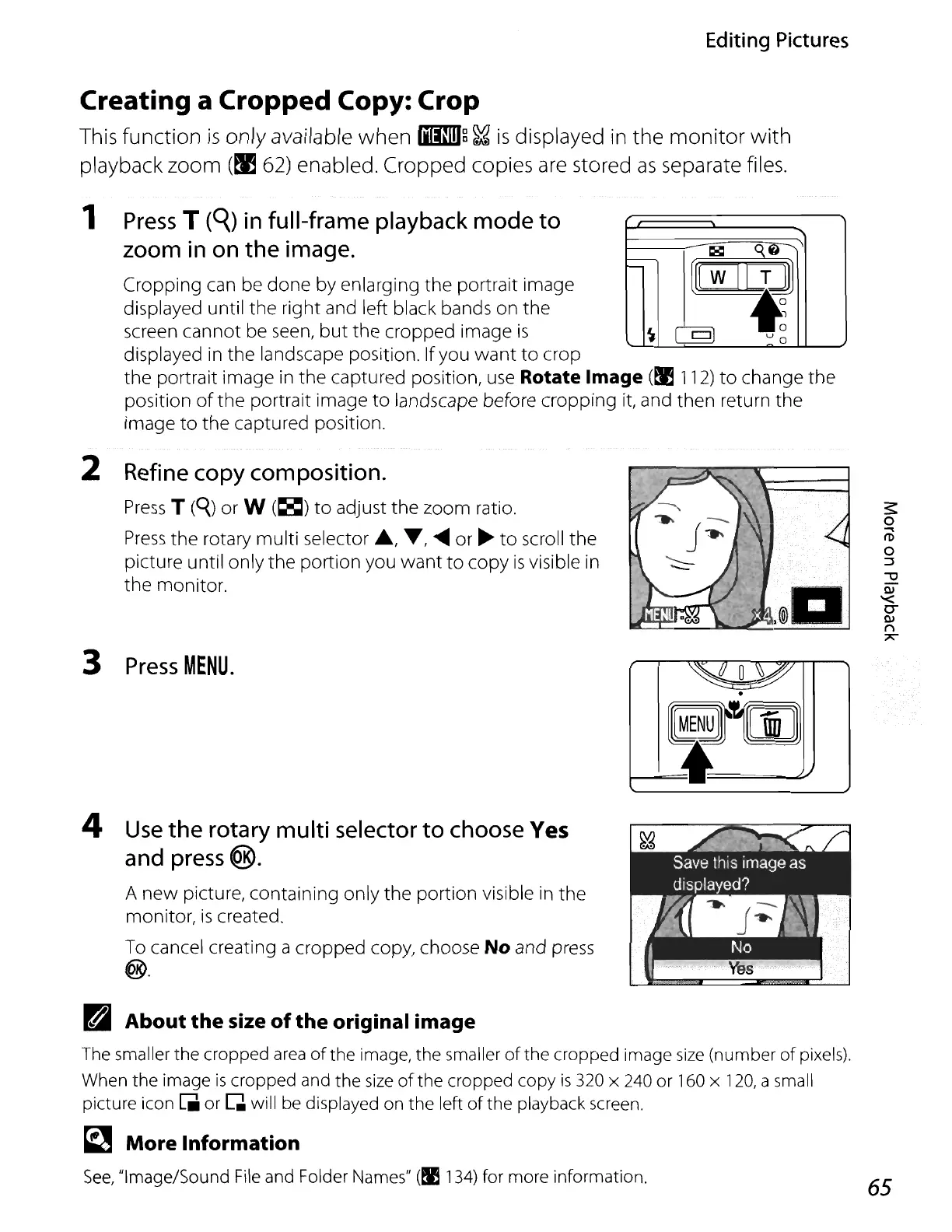
1
Press
T
(QJ
in
full-frame playback mode to
zoom
in
on
the image.
Cropping
can
be done by enlarging the portrait image
displayed until the right and left black bands on the
screen cannot be
seen,
but
the cropped image
is
displayed in the landscape position. Ifyou want
to
crop
the portrait image
in
the captured position,
use
Rotate Image
(~
112)
to
change the
position
of
the portrait image
to
landscape before cropping
it,
and then return the
image
to
the captured position.
2
Refine
copy
composition.
Press
T
(q)
or W
(jgI)
to
adjust the zoom ratio.
Press
the rotary multi selector
.,
..-,
.....
or
~
to
scroll the
picture until only the portion you want
to
copy
is
visible in
the monitor.
3
Press
MENU.
4
Use
the rotary multi
selector
to
choose
Yes
and
press
@.
A
new
picture, containing only the portion visible
in
the
monitor,
is
created.
To
cancel creating a cropped copy, choose No and
press
@.
~O~
.
e@t~[E))
J
ra
About the size
of
the
original image
The smaller the cropped
area
of
the image, the smaller
of
the cropped image
size
(number
of
pixels).
When the image
is
cropped and the
size
of
the cropped copy
is
320 x 240
or
160 x
120,
a small
picture icon
[II
or Q will be displayed on the left
of
the playback screen.
~
More Information
See,
"Image/Sound
File
and Folder Names"
(!I
134)
for more information.
65















 To Next Page