Setting
Display
Language,
Date
and
Time
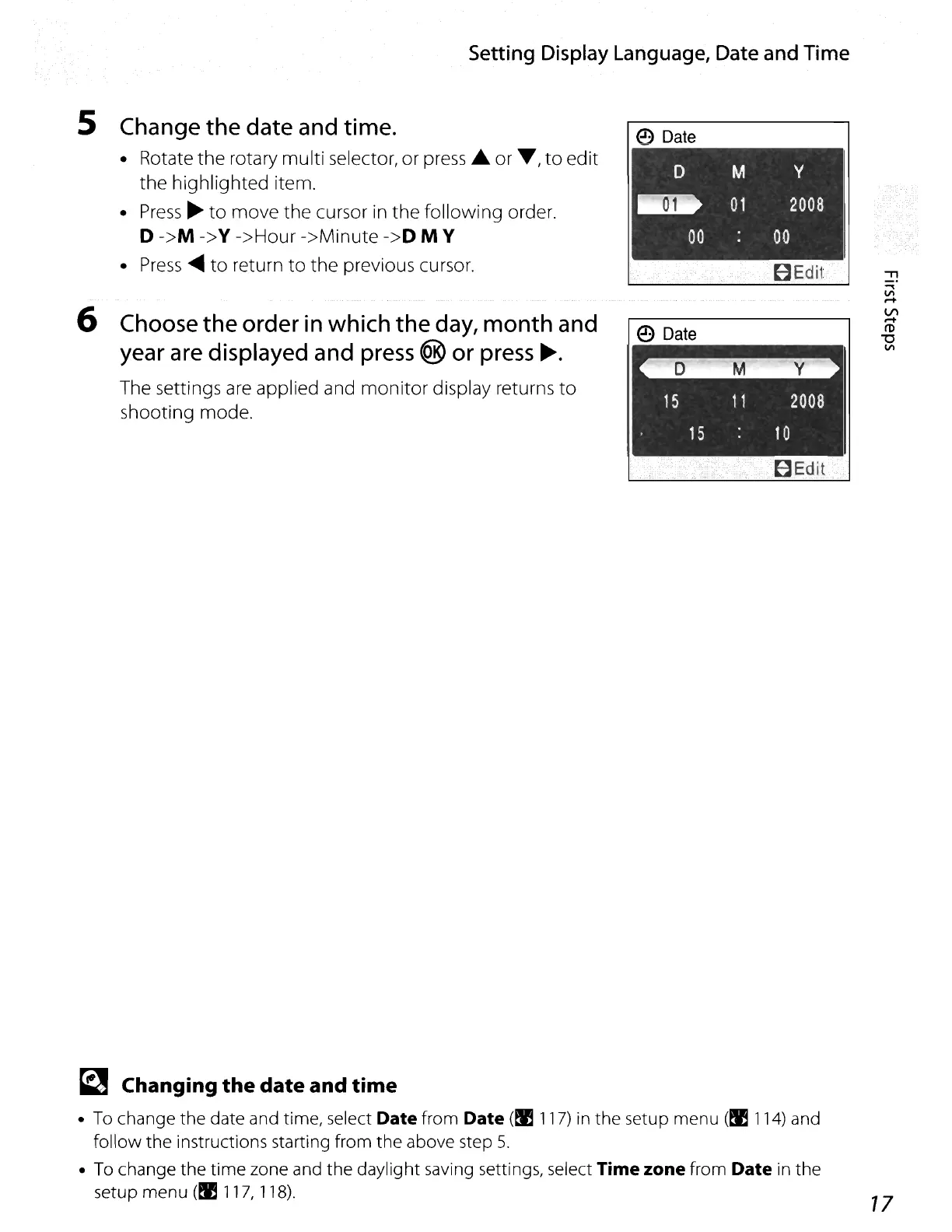
5 Change
the
date
and time.
• Rotate the rotary multi selector, or
press'"
or
T,
to
edit
the highlighted item.
•
Press
~
to
move the cursor
in
the following order.
o
->M
->Y
->Hour ->Minute
->0
M Y
•
Press
....
to return to the previous cursor.
6 Choose
the
order
in
which
the
day,
month
and
year are displayed and press
@ or press
~.
The settings
are
applied and monitor display returns to
shooting mode.
e
Date
D M
..
01
00
e
Date
y
2008
00
BEdit
"l Changing the
date
and time
• To change the date and time, select Date from Date
(~
117)
in the setup menu
(~
114)
and
follow the instructions starting from the above step 5.
• To change the time zone and the daylight saving settings, select
Time zone from Date in the
setup menu
(~
117,
118).
77















 To Next Page