EasyManua.ls Logo

Nikon Coolpix S710 - Copying Voice Recordings

Nikon Coolpix S710
198 pages
Print Icon
To Next Page IconTo Next Page
To Previous Page IconTo Previous Page
Loading...
Copying
Voice
Recordings
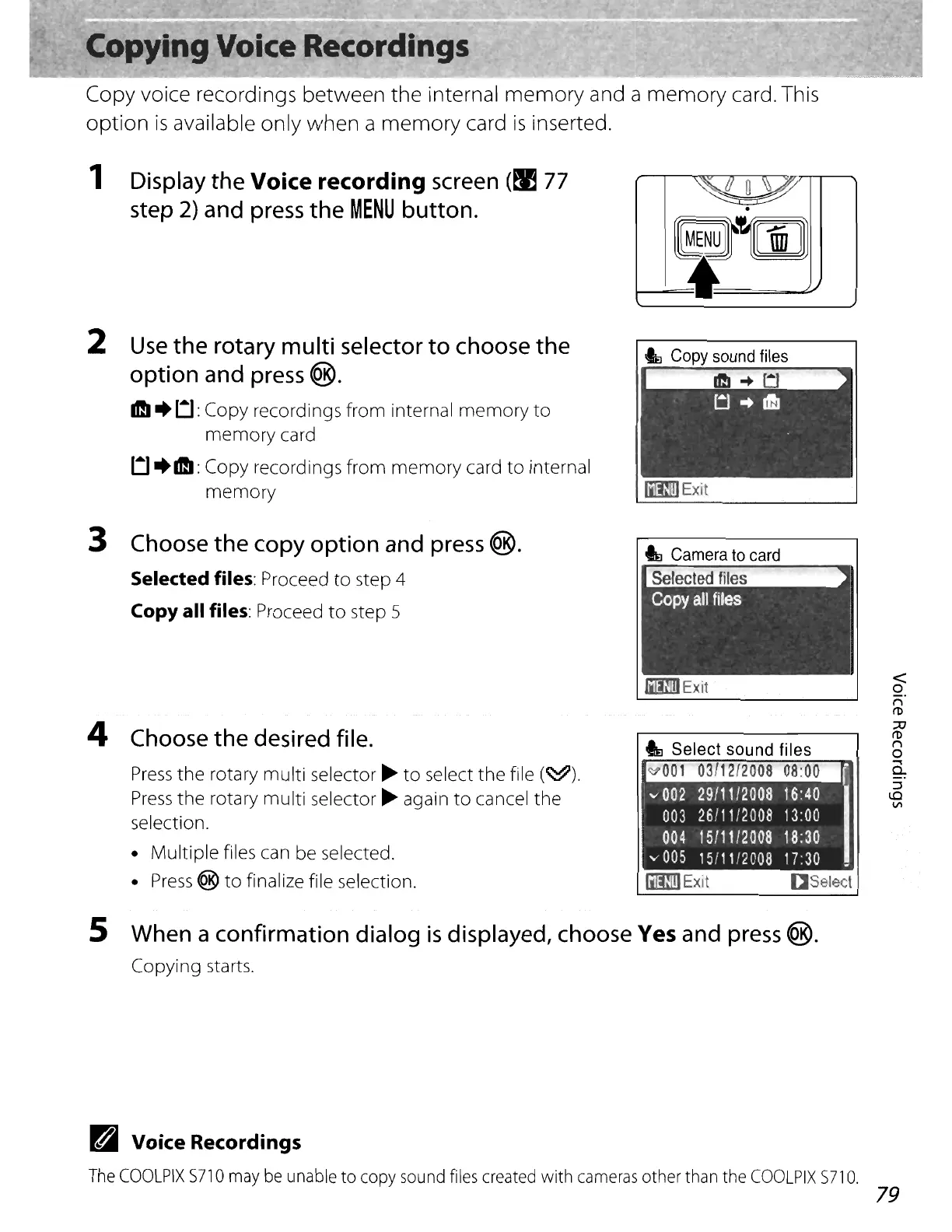
Copy voice recordings between the internal memory and a
memory
card. This
option
is
available only
when
a
memory
card
is
inserted.
1 Display
the
Voice recording screen
(~
77
step
2)
and
press
the
MENU
button.
.
G~~rnJ
t--=I~
2
Use
the
rotary multi selector
to
choose
the
option and press ®.
1ftI+
Ll:
Copy recordings from internal
memory
to
memory
card
Ll+IftI:
Copy recordings from
memory
card
to
internal
memory
IiImIExit
<
o
n
(1)
::AJ
(1)
n
o
.....
Q.
:J
\0
VI
I
a8elecl
_Exit
_Exit
Selected
files
IE
Camera
to
card
3 Choose
the
copy option and
press
®.
Selected files: Proceed
to
step 4
Copy all files: Proceed
to
step 5
4 Choose
the
desired file.
Press
the
rotary multi selector
~
to
select
the
file
(~).
Press
the
rotary multi selector
~
again
to
cancel the
selection.
Multiple files can be selected.
Press
®
to
finalize file selection.
5 When a confirmation dialog
is
displayed, choose Yes and
press
®.
Copying starts.
B Voice Recordings
The
COOLPIX
S71
0
may
be
unable
to
copy
sound
files
created
with
cameras
other
than
the
COOLPIX
S71
O.
79

Table of Contents

Other manuals for Nikon Coolpix S710

Related product manuals