Recording Movies
To
shoot movies with sound recorded
via
the built-in microphone, select shooting
mode and follow the steps below.
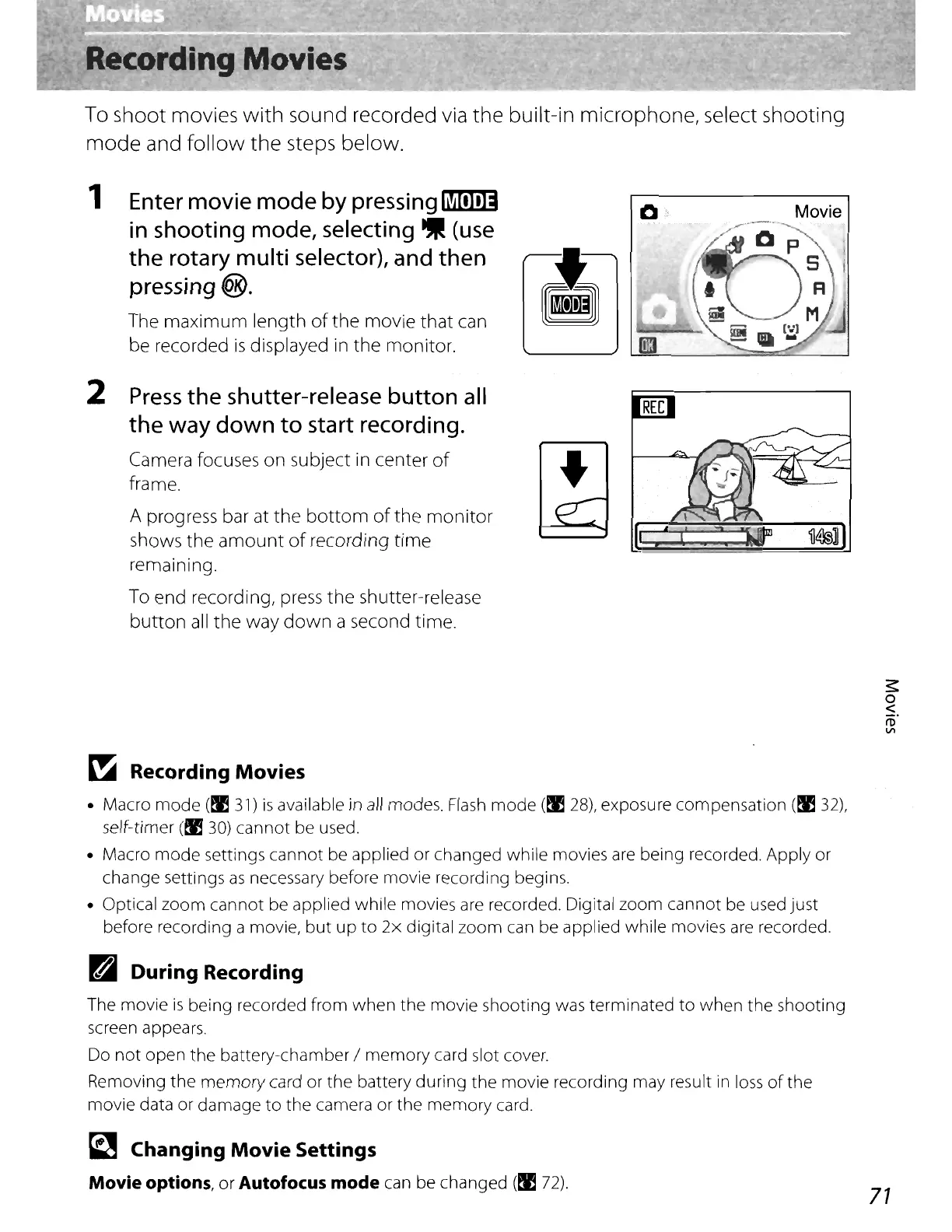
, Enter movie
mode
by pressing
fi!ill.I!D
in
shooting mode, selecting
~
(use
the
rotary multi selector), and then
pressing
®.
The maximum length
of
the
movie that can
be recorded
is
displayed
in
the
monitor.
2
Press
the
shutter-release button all
the
way
down
to
start recording.
Camera focuses on subject in center
of
frame.
A prog
ress
ba
r at the
bottom
of
the monitor
shows
the
amount
of
recording time
remaining.
To end recording,
press
the
shutter-release
button
all
the way
down
a second time.
•
Movie
«
~
Recording Movies
• Macro
mode
(!l3l)
is
available in
all
modes.
Flash
mode
(!I
28),
exposure compensation
(~32),
self-timer
(~
30)
cannot
be used.
• Macro
mode
settings
cannot
be applied or changed while movies are being recorded. Apply or
change settings
as
necessary before movie recording begins.
• Optical
zoom
cannot be applied while movies are recorded. Digital
zoom
cannot be used just
before recording a movie,
but
up
to
2x
digital
zoom
can be applied while movies
are
recorded.
~
During Recording
The movie
is
being recorded from
when
the
movie shooting was terminated
to
when
the
shooting
screen appears.
Do
not
open
the
battery-chamber /
memory
card slot cover.
Removing
the
memory
card or
the
battery
during
the
movie recording may result
in
loss
of
the
movie data or damage
to
the
camera or
the
memory
card.
~
Changing Movie Settings
Movie
options,
or
Autofocus
mode
can be changed
(~
72).
71















 To Next Page