EasyManua.ls Logo

Nikon Coolpix S710 - Using List by Date Mode

Nikon Coolpix S710
198 pages
Print Icon
To Next Page IconTo Next Page
To Previous Page IconTo Previous Page
Loading...
Viewing Pictures by Date
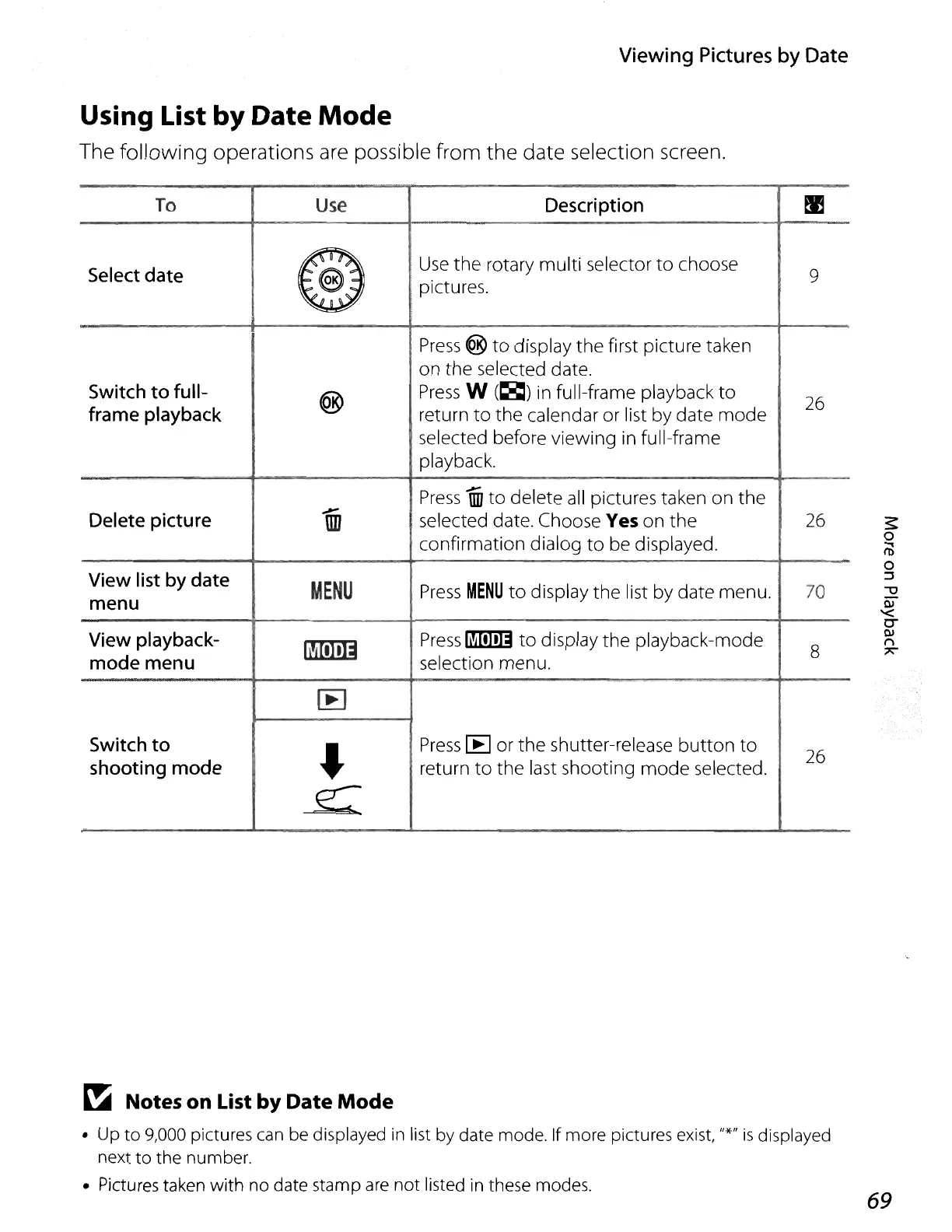
Using List by Date
Mode
The following operations are possible from the date selection screen.
To
Use
Description
~
Select
date
@
Use
the
rotary
multi
selector
to
choose
9
pictures.
Press
®
to
display
the
first
picture
taken
on
the
selected date.
Switch
to
full-
®
Press
W
(~)
in full-frame playback
to
26
frame
playback
return
to
the
calendar
or
list
by
date
mode
selected before
viewing
in full-frame
playback.
..;-
Press
0fJ
to
delete
all pictures taken
on
the
Delete picture
\lD
selected date. Choose Yes
on
the
26
confirmation
dialog
to
be displayed.
View
list
by
date
MENU
Press
MENU
to
display
the
list
by
date
menu.
70
menu
View
playback-
~
Press
~
to
display
the
playback-mode
8
mode
menu
selection
menu.
I:EI
Switch
to
l
Press
[E
or
the
shutter-release
button
to
26
shooting
mode return
to
the
last
shooting
mode
selected.
~
~
Notes on List by Date
Mode
up
to
9,000 pictures can be displayed
in
list by date mode. If more pictures exist, "*"
is
displayed
next
to
the
number
.
Pictures taken
with
no date stamp are
not
listed
in
these modes.
69

Table of Contents