Making
Voice
Recordings
Audio voice recordings
can
be recorded over the built-in microphone and played
back over the built-in speaker.
Voic~recording
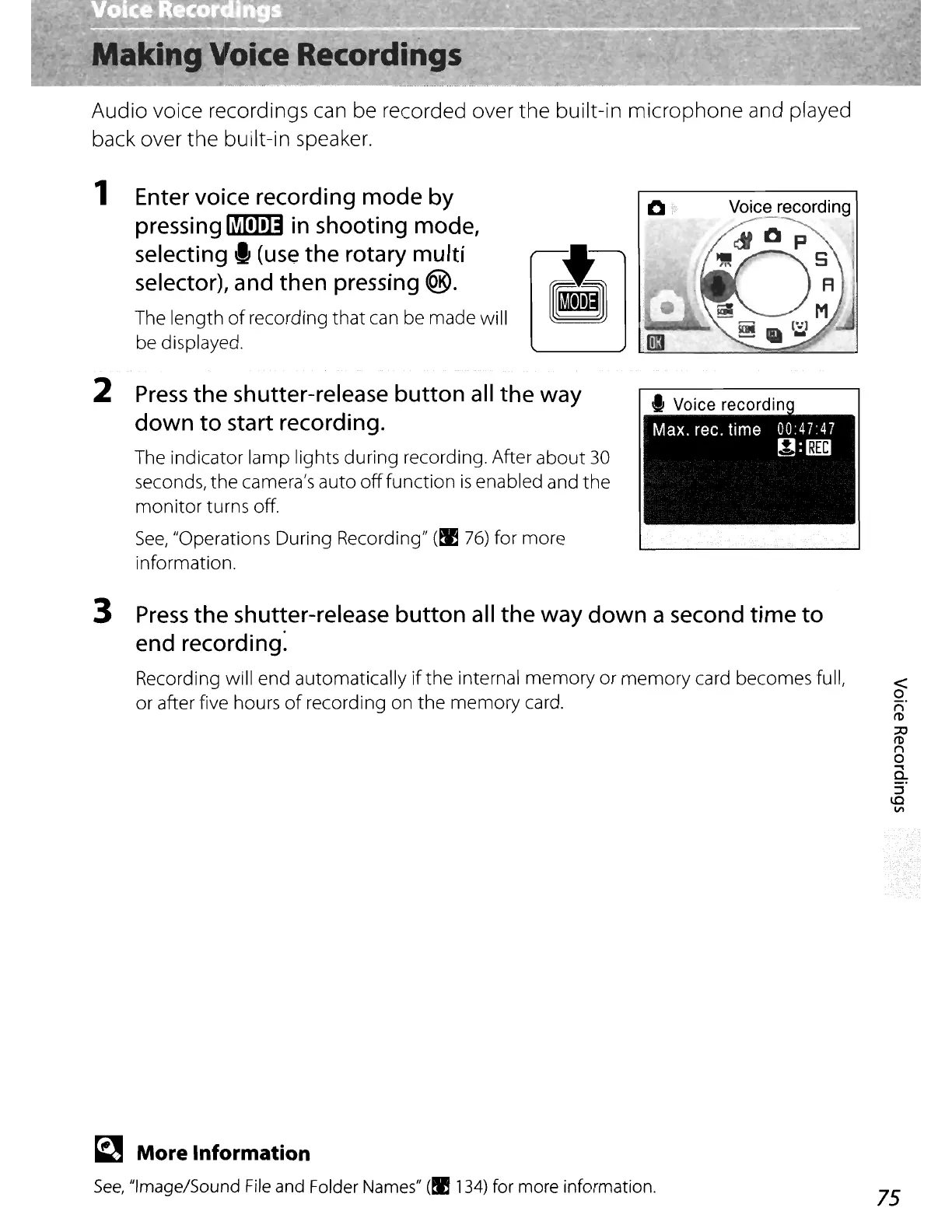
1 Enter voice recording
mode
by
pressing
~
in
shooting mode,
selecting"
(use
the
rotary multi
selector), and then pressing
®.
The length
of
recording
that
can be made will
be displayed.
2
Press
the
shutter-release button all
the
way
down
to
start recording.
The indicator lamp lights during recording. After
about
30
seconds,
the
camera's auto
off
function
is
enabled and
the
monitor
turns off.
See,
"Operations During Recording"
(EI
76)
for more
information.
3
Press
the
shutter-release button
all
the
way
down
a second
time
to
end recording:
Recording will end automatically
if
the
internal
memory
or
memory
card becomes full,
or after five hours
of
recording on the
memory
card.
~
More Information
See,
"Image/Sound
File
and Folder
Names"
(!I
134)
for more information.
75















 To Next Page