hlgh-spe d contlnuau
High-speed continuous
mode
allows rapid, continuous shooting while you press
and hold
the
shutter-release
button
fully. With continuous shooting,
instantaneous movements
in
moving subjects can be captured clearly.
• The shutter speed
is
set automatically
within
the
range
of
1/4,000 s
to
1/15
s.
• The
ISO
sensitivity
is
set automatically
within
the range
of
ISO
900
to
3200.
• The image
mode
setting
(~
95)
is
fixed at e Normal (2048).
• The focus, exposure, and
white
balance settings
are
fixed at the values for
the
first picture
in
each
series.
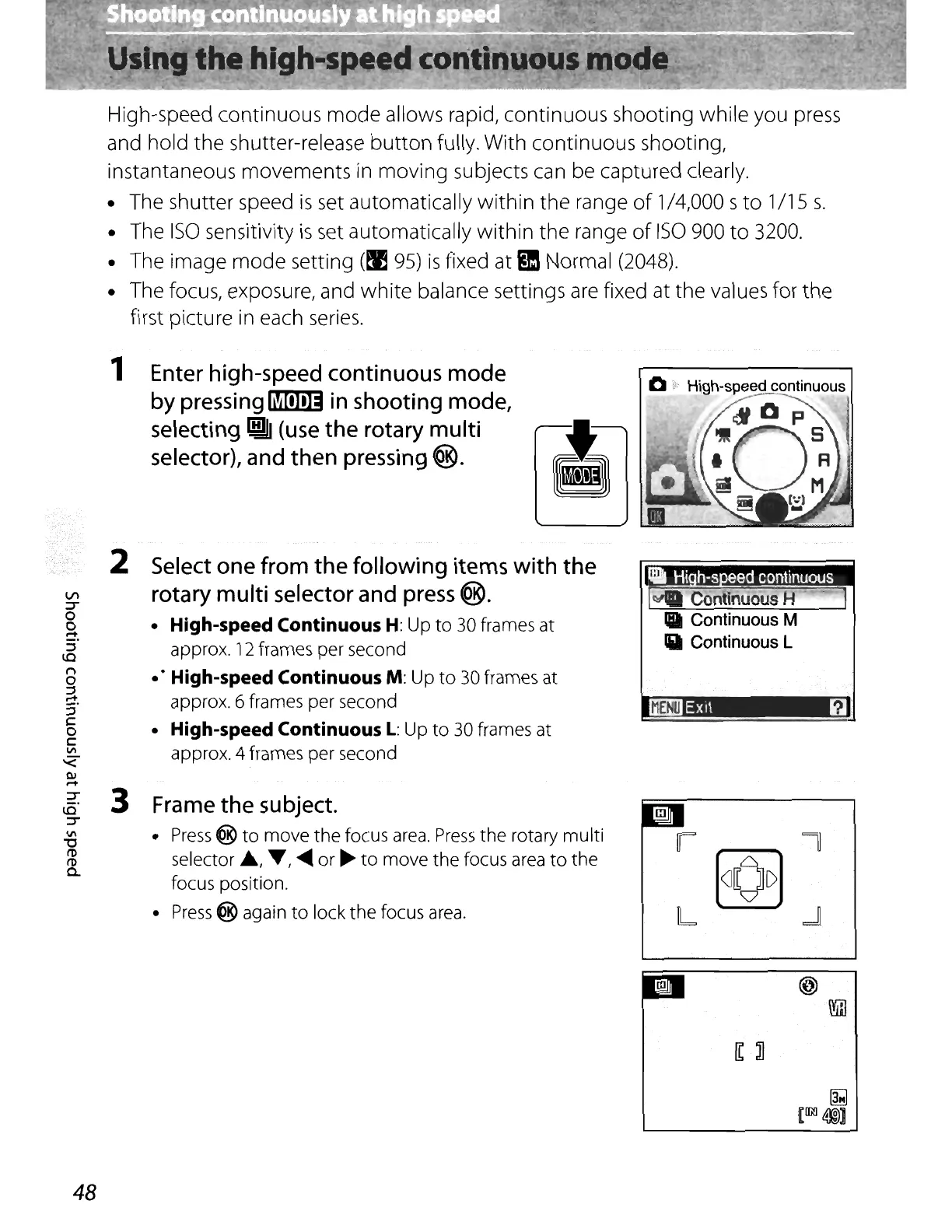
1 Enter high-speed continuous mode
by
pressing~
in shooting mode,
selecting
~
(use
the rotary multi
selector), and then pressing
®.
2
In
:r
0
0
~.
::J
lO
n
0
::J
.-+
s'
C
0
C
VI
'<
III
.-+
:r
3
~.
:J"
VI
'0
n>
n>
c..
Select one from the following items
with
the
rotary multi selector and press
®.
• High-speed Continuous H: Up
to
30 frames at
approx.
12
frames per second
.'
High-speed Continuous M: Up
to
30 frames at
approx. 6 frames per second
• High-speed Continuous
L:
Up
to
30 frames at
approx. 4 frames per second
Frame the subject.
•
Press
@
to
move
the
focus
area.
Press
the
rotary
multi
selector
..
,
T,
~
or
~
to
move
the
focus area
to
the
focus position.
•
Press
@ again
to
lock
the
focus area.
•
14
Continuous H .
II
Continuous M
IiII
Continuous L
IiOOI!J
Ex
it
il
48















 To Next Page