M(Manual) Mode
Set
the
shutter speed, aperture and
ISO
sensitivity, and shoot pictures
(~50).
Manual
1
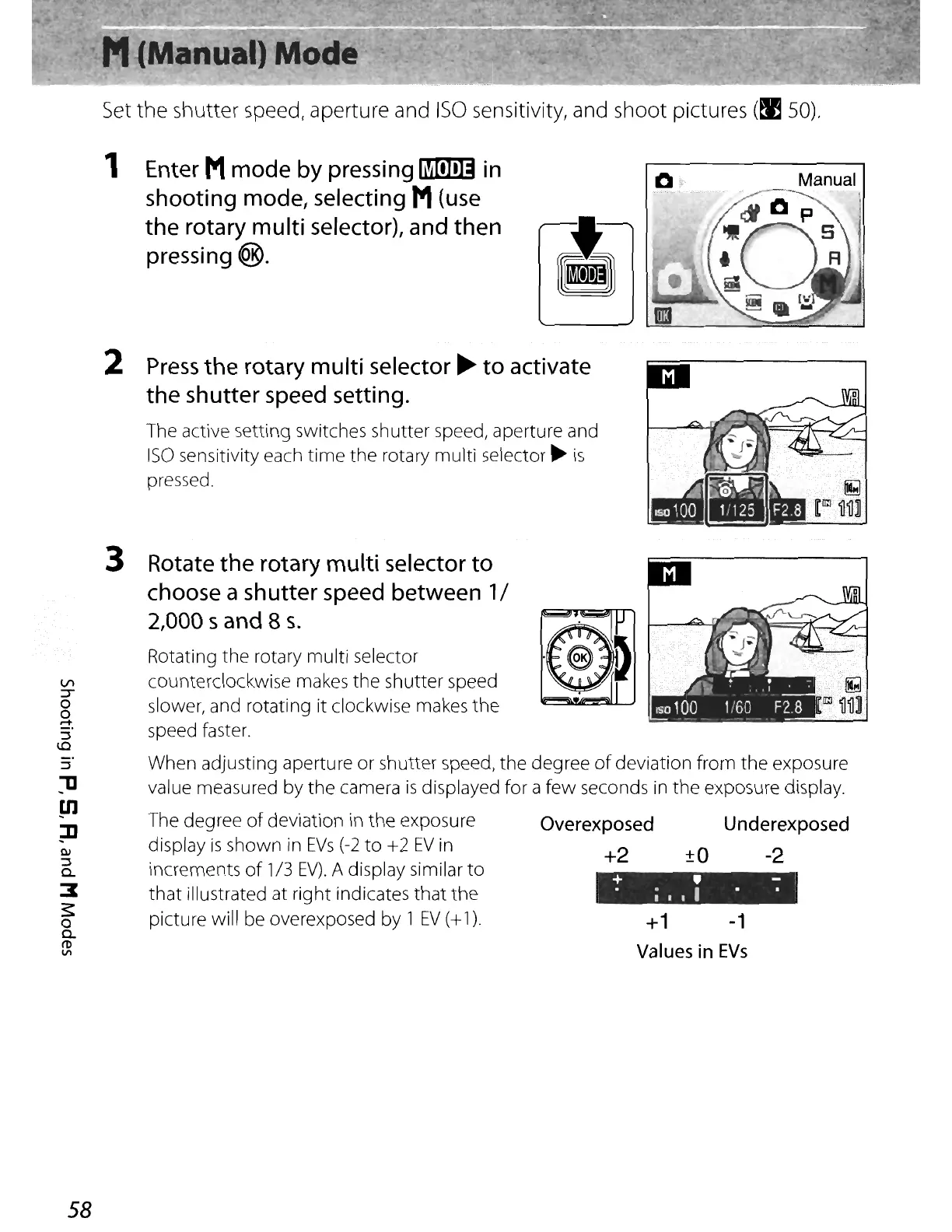
Enter
Mmode
by
pressing
~
in
shooting mode,
selecting
M
(use
the
rotary
multi
selector),
and
then
pressing
@.
2
Press
the
rotary
multi
selector
~
to activate
the shutter
speed
setting.
The active setting switches shutter speed, aperture and
ISO
sensitivity each
time
the rotary multi selector
~
is
pressed.
+1
-1
Values
in
EVs
+ • -
•
;111
••
·IIJ
G»
II
Rotating the rotary multi selector
counterclockwise makes the shutter speed
slower, and rotating it clockwise makes the
speed faster.
When adjusting aperture or shutter speed, the degree
of
deviation from the exposure
value measured by the camera
is
displayed for a few seconds
in
the
exposure display.
The degree
of
deviation in the exposure Overexposed Underexposed
display
is
shown
in
EVs
(-2
to
+2
EV
in +2
±O
-2
increments
of
1/3
EV).
A display similar
to
that
illustrated at right indicates
that
the
picture will be overexposed by 1
EV
(+
1).
Rotate
the
rotary
multi
selector
to
choose
a
sh
utter
speed
between
1/
2,000 sand 8
s.
3
Q)
::J
0-
:I
~
o
0-
ro
VI
1]
Ul
]]
VI
:r
o
S
:::l
1.0
58















 To Next Page