Connecting to a Printer
Connecting
the
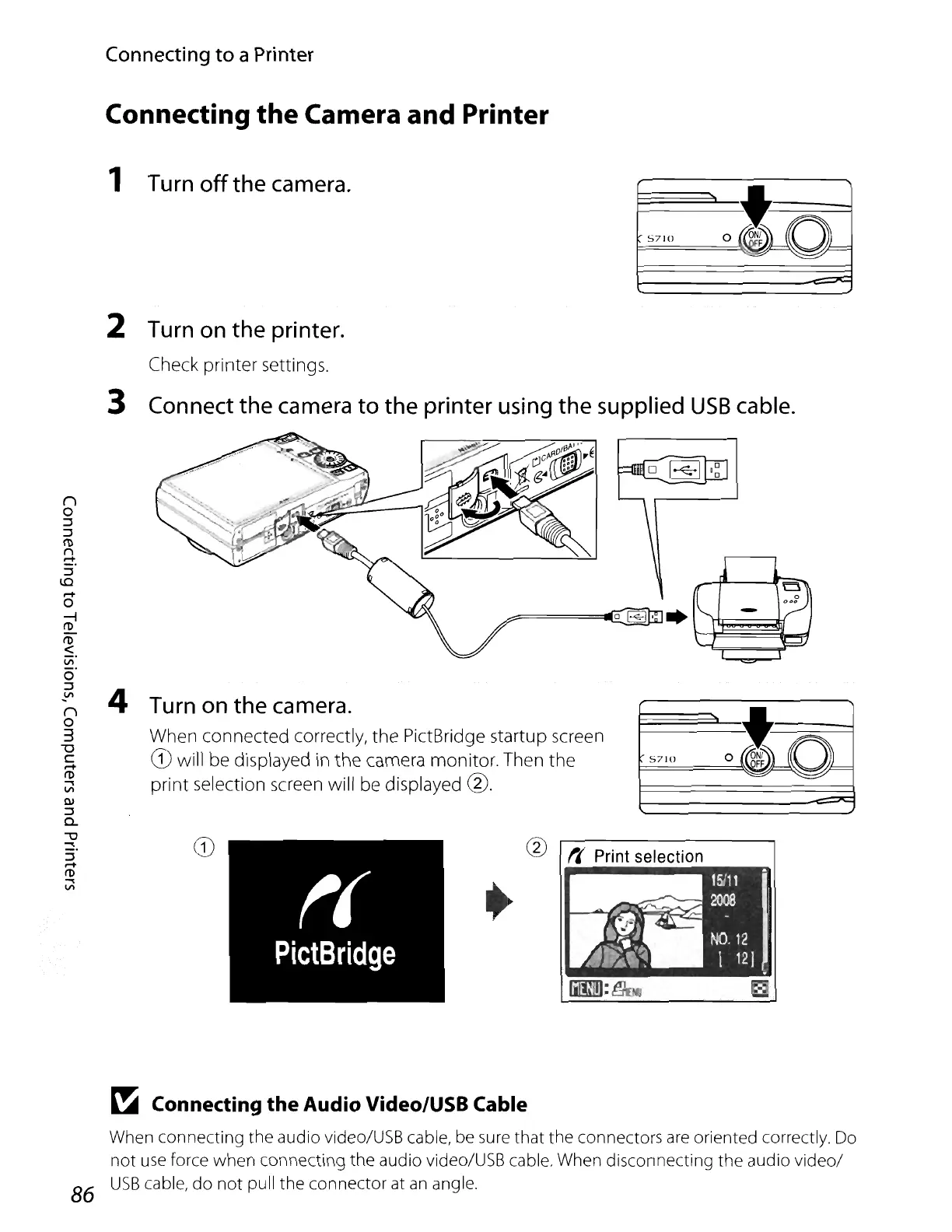
Camera and Printer
1 Turn off the camera.
5710
2 Turn on the printer.
Check printer settings.
3 Connect the camera
to
the printer using the supplied
USB
cable.
1@1.f~
@ ",
Print
selection
4 Turn on the camera.
When connected correctly, the PictBridge startup screen
CD
will be displayed
in
the
camera monitor. Then
the
I==S7=IO=======~~~
print selection screen will be displayed
@.
t(
PictBridge
n
o
::J
::J
([)
r"\
-
~
Connecting
the
Audio Video/USB Cable
When connecting the audio video/USB cable, be sure that the connectors
are
oriented correctly. Do
not
use
force when connecting the audio video/USB cable. When disconnecting the audio
video/
86
USB
cable,
do
not
pull the connector at
an
angle.















 To Next Page