EasyManua.ls Logo

Nikon Coolpix S710 - Taking Pictures for Food Mode

Nikon Coolpix S710
198 pages
Print Icon
To Next Page IconTo Next Page
To Previous Page IconTo Previous Page
Loading...
Using
the
Scene
Mode
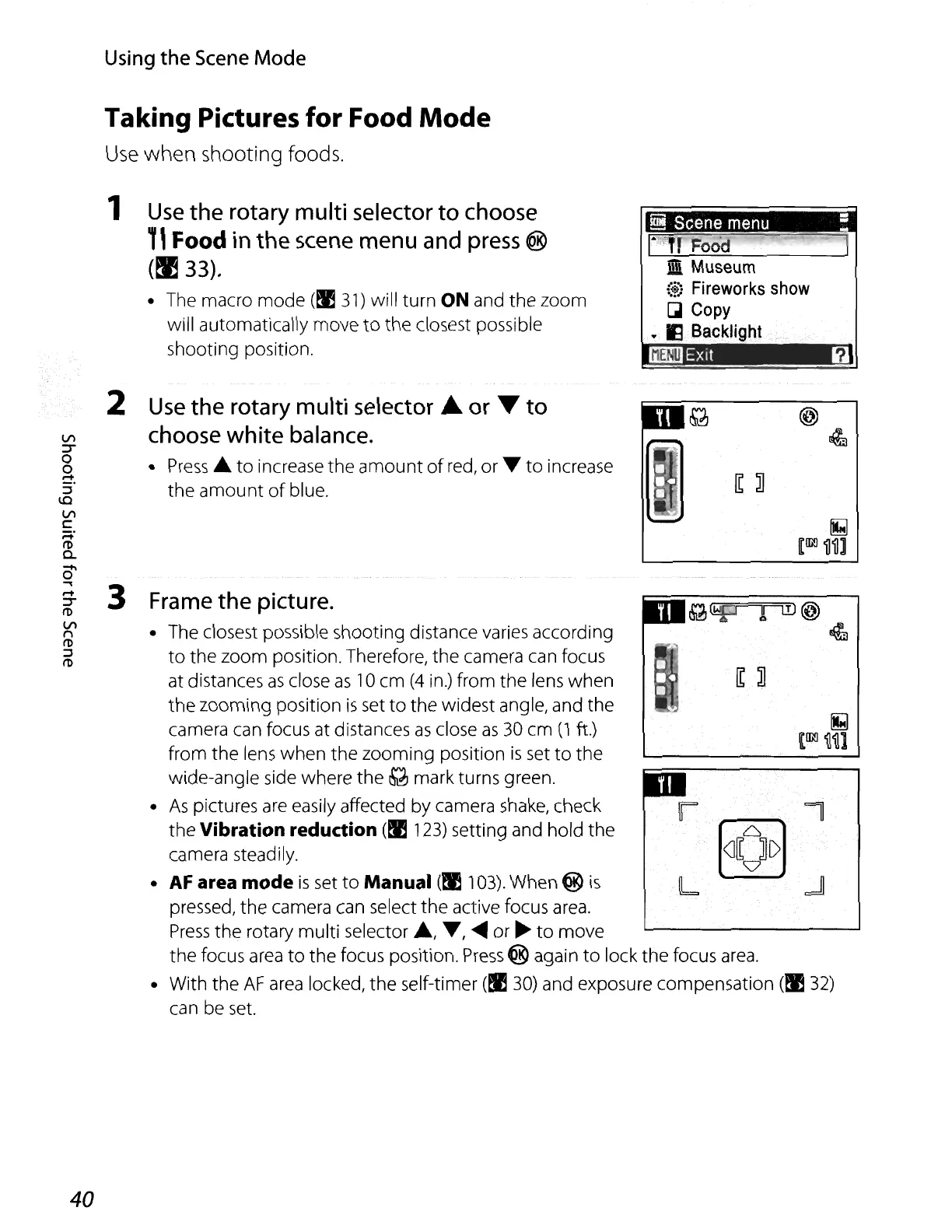
Taking Pictures for Food
Mode
Use
when shooting foods.
1
Use
the
rotary
multi
selector
to
choose
TI
Food
in
the
scene
menu
and
press
@
(~
33).
The macro
mode
(EE
31)
will turn ON and
the
zoom
will automatically move
to
the closest possible
shooting position.
.iDi
Museum
(+)
Fireworks
show
GI
Copy
.•.
II
Bac:~light
~
l!ifFTill@
4J
Frame
the picture.
The closest possible shooting distance varies according
to
the
zoom
position. Therefore,
the
camera can focus
at distances
as
close
as
10
cm
(4
in.) from
the
lens when
the
zooming
position
is
set
to
the
widest angle, and the
camera can focus at distances
as
close
as
30
cm
(1
ft.)
from
the
lens
when
the
zooming position
is
set
to
the
wide-angle side where
the
Q mark turns green.
As
pictures
are
easily affected by camera shake, check
the Vibration reduction
(EE
123) setting and hold the
camera steadily.
AF
area mode
is
set
to
Manual
(~
103). When ®
is
pressed,
the
camera can select
the
active focus
area.
Press
the
rotary multi selector
.,
....,
~
or
~
to
move
the focus
area
to
the focus position.
Press
® again
to
lock the focus
area.
With
the
AF
area
locked,
the
self-timer
(EE
30) and exposure compensation
(EE
32)
can be
set.
Use
the
rotary
multi
selector
..
or
...
to
choose
white
balance.
Press.
to
increase
the
amount
of
red,
or
....
to
increase
the
amount
of
blue.
2
VI
:r
0
0
~.
::::l
\Q
VI
c
;=i:
I'D
a.
0'
...,
3
rot
:r
I'D
VI
f'\
I'D
::::l
I'D
40

Table of Contents

Other manuals for Nikon Coolpix S710

Related product manuals