Inserting
Memory
Cards
11
....
VI
,....,.
V"I
,....,.
m
-0
VI
<D
Card
is
not
formatted.
Format
card?
Removing
Memory
Cards
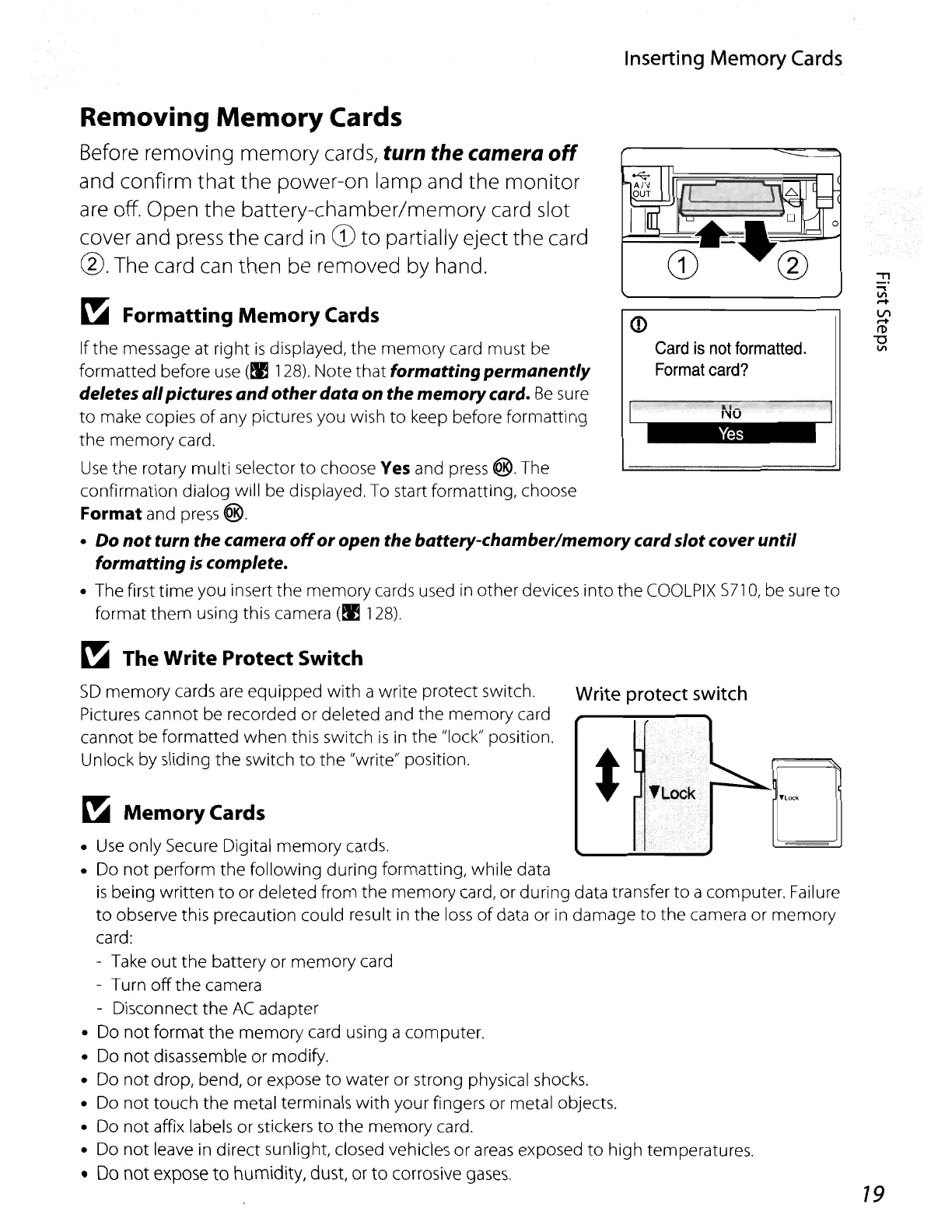
Before removing memory cards, turn the camera
off
and confirm
that
the power-on lamp and the
monitor
are
off. Open the battery-chamber/memory card slot
cover and
press
the card
in
CD
to
partially eject the card
@.
The card can then be removed by hand.
~
Formatting
Memory
Cards
If the message at right
is
displayed, the memory card must be
formatted before
use
(~
128).
Note that formatting permanently
deletesallpictures
and
other
data
on the memorycard.
Be
su
re
to
make copies
of
any pictures you wish
to
keep before formatting
the memory card.
Use
the rotary multi selector
to
choose Yes and
press
®.
The
confirmation dialog will be displayed. To start formatting, choose
Format
and
press
®.
•
Do
not
turn the camera
off
or
open the battery-chamber/memorycard
slot
coveruntil
formatting is complete.
• The first
time
you insert the memory cards used in other devices
into
the
COOLPIX
5710,
be sure
to
format
them
using this camera
(~
128).
19
Write protect switch
~
Memory
Cards
~
The Write Protect Switch
5D
memory cards are equipped
with
a write protect switch.
Pictures cannot be recorded or deleted and the memory card
cannot be formatted when this switch
is
in
the "lock" position.
Unlock by sliding the switch
to
the
"write" position.
•
Use
only Secure Digital memory cards.
• Do
not
perform the following during formatting, while data
is
being written
to
or deleted from the memory card,
or
during data transfer to a computer. Failure
to
observe this precaution could result
in
the
loss
of
data or in damage to the camera or memory
card:
-
Take
out
the battery
or
memory card
- Turn
off
the camera
- Disconnect the
AC
adapter
• Do
not
format the memory card using a computer.
• Do
not
disassemble or modify.
• Do not drop, bend, or expose
to
water or strong physical shocks.
• Do
not
touch the metal terminals
with
your fingers
or
metal objects.
• Do
not
affix labels
or
stickers
to
the
memory
card.
• Do
not
leave in direct sunlight, closed vehicles or
areas
exposed
to
high temperatures.
• Do
not
expose
to
humidity, dust, or
to
corrosive
gases.















 To Next Page