Macro
mode
is
used for taking pictures
of
objects
as
close
as
10
cm
(4
in.). Note
that
the
flash may be unable
to
light
entire subject at distances
of
less
than 50 cm
(19.7
in.).
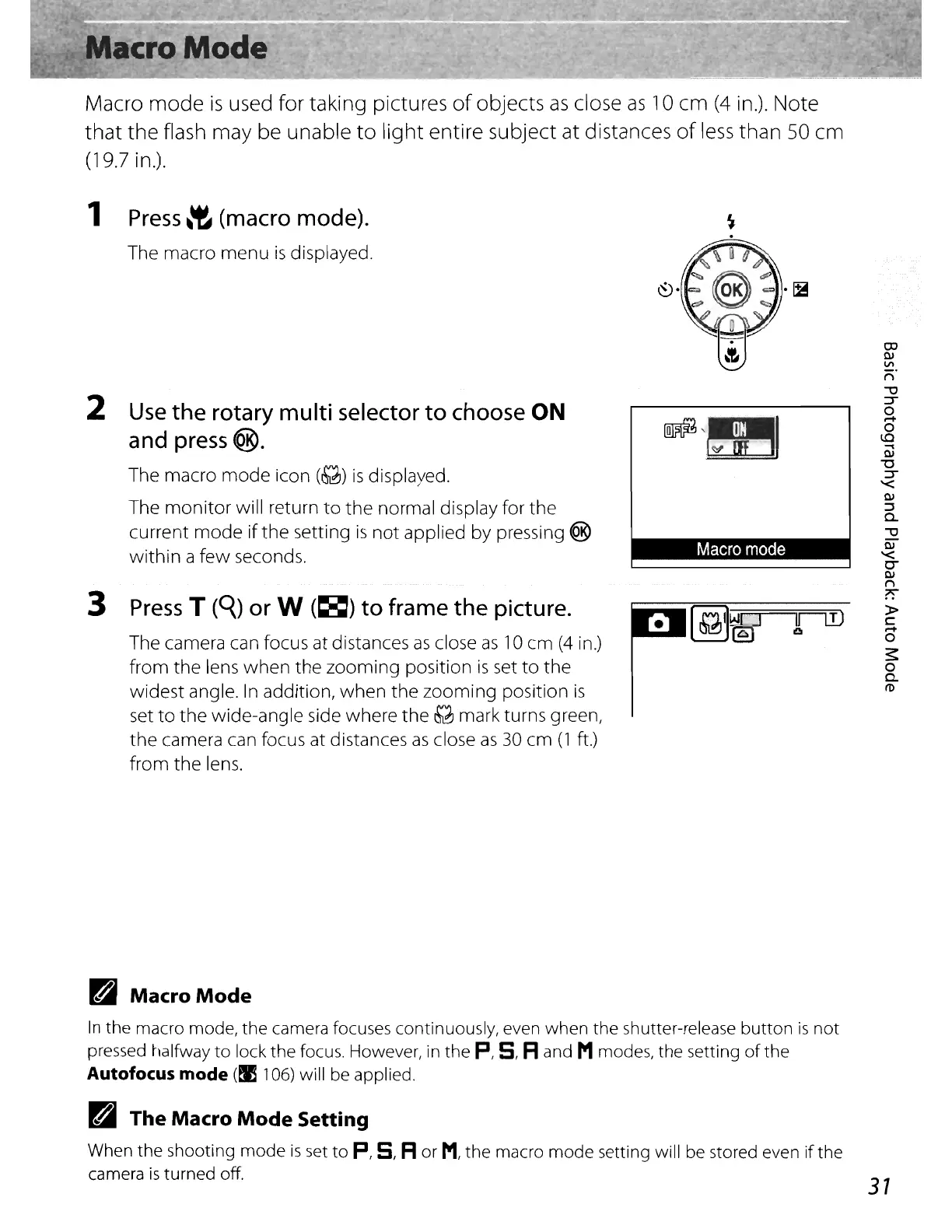
1
Press
~'t
(macro
mode).
The macro menu
is
displayed.
IFlIJ
~
Macro
mode
Press
T
(C{)
or
W
(~)
to frame the picture.
The camera can focus at distances
as
close
as
10
cm
(4
in.)
from the lens when
the
zooming position
is
set
to
the
widest angle.
In
addition,
when
the zooming position
is
set
to
the
wide-angle side where the
&2J
mark turns green,
the
camera can focus at distances
as
close
as
30
cm
(1
ft.)
from the lens.
Use
the rotary multi
selector
to
choose
ON
and
press@.
The macro
mode
icon
(&2J)
is
displayed.
The
monitor
will return
to
the normal display for the
current
mode
ifthe setting
is
not
applied by pressing ®
within
a
few
seconds.
3
2
ra
Macro
Mode
In
the macro mode, the camera focuses continuously, even when the shutter-release
button
is
not
pressed halfway
to
lock the focus. However,
in
the
p,
5, Rand Mmodes, the setting
of
the
Autofocus
mode
(IS
106)
will be applied.
ra
The Macro
Mode
Setting
When the shooting mode
is
set
to
P,
5, R
or
M,
the macro
mode
setting will be stored even
if
the
camera
is
turned off.
31















 To Next Page