Step
3
Focus
and
Shoot
B During Recording
While pictures are being recorded,
the
number
of
exposures remaining display will blink.
Do
not
open the battery-chamber/memory card slot cover, Removing the
memory
card or battery
while pictures are being recorded could result
in
loss
of
data or in damage
to
the recorded data,
camera or card.
B Autofocus
Autofocus may
not
perform
as
expected in
the
following
situations.
In
some
rare
cases,
the subject
may
not
be
in
focus despite
the
fact
that
the focus
area
or the focus indicator glows green:
• Subject
is
very dark
• Objects
of
sharply differing brightness are included
in
the
scene
(e.g,
the sun
is
behind the subject
and
is
in
deep shadow)
• No contrast between
the
subject and surroundings (e.g. when the subject
is
standing
in
front
of
a
white
wall, wearing a
white
shirt)
• Several objects are at different distances from the camera
(e,g,
the subject
is
inside a cage)
• Subject
is
moving
rapidly
In
the situations noted above, try pressing
the
shutter-release
button
halfway
to
refocus several
times, or focus on another subject and
use
focus lock.
~
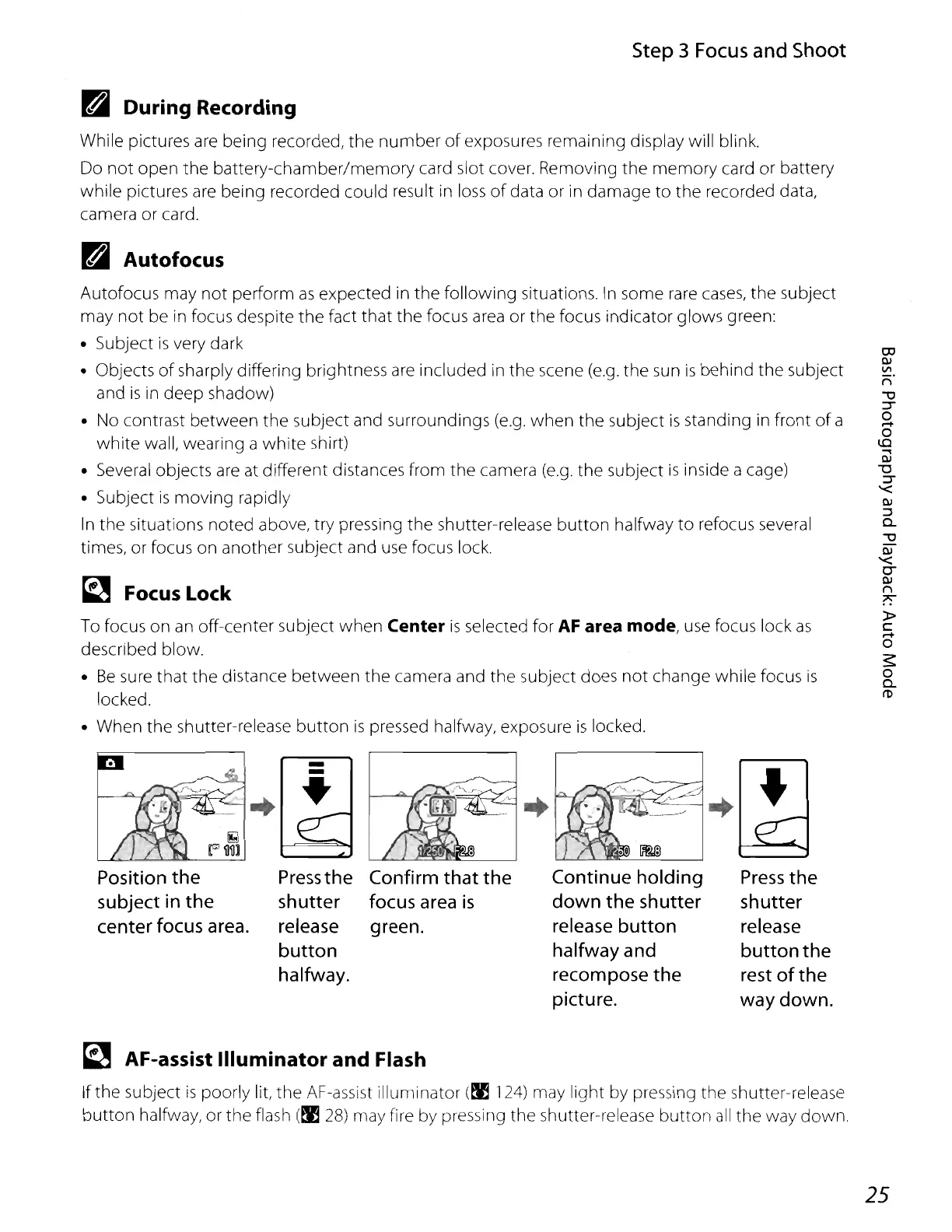
FocusLock
To
focus
on
an off-center subject
when
Center
is
selected for
AF
area mode,
use
focus lock
as
described blow.
•
Be
sure
that
the
distance between
the
camera and
the
subject does
not
change while focus
is
locked.
• When the shutter-release
button
is
pressed halfway, exposure
is
locked,
Position
the
subject
in
the
center focus area.
-
-
+
Press
the
shutter
release
button
halfway.
Confirm
that
the
focus area
is
green.
I~
Continue holding
down
the
shutter
release button
halfway and
recompose
the
picture.
•
Press
the
shutter
release
button
the
rest
of
the
way down.
~
AF-assist Illuminator and Flash
If the subject
is
poorly lit,
the
AF-assist Illuminator
(~
124) may light by pressing the shutter-release
button
halfway, or the flash
(~
28)
may fire by pressing the shutter-release
button
all
the way down,
25















 To Next Page