Step 4 Viewing and Deleting Pictures
B Playback
Mode
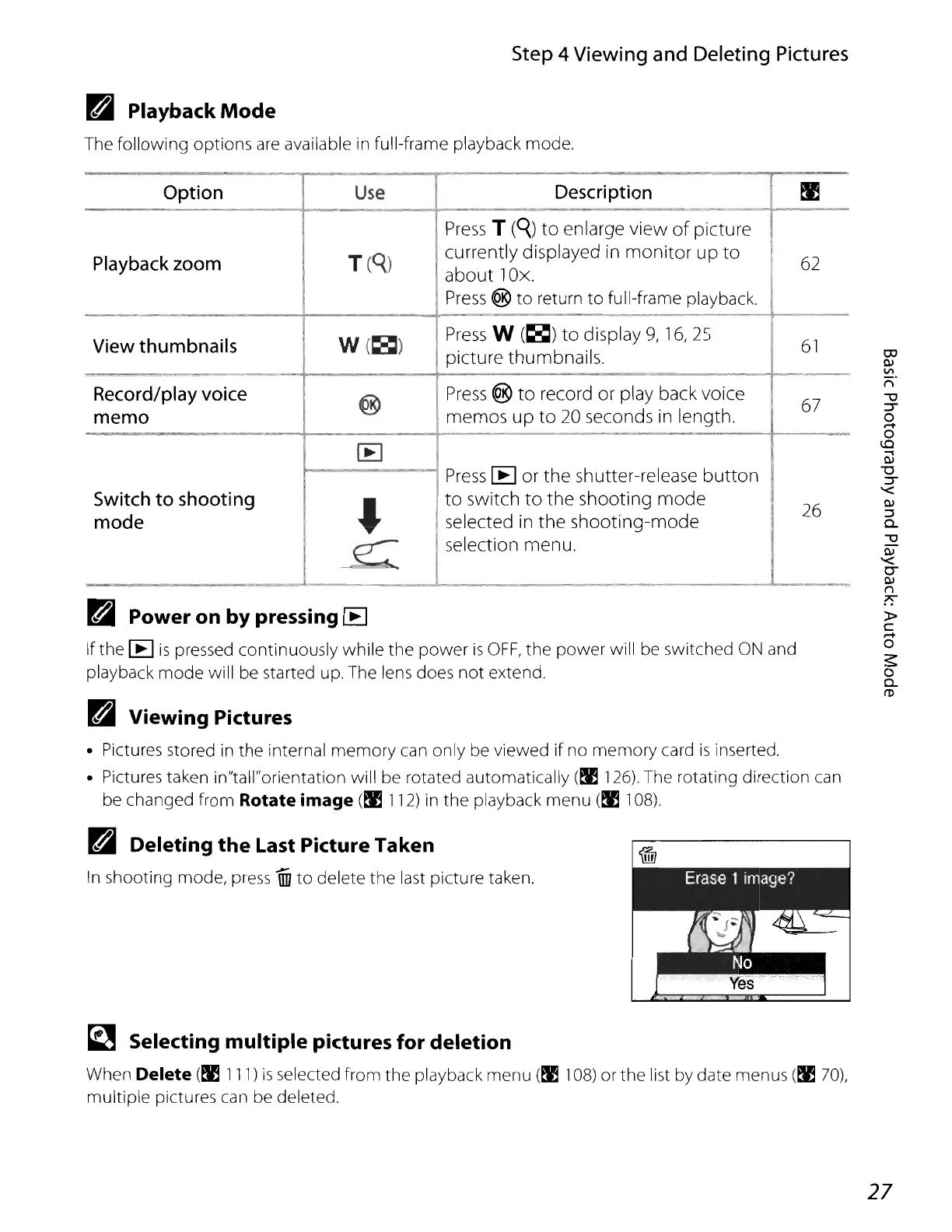
The following options
are
available in full-frame playback mode.
Option
Use
Description
~
Press
T
(q)
to
enlarge
view
of
picture
Playback zoom
T(q)
currently
displayed in
monitor
up
to
62
about
lOx.
Press
®
to
return
to
full-frame playback,
View thumbnails
W(~)
Press
W
(~)
to
display
9,
16,25
61
picture
thumbnails.
~
Record/play voice
@
Press
®
to
record
or
play back
voice
67
memo
memos
up
to
20 seconds in
length.
[EJ
Press
[E]
or
the
shutter-release
button
Switch to shooting
~
to
switch
to
the
shooting
mode
26
mode
selected in
the
shooting-mode
e:
Iselection menu.
B Power on by pressing IE
If the [E]
is
pressed continuously while the power
is
OFF,
the power will
be
switched
ON
and
playback mode will
be
started up, The lens does not extend,
B Viewing Pictures
• Pictures stored
in
the internal memory can only be viewed
if
no memory card
is
inserted.
• Pictures taken in"tall"orientation will be rotated automatically
(fl126),
The rotating direction
can
be
changed from Rotate image
(fll12)
in
the
playback menu
(fl1
08),
B Deleting
the
Last Picture Taken
In
shooting mode,
press
iID
to
delete the
last
picture taken,
~
Selecting multiple pictures for deletion
When
Delete
(fllll)
is
selected from the playback menu
(fl1
08) or the list by date menus (fl 70),
multiple pictures
can
be
deleted.
OJ
QI
VI
n
-u
::r
o
....
o
to
....
QI
"'0
::r
'<
QI
::::l
c...
-u
QI
'<
0-
QI
n
?':
»
c
....
o
~
o
c...
ro
27















 To Next Page