Using
the
Flash
~
Shooting When Lighting
Is
Poor and
the
Flash
Is
Disabled
«(D)
•
Use
of
a tripod
is
recommended
to
stabilize the camera during shooting and avoid the effects
of
camera
shake.
Turn vibration reduction
(~
123)
Off
when using a tripod.
• The
I§])
is
displayed when the camera automatically increases sensitivity
to
minimize blur caused
by slow shutter speed. Pictures taken when
I§])
is
displayed may be slightly mottled.
• At slow shutter speeds, noise reduction may be automatically applied
as
pictures taken are
recorded. If
the
selected shutter speed setting requires noise reduction, the shutter speed
indicatorturns red and image recording time becomes longer.
Pa
The Flash Lamp
29
,I,
c.-o::::.,,--.
-
c::::J
-
'1'
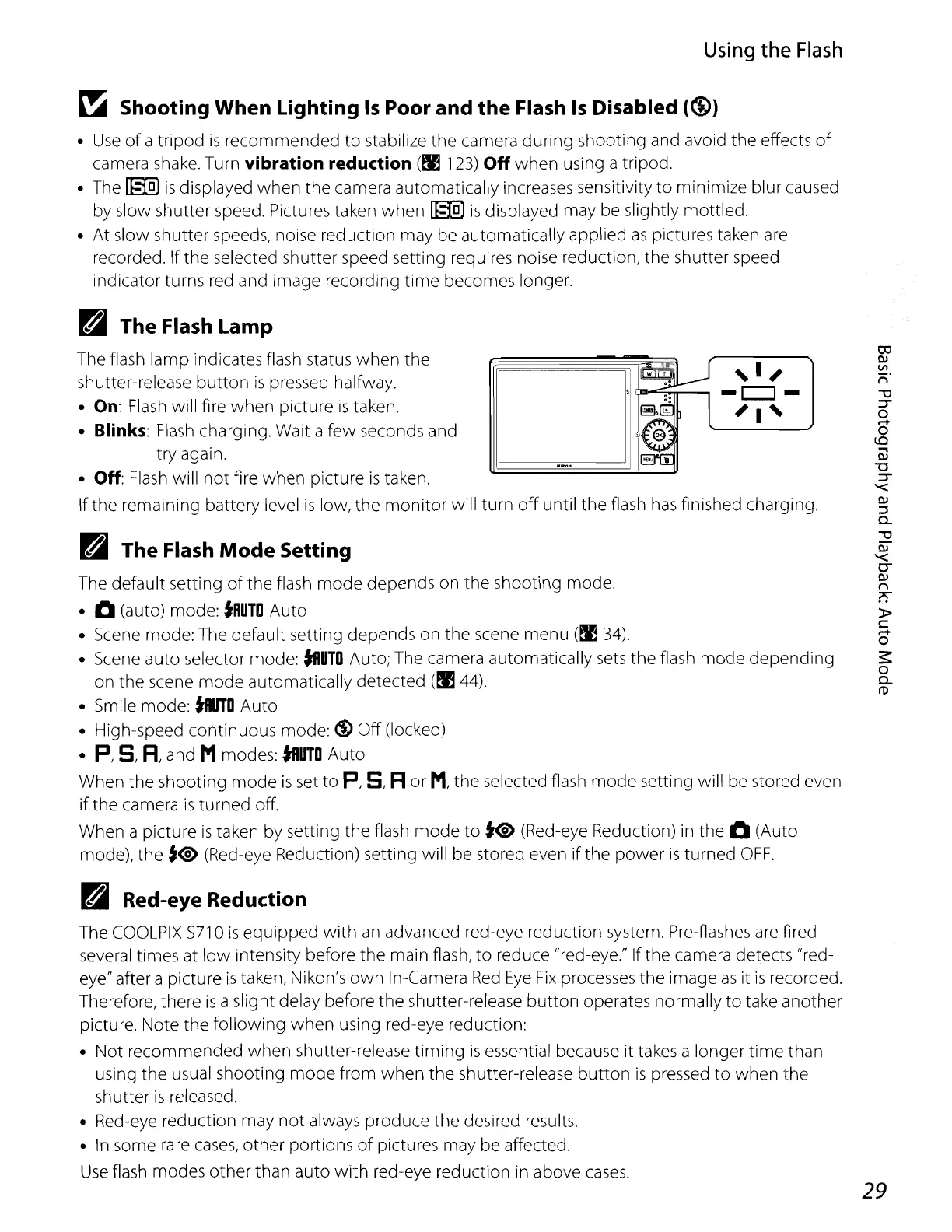
The flash lamp indicates flash status when the
shutter-release
button
is
pressed halfway.
• On:
Flash
will fire when picture
is
taken.
•
Blinks:
Flash
charging. Wait a few seconds and
try again.
•
Off:
Flash
Will
not fire when picture
is
taken.
If the remaining battery level
is
low, the
monitor
will turn off until the flash
has
finished charging.
Pa
The Flash
Mode
Setting
The default setting
of
the flash
mode
depends on the shooting mode.
· 0 (auto) mode:
tRUlO
Auto
• Scene mode: The default setting depends on the scene menu
(~
34).
• Scene auto selector mode:
tRUlO
Auto; The camera automatically
sets
the flash
mode
depending
on the scene mode automatically detected
(~44).
• Smile mode:
tRUlO
Auto
• High-speed continuous mode:
(!) Off (locked)
•
p,
S,
R,
and Mmodes:
tRUlO
Auto
When the shooting
mode
is
set
to
P,
S,
R
or
M,
the selected flash
mode
setting will be stored even
if
the camera
is
turned off.
When a picture
is
taken
by
setting the flash
mode
to
t<§>
(Red-eye Reduction) in the 0 (Auto
mode), the
t<i>
(Red-eye Reduction) setting will be stored even
if
the
power
is
turned
OFF.
Pa
Red-eye Reduction
The
COOLPIX
5710
is
eqUipped
with
an
advanced red-eye reduction system. Pre-flashes
are
fired
several times at
low
intensity before the main flash, to reduce "red-eye." If the camera detects "red-
eye" after a picture
is
taken, Nikon's
own
In-Camera
Red
Eye
Fix
processes the image
as
it
is
recorded.
Therefore, there
is
a slight delay before the shutter-release
button
operates normally to take another
picture. Note the follOWing when using red-eye reduction:
• Not recommended when shutter-release
timing
is
essential because it takes a longer
time
than
using the usual shooting
mode
from when
the
shutter-release
button
is
pressed
to
when the
shutter
is
released.
• Red-eye reduction may
not
always produce the desired results.
•
In
some
rare
cases,
other portions
of
pictures may be affected.
Use
flash modes other than auto
with
red-eye reduction in above
cases.















 To Next Page