The
~
(Shooting/Playback) Button
::J
.-1'
...
o
0-
c
()
.-1'
o'
::J
o
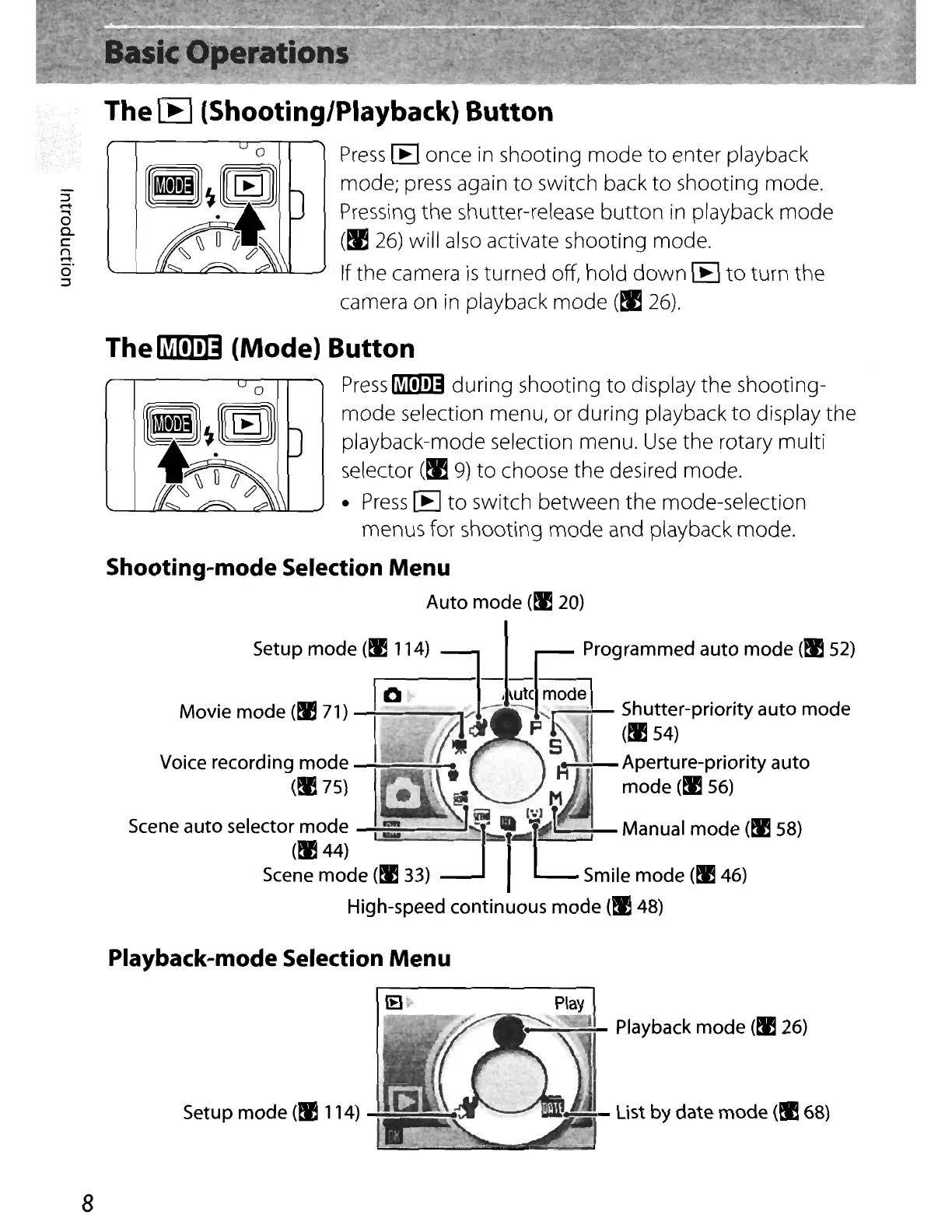
Press
[E
once
in
shooting
mode
to
enter playback
mode;
press
again
to
switch back
to
shooting mode.
Pressing the shutter-release
button
in playback mode
(~
26)
will also activate shooting mode.
If the camera
is
turned off, hold
down
[E
to
turn the
camera on in playback
mode
(!I
26).
The~
(Mode) Button
o
Press
fi!illI!]] during shooting to display the shooting-
rM)L
[[
I
~
I
J]
mode selection menu, or during playback
to
display the
I '# playback-mode selection menu.
Use
the rotary multi
~
~
~
IJ
selector
(~
9)
to
choose the desired mode.
~ ~
•
Press
[E
to
switch between the mode-selection
menus for shooting
mode
and playback mode.
Shooting-mode Selection
Menu
Auto mode
(~
20)
Setup mode
(~
114)
-l-§
Programmed auto mode
(~
52)
I
10
=I..
<ute
made:
Movie mode
(~
71)
I
at
~1~·
~:~~r-prioritY
auto mode
Voice recording mode f
~
5
11
\ Aperture-priority auto
(~
75)
••
_ \
~
M mode
(~
56)
..
-~J
!iii
I"')
t
Scene auto selector mode
I -
:J~
',-r'
,Manual mode (!lES8)
(~44)
Scene mode
(tJ!
33) Smile mode
(~
46)
High-speed continuous mode
(~
48)
Playback-mode Selection Menu
8
Setup mode
(tI!
114)
Play
~~~
Playback mode
(fl26)
I
..............-
List
by date mode (!I 68)


 To Next Page
 Loading...












