•
Night
portrait
(~
35)
• Close-up
(~
37)
• Backlight
(.
39)
uto
seltem
n1ode)
The camera automatically judges the type
of
subject (scene mode) when you
frame the picture
so
that
you can more easily take a picture suited for the scene.
The
mode
will automatically be changed
to
one
of
the following scene modes by
selecting
the
Scene auto selector
mode
and pointing the camera at
the
subject.
• Auto
(.20)
• Portrait
(.
34)
• Landscape
(~
34)
• Night landscape
(.
37)
For the characteristics
of
each shooting mode,
see
the
reference pages for the
particular mode.
VI
6"
How
to
shoot pictures in
the
scene
auto
selector
mode
o
r-+
::l
r 1
Enter
scene
auto
selector
mode
by
~
pressing
fimI!Ii
in
shooting
mode,
Q
selecting
~
(use
the
rotary
multi
~
selector),
and
then
pressing
(@.
VI
~
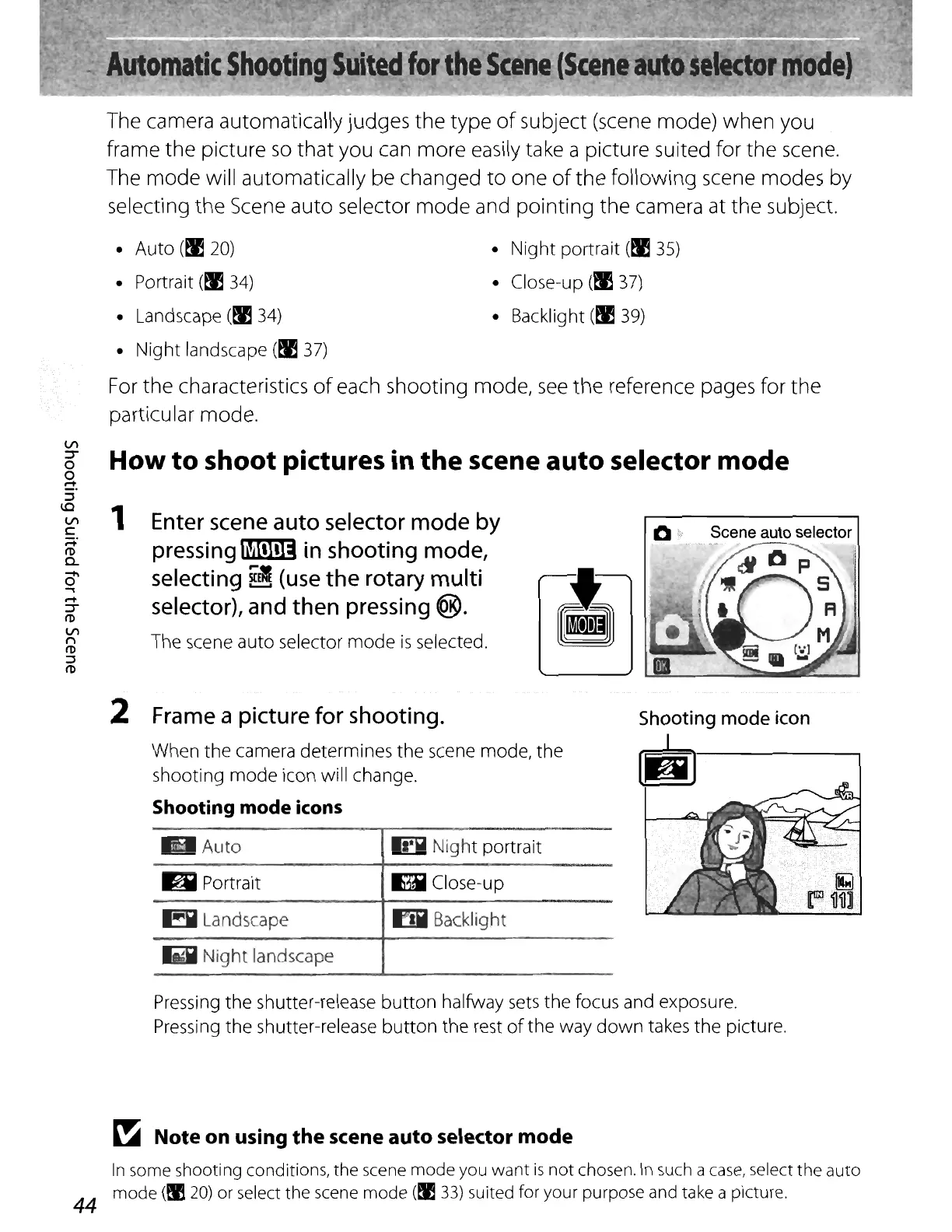
The scene auto selector
mode
is
selected.
::l
I'D
2
Frame
a picture
for
shooting.
When
the
camera determines the scene mode, the
shooting
mode
icon will change.
Shooting
mode
icons
Auto
6 Portrait
6 Landscape
I!iI
Night
landscape
n
Night
portrait
I1'i
C1ose-u
p
m Backlight
Shooting
mode
icon
g
Pressing the shutter-release
button
halfway
sets
the focus and exposure.
Pressing the shutter-release
button
the rest
of
the way
down
takes
the
picture.
~
Note on using
the
scene
auto
selector mode
In
some shooting conditions, the scene
mode
you
want
is
not
chosen.
In
such a
case,
select the auto
mode
(~
20)
or select the scene
mode
(~
33)
suited for your purpose and take a picture.
44















 To Next Page