VRA53801 - R.3609.A
- A
18 ・
LS-50 -
①
②
③
①
②
③
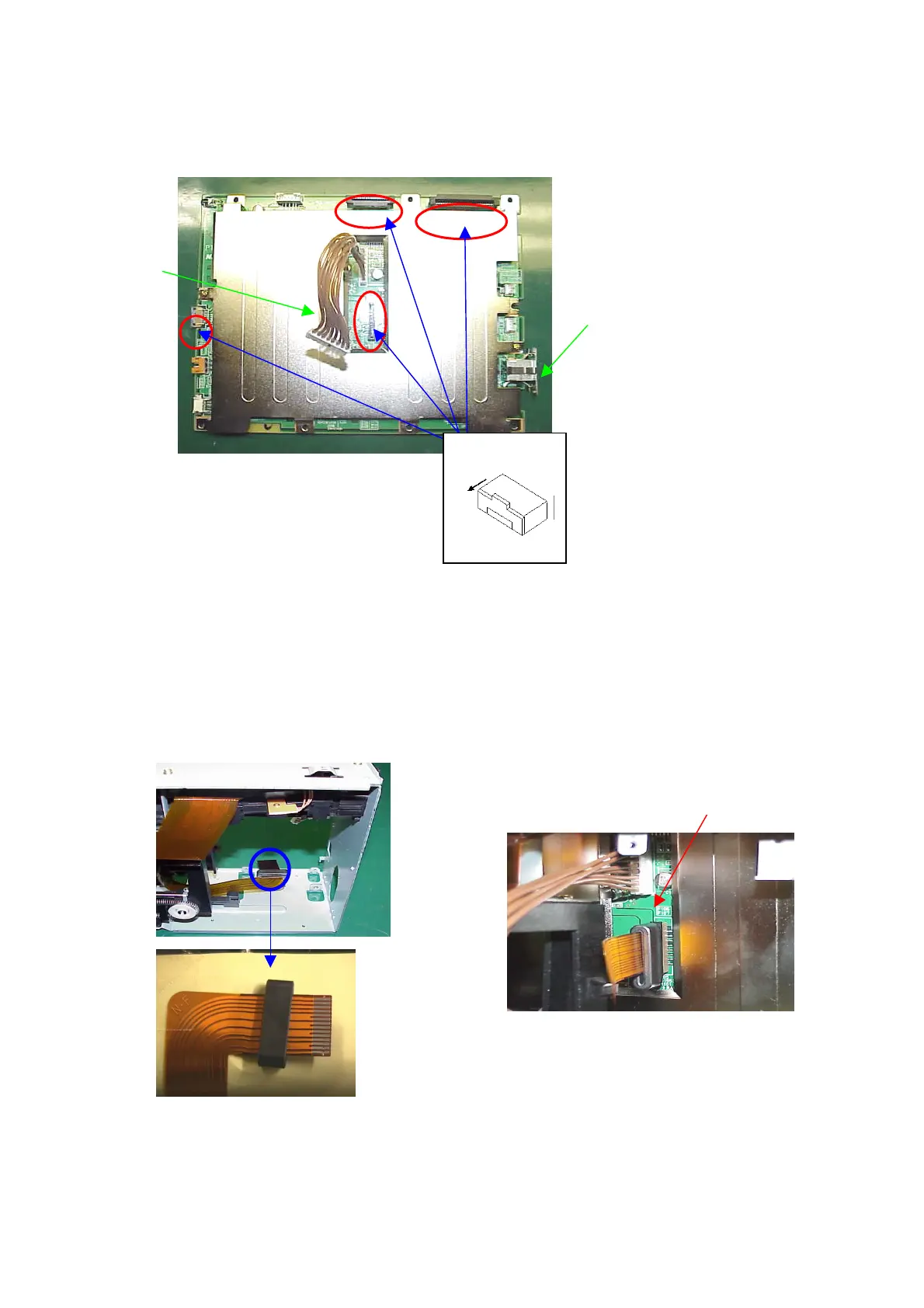
25. Main PCB
25-1. Attach Power-supply harness
・Push the connector shield plate A (2) to the main PCB unit (1) until it clicks.
・Connect the power-supply harness (3) to the main PCB unit (1).
・Pull out the locks at the above 4 parts as shown by ( 〇 ) of each connector.
25-2. Attach CCD-FPC
・Insert the CCD-FPC (1) into the ferrite core (2).
・Connect the CCD-FPC to the main PCB unit (3).
Pull out













 To Next Page