VRA53801 - R.3609.A
- A
24 ・
LS-50 -
⑤
①
②
④-2
④-3
④-4
④-1
④
①
③
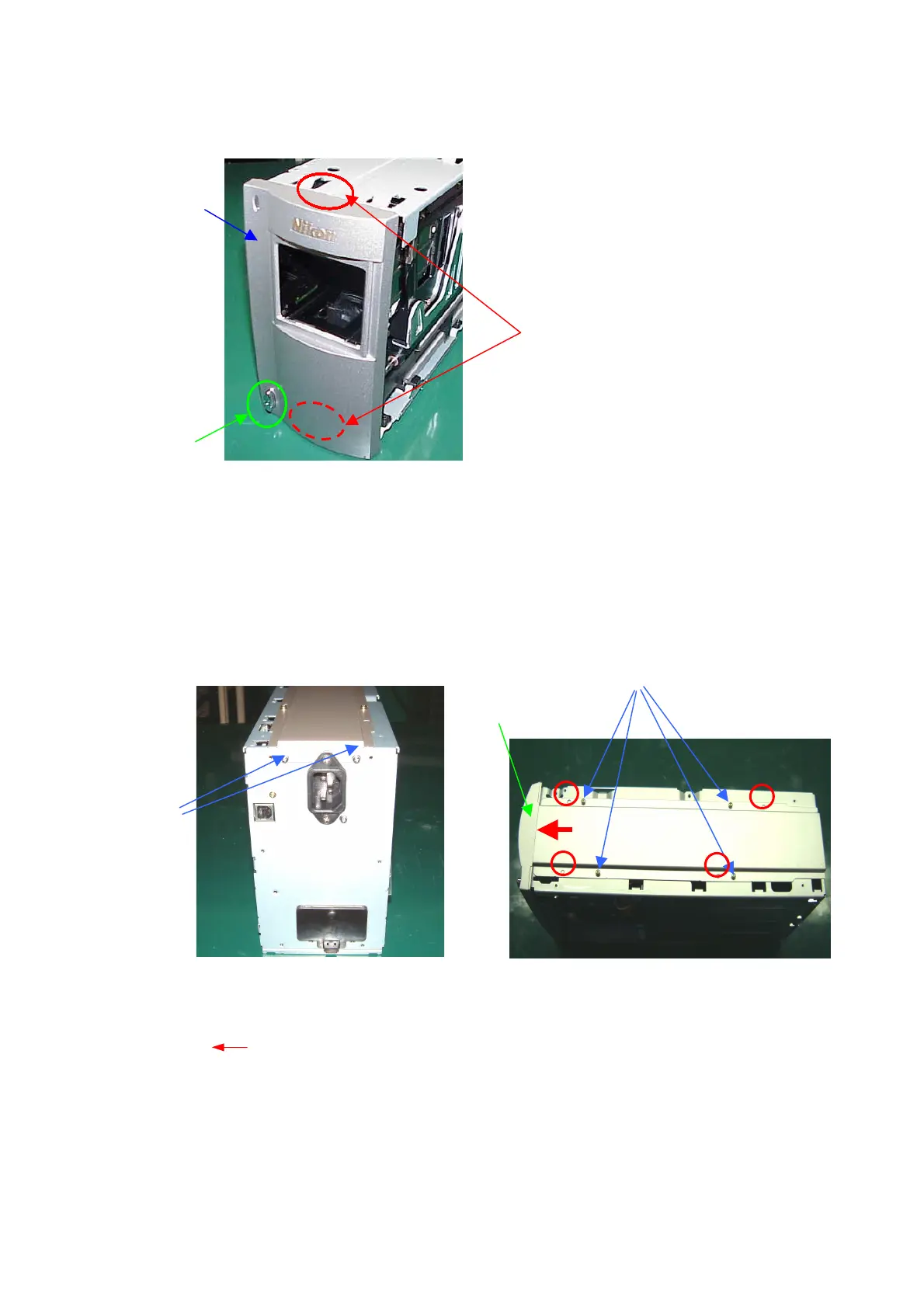
34. Front panel
・Put the power-supply switch (2) into the groove of the front panel (1).
・Hook the claw of the front panel (1) to the groove of the chassis (3), and assemble them.
35. Under-panel
・Fix the rear side of the under-panel (1) with 2 screws (2).
・Reverse the body unit (3), and attach the under-panel (1) to the front-panel unit (4), by pressing it in the
direction of ( ) and aligning the bosses at 4 positions as shown by ( 〇 ).
・Fix the bottom of the under-panel (1) with 4 screws (5) in the order from (4)-1 to (4)-4.
①
③
②













 To Next Page