VRA53801-R.3609.A
- A53 ・ -
LS-50
9) WB time
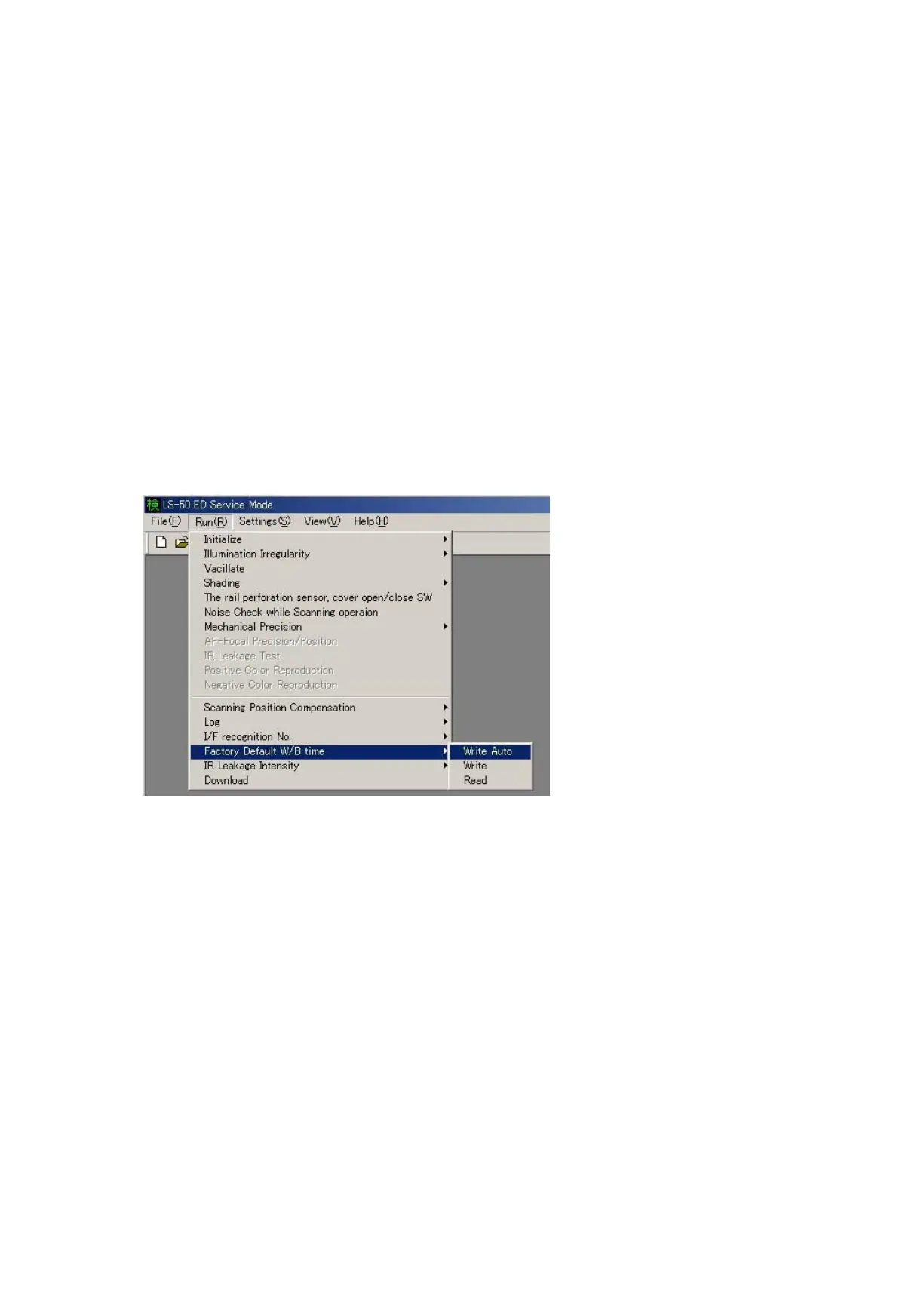
・Select "Run" on the main menu, then choose "Factory Default W/B time" (WB time) and "Write Auto" or "Write" or
"Read" from the pulldown menus.
Write Auto: The current WB data is written in the ash memory of the main PCB.
※ Initialize WB data when the LED is replaced or parts of optical system is cleaned.
Write: The WB data is written.
※ When the main PCB unit is replaced, be sure to perform "Read" before the replacement, and make
note of values of WB data. Then after the replacement, write the noted values.
Read: The WB data that was written in the ash memory is read.
(i.e. WB data at shipment or when the LED is replaced for repairs or when the optical system is cleaned.)













 To Next Page