VRA53801-R.3609.A
- A52 ・ -
LS-50
8) Log
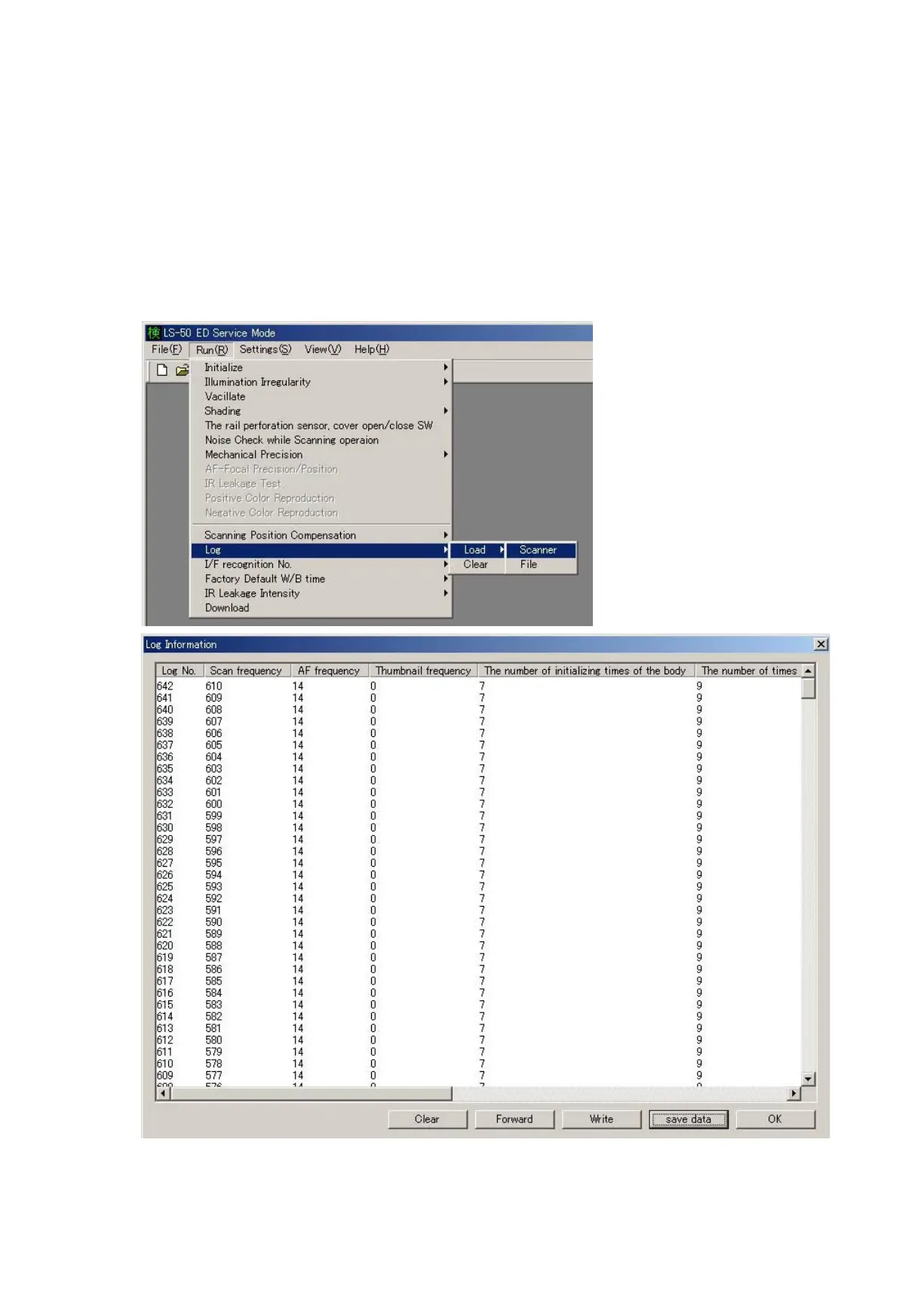
・Select "Run" on the main menu, then choose "Log", "Load" and "Scanner". The log data is automatically indicated.
・When "Run", "Log", "Load" and "File" are selected, the saved log data on PC is called up.
・When "Run", "Log" and "Clear" are selected, the log data in the ash memory on the main PCB is cleared.
Clear - - -The log data in the ash memory on the main PCB is cleared/deleted.
Write- - -The saved log data is written in the ash memory.
Save - - -The log data is saved on PC.













 To Next Page