Installation Page 63 of 206
WLAN IP Telephony Installation and Configuration
Installing the WLAN IP Telephony Manager 2245
The following are the tasks that must be completed to install the WLAN
IP Telephony Manager 2245:
1 Wall mounting (page 64).
or
Rack-mounting (page 65).
2 Connecting to the LAN (page 65).
3 Connecting to the power (page 66).
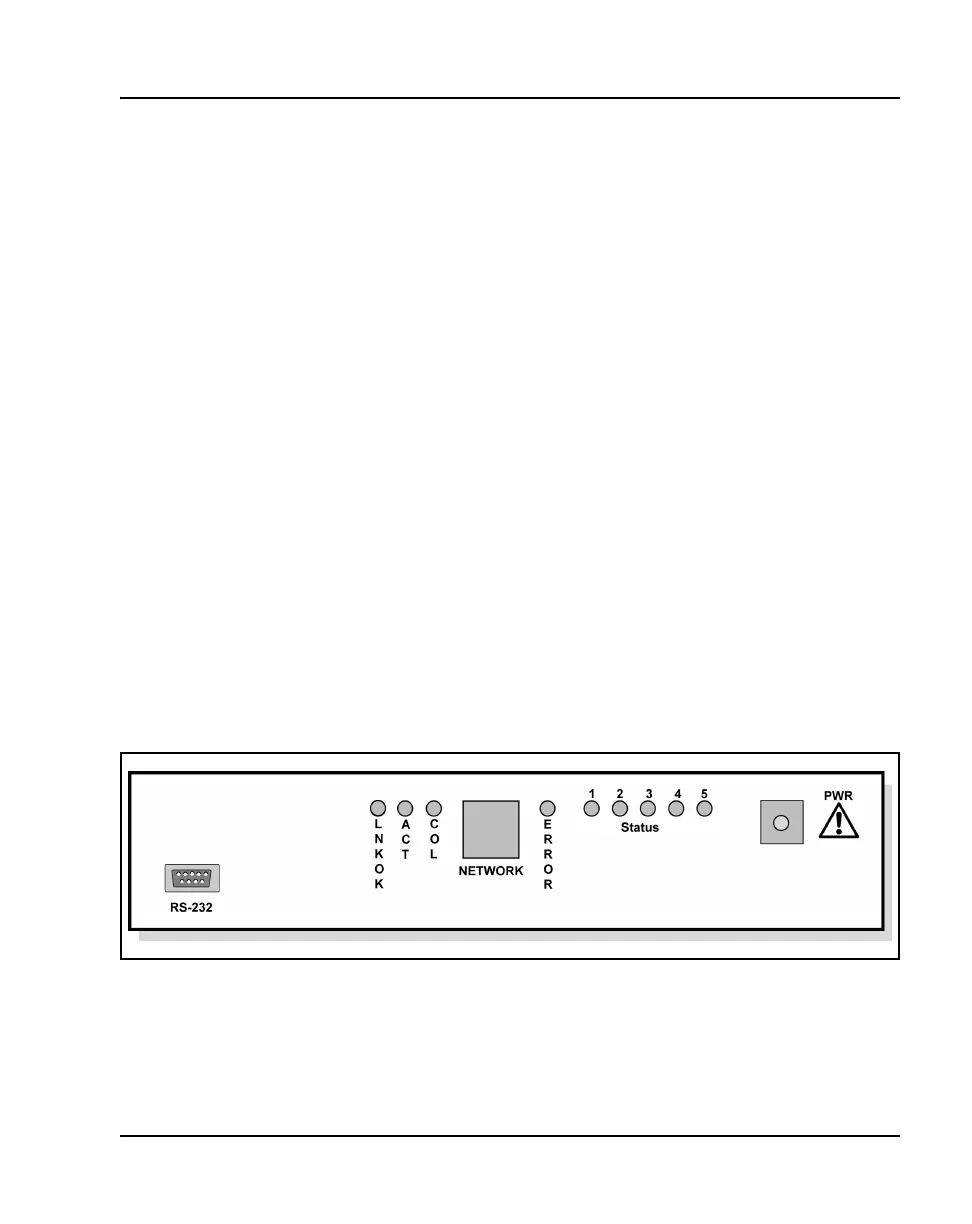
About the front panel
The front panel of the WLAN IP Telephony Manager 2245 contains ports to
connect to the following:
• power
•LAN
• administrative computer through an RS-232 port
Status LEDs supply information about the WLAN IP Telephony Manager
2245’s status and activity. See Figure 5.
Figure 5
WLAN IP Telephony Manager 2245 front panel
• RS-232 port – the male DB-9 connector (DTE). Provides an RS-232
connection to a terminal, terminal emulator, or modem for system
administration.



 To Next Page