EasyManua.ls Logo

Oberheim Matrix-12 - Vol - Volume; Keybd; LAG - Portamento;Glissando Select

Oberheim Matrix-12
194 pages
Print Icon
To Next Page IconTo Next Page
To Previous Page IconTo Previous Page
Loading...
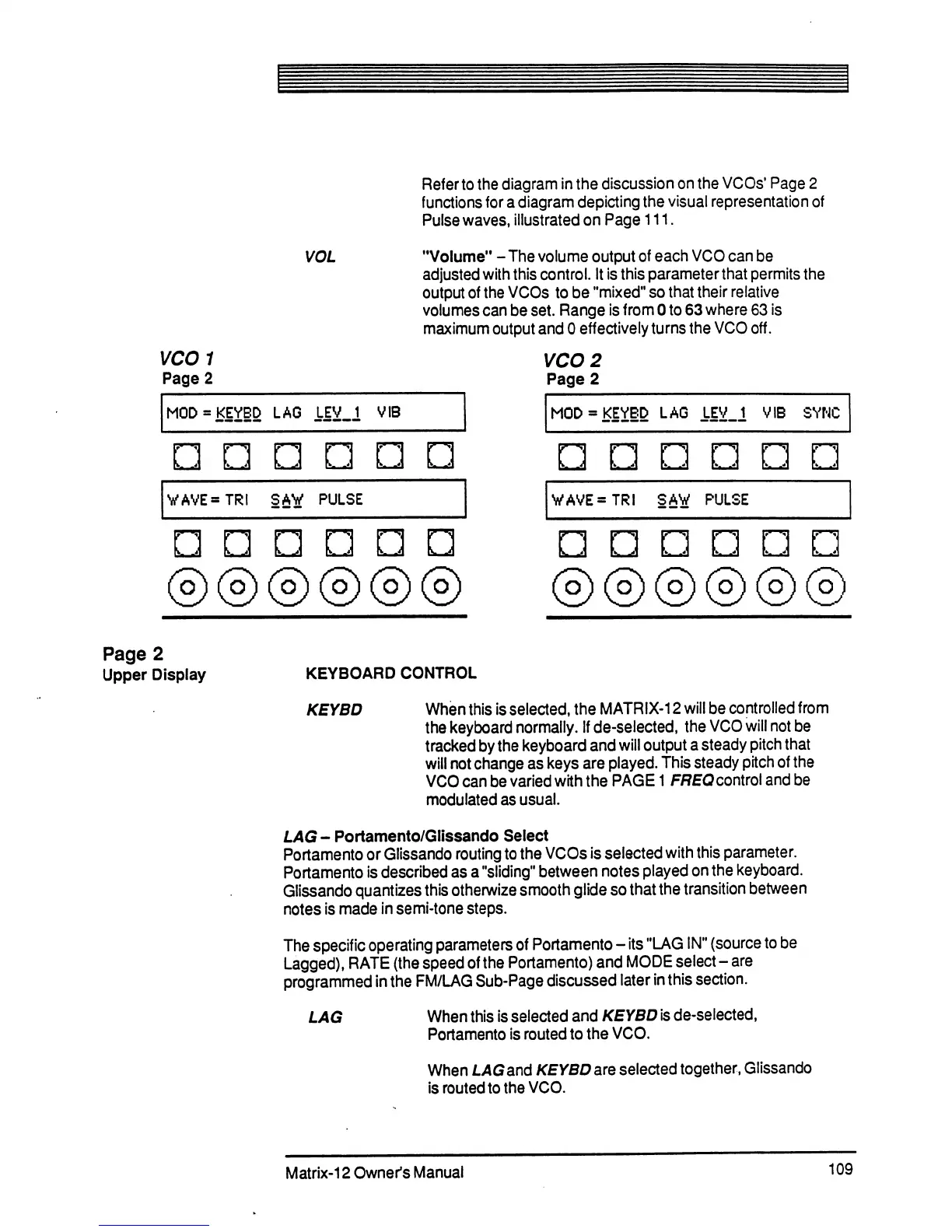
VOL
WAVE=TRI
SAW
PULSE
Refer
to
the
diagram
in
the
discussion
on
the
VCOs1
Page
2
functions
for
a
diagram
depicting
the
visual
representation
of
Pulse
waves,
illustrated
on
Page
111.
"Volume"
-
The
volume
output
of
each
VCO
can
be
adjusted
with
this
control.
It
is
this
parameter
that
permits
the
output
of
the
VCOs
to
be
"mixed"
so
that
their
relative
volumes
can
be
set.
Range
is
from
0
to
63
where
63
is
maximum
output
and
0
effectively
turns
the
VCO
off.
VCO
2
Page
2
MOD
=
KEYED
LAG
LEV_1
VIB
SYNC
VAVE=TRI
SAW
PULSE
Page
2
Upper
Display
KEYBOARD
CONTROL
KEYBD
When
this
is
selected,
the
MATRIX-12
will
be
controlled
from
the
keyboard
normally.
If
de-selected,
the
VCO
will
not
be
tracked
by
the
keyboard
and
will
output
a
steady
pitch
that
will
not
change
as
keys
are
played.
This
steady
pitch
of
the
VCO
can
be
varied
with
the
PAGE
1
FREQcontrol
and
be
modulated
as
usual.
LAG-
Portamento/Glissando
Select
Portamento
or
Glissando
routing
to
the
VCOs
is
selected
with
this
parameter.
Portamento
is
described
as
a
"sliding"
between
notes
played
on
the
keyboard.
Glissando
quantizes
this
otherwize
smooth
glide
so
that
the
transition
between
notes
is
made
in
semi-tone
steps.
The
specific
operating
parameters
of
Portamento
-
its
"LAG
IN"
(source
to
be
Lagged),
RATE
(the
speed
of
the
Portamento)
and
MODE
select-
are
programmed
in
the
FM/LAG
Sub-Page
discussed
later
in
this
section.
LAG
When
this
is
selected
and
KEYBD
is
de-selected,
Portamento
is
routed
to
the
VCO.
When
LAG
and
KEYBD
are
selected
together,
Glissando
is
routed
to
the
VCO.
Matrix-12
Owner's
Manual
109

Table of Contents

Related product manuals