EasyManua.ls Logo

Oberheim Matrix-12 - Zone

Oberheim Matrix-12
194 pages
Print Icon
To Next Page IconTo Next Page
To Previous Page IconTo Previous Page
Loading...
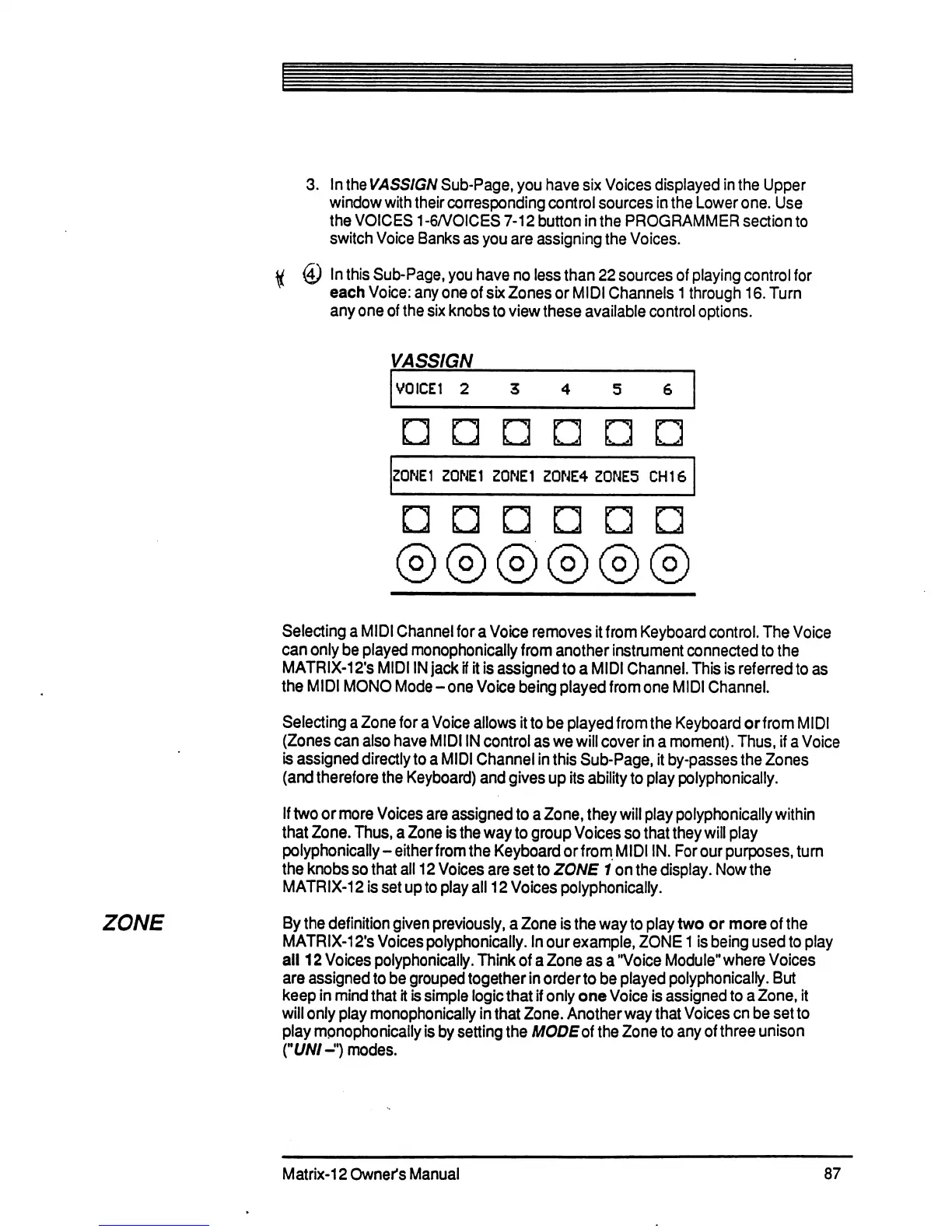
3. In
the
VASSIGN
Sub-Page,
you
have
six
Voices
displayed
in
the
Upper
window
with
their
corresponding
control
sources
in
the
Lower
one.
Use
the
VOICES
1-6/VOICES7-12buttoninthe
PROGRAMMER
section
to
switch
Voice
Banks
as
you
are
assigning
the
Voices.
<£)
In this
Sub-Page,
you
have
no
less
than
22
sources
of
playing
control
for
each
Voice:
any
one
of six
Zones
or
MIDI
Channels
1
through
16.
Turn
any
one
of
the
six
knobs
to
view
these
available
control
options.
VASSIGN
V0ICE1
2
n
n n
ZONE1
ZONE1
Z0NE1
Z0NE4
Z0NE5
CHI
6
ODD
ZONE
Selecting
a
MIDI
Channel
for
a
Voice
removes
it
from
Keyboard
control.
The
Voice
can
only
be
played
monophonically
from
another
instrument
connected
to
the
MATRIX-12's
MIDI
IN
jack
if
it
is
assigned
to
a
MIDI
Channel.
This
is
referred
to
as
the
MIDI
MONO
Mode-one
Voice
being
played
from
one
MIDI
Channel.
Selecting
a
Zone
for
a
Voice
allows
it
to
be
played
from
the
Keyboard
or
from
MIDI
(Zones
can
also
have
MIDI
IN
control
as
we
will
cover
in
a
moment).
Thus,
if
a
Voice
is
assigned
directly
to
a
MIDI
Channel
in
this
Sub-Page,
it
by-passes
the
Zones
(and
therefore
the
Keyboard)
and
gives
up
its
ability
to
play
polyphonically.
If
two
or
more
Voices
are
assigned
to
a
Zone,
they
will
play
polyphonically
within
that
Zone.
Thus,
a
Zone
is
the
way
to
group
Voices
so
that
they
will
play
polyphonically
-
eitherfrom
the
Keyboard
or
from
MIDI
IN.
For our
purposes,
turn
the
knobs
so
that
all
12
Voices
are
set
to
ZONE
1
on
the
display.
Now
the
MATRIX-12
is
set
up
to
play
all
12
Voices
polyphonically.
By
the
definition
given
previously,
a
Zone
is
the
way
to
play
two
or
more
of
the
MATRIX-12fs
Voices
polyphonically.
In
our
example,
ZONE
1
is
being
used
to
play
all
12
Voices
polyphonically.
Think
of
a
Zone
as
a
"Voice
Module"
where
Voices
are
assigned
to
be
grouped
together
in
order
to
be
played
polyphonically.
But
keep
in
mind
that
it
is
simple
logic
that
if
only
one
Voice
is
assigned
to
a
Zone,
it
will
only
play
monophonically
in
that
Zone.
Another
way
that
Voices
en
be
set
to
play
mpnophonically
is
by
setting
the
MODE
of
the
Zone
to
any
of
three
unison
fl//V/-")
modes.
Matrix-12
Owner's
Manual
87

Table of Contents

Related product manuals