EasyManua.ls Logo

Oberheim Matrix-12 - Voices 1-6;Voices 7-12

Oberheim Matrix-12
194 pages
Print Icon
To Next Page IconTo Next Page
To Previous Page IconTo Previous Page
Loading...
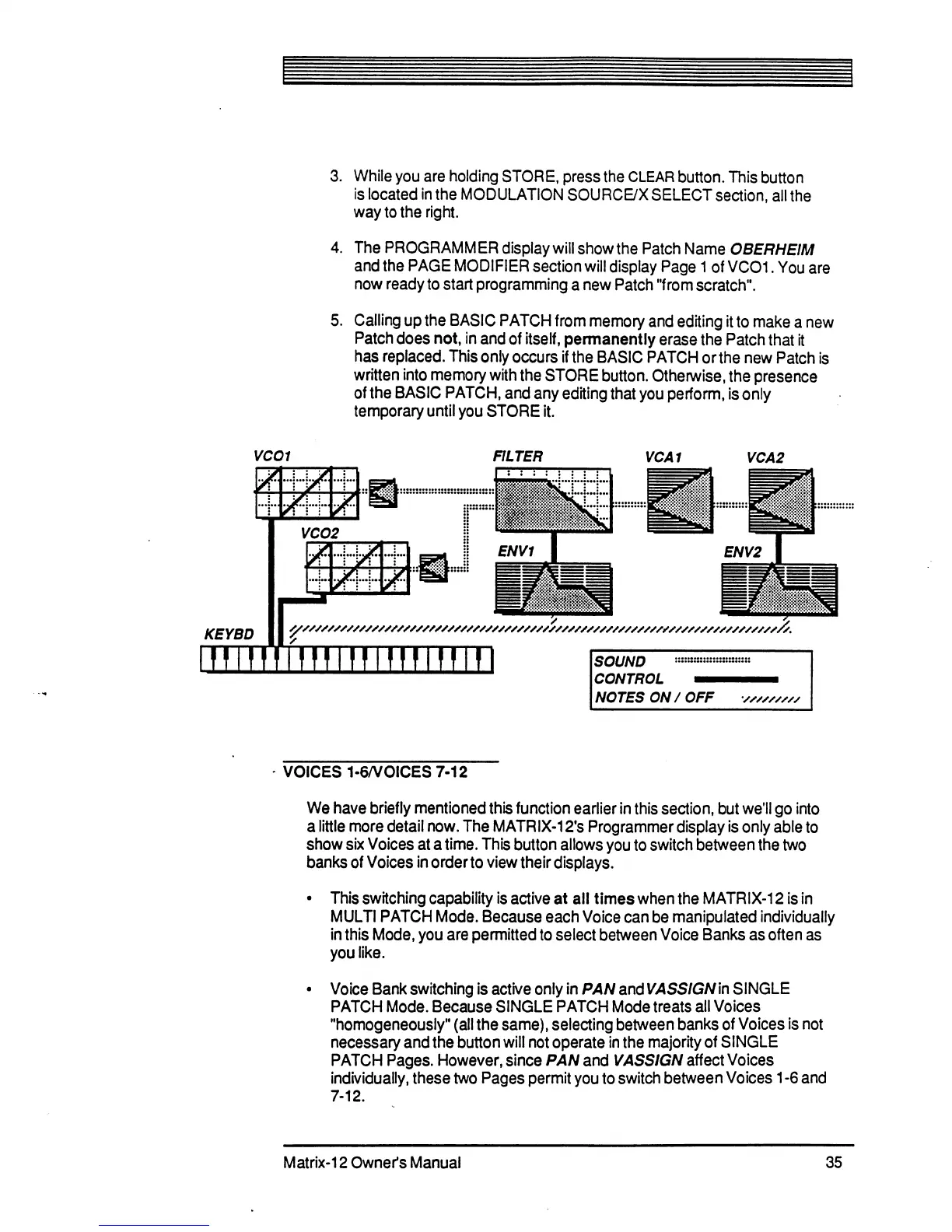
3.
While
you
are
holding
STORE,
press
the
CLEAR
button.
This
button
is
located
in
the
MODULATION
SOURCE/X
SELECT
section,
all
the
way
to
the
right.
4.
The
PROGRAMMER
display
will
show
the
Patch
Name
0BERHE1M
and
the
PAGE
MODIFIER
section
will
display
Page
1
of
VCO1.
You
are
now
ready
to
start
programming
a
new
Patch
"from
scratch".
5.
Calling
up
the
BASIC
PATCH
from
memory
and
editing
it
to
make
a
new
Patch
does
not,
in
and
of
itself,
permanently
erase
the
Patch
that
it
has
replaced.
This
only
occurs
if
the
BASIC
PATCH
or
the
new
Patch
is
written
into
memory
with
the
STORE
button.
Otherwise,
the
presence
of
the
BASIC
PATCH,
and
any
editing
that
you
perform,
is
only
temporary
until
you
STORE
it.
VCO1
FILTER
VCA1
VCA2
SOUND
CONTROL
NOTES
ON
/
OFF
VOICES
1-6/VOICES
7-12
We
have
briefly
mentioned
this
function
earlier
in
this
section,
but
we'll
go
into
a
little
more
detail
now.
The
MATRIX-12fs
Programmer
display
is
only
able
to
show
six
Voices
at
a
time.
This
button
allows
you
to
switch
between
the
two
banks
of
Voices
in
order
to
view
their
displays.
This
switching
capability
is
active
at
all
times
when
the
MATRIX-12
is
in
MULTI
PATCH
Mode.
Because
each
Voice
can
be
manipulated
individually
in
this
Mode,
you
are
permitted
to
select
between
Voice
Banks
as
often
as
you
like.
Voice
Bank
switching
is
active
only
in
PAN
andVASSIGNin
SINGLE
PATCH
Mode.
Because
SINGLE
PATCH
Mode
treats
all
Voices
"homogeneously"
(all
the
same),
selecting
between
banks
of
Voices
is
not
necessary
and
the
button
will
not
operate
in
the
majority
of
SINGLE
PATCH
Pages.
However,
since
PAN
and
VASSIGN
affect
Voices
individually,
these
two
Pages
permit
you
to
switch
between
Voices
1
-6
and
7-12.
Matrix-12
Owner's
Manual
35

Table of Contents

Related product manuals