EasyManua.ls Logo

Oberheim Matrix-12 - Send

Oberheim Matrix-12
194 pages
Print Icon
To Next Page IconTo Next Page
To Previous Page IconTo Previous Page
Loading...
SEND
Any
one
or
all
100
of
the
MATRIX-12's
SINGLE
Patches
can
be
sent
through
its
MIDI
OUT
to
another
MIDI
device.
This
is
not
Patch
Numbers
but
the
actual
data
that
makes
up
the
sound.
The
receiving
instrument
can
be
another
MATRIX-12,
an
Oberheim
XPANDER
or
another
device
such
as a
computerthat
has
been
programmed
with
the
Oberheim
SYSTEM
EXCLUSIVE
code
for
reception.
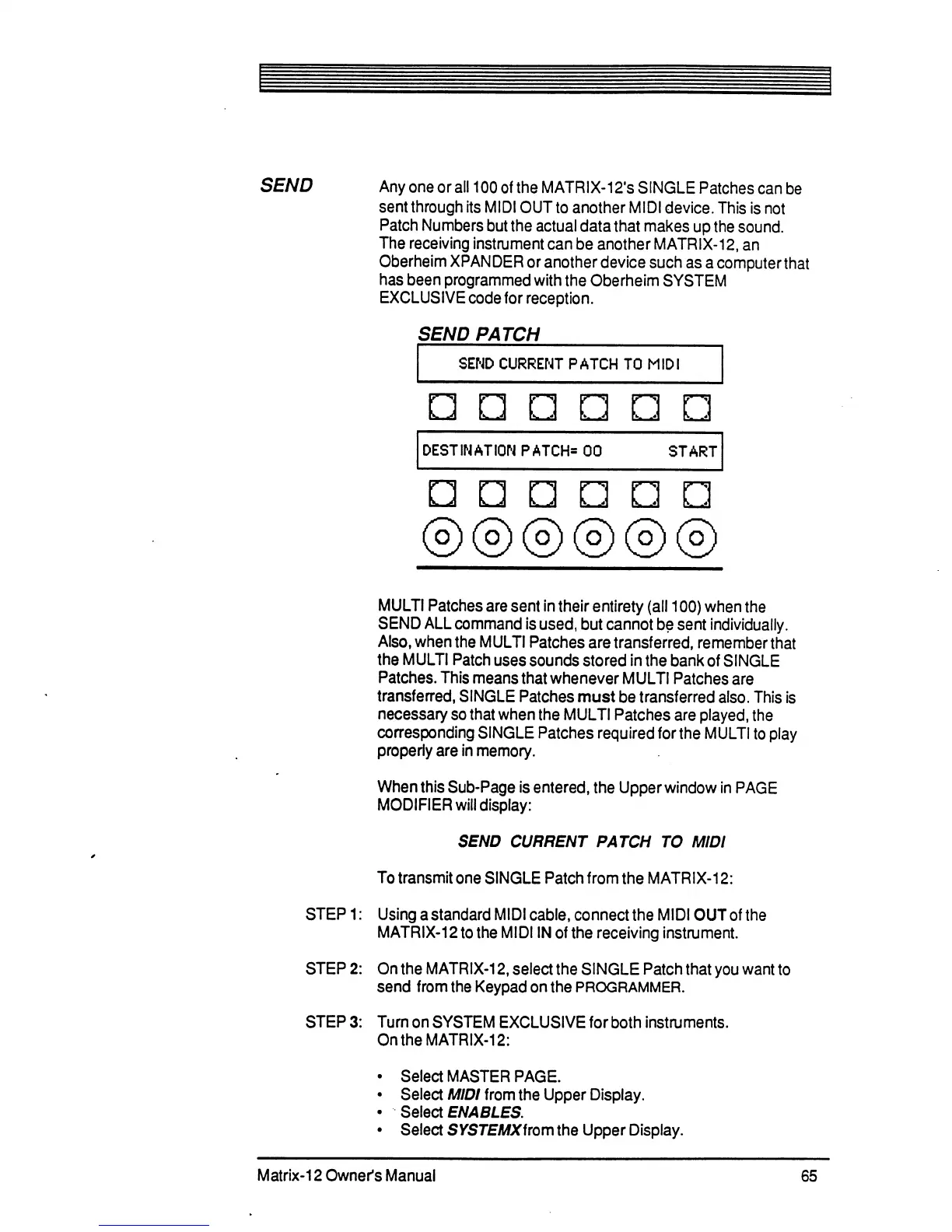
SEND
PATCH
SEND
CURRENT
PATCH
TO
MIDI
DESTINATION
PATCH*
00
START
a
MULTI
Patches
are
sent
in
their
entirety
(all
100)
when
the
SEND
ALL
command
is
used,
but
cannot
be
sent
individually.
Also,
when
the
MULTI
Patches
are
transferred,
remember
that
the
MULTI
Patch
uses
sounds
stored
in
the
bank
of
SINGLE
Patches.
This
means
that
whenever
MULTI
Patches
are
transferred,
SINGLE
Patches
must
be
transferred
also.
This
is
necessary
so
that
when
the
MULTI
Patches
are
played,
the
corresponding
SINGLE
Patches
required
for
the
MULTI
to
play
properly
are
in
memory.
When
this
Sub-Page
is
entered,
the
Upper
window
in
PAGE
MODIFIER
will
display:
SEND
CURRENT
PATCH
TO
MIDI
To
transmit
one
SINGLE
Patch
from
the
MATRIX-12:
STEP
1:
Using
a
standard
MIDI
cable,
connect
the
MIDI
OUT
of
the
MATRIX-12
to
the
MIDI
IN
of
the
receiving
instrument.
STEP
2:
On
the
MATRIX-12,
select
the
SINGLE
Patch
that
you
want
to
send
from
the
Keypad
on
the
PROGRAMMER.
STEP
3:
Turn
on
SYSTEM
EXCLUSIVE
for
both
instilments.
On
the
MATRIX-12:
Select
MASTER
PAGE.
Select
MIDI
from
the
Upper
Display.
Select
ENABLES.
Select
SYSTEMXirom
the
Upper
Display.
Matrix-12
Owner's
Manual
65

Table of Contents

Related product manuals