EasyManua.ls Logo

Oberheim Matrix-12 - Single Patch;Master Page; PAN Page

Oberheim Matrix-12
194 pages
Print Icon
To Next Page IconTo Next Page
To Previous Page IconTo Previous Page
Loading...
Multi
Patch
and
Global
data
are
ignored
-
existing
data
will
not
be
changed.
If
a
Multi
Patch
or
Global
data
transfer
is
attempted,
the
XPANDER
will
read
"DATA
COMPLETED"
but
will
not
actually
load
any
information.
Any
XPANDER
can
read
tapes
recorded
at
high
speed.
SINGLE
Patch
MASTER
PAGE
Lower
Display
SINGLE
=
PAN
VIB
VASSIGN
ZONE
SINGLE
PATCH
Mode
uses
four
of
the
MULTI
PATCH
Mode's
"Control
Pages"
so
that
the
MATRIX-12's
100
SINGLE
Patches
can
be
played
like
a
normal
synthesizer.
Although
these
SINGLE
PATCH
Mode
MASTER
Sub-Pages
lack
the
sophistication
and
programmability
of
their
MULTI
PATCH
Mode
counter
parts,
their
presence
is
necessary
in
order
to
play
any
of
the
SINGLE
Patches:
you
must have
a
way
to
assign
the
Voices
to
play
from
the
Keyboard,
Pan
them
in
the
stereo
mix,
add
Vibrato
and
select
the
available
Keyboard
performance
modes
in
ZONE.
Thus,
the
MATRIX-12
provides
a
type
of
"MULTI
Patch'1
that
is
reserved
only
for
SINGLE
Patches.
And
the
settings
that
you
make
in
these
Sub-Pages
hold
true
for
all
SINGLE
Patches
-they
are
Global.
Once
you
have
made
the
necessary
settings,
the
MATRIX-12*s
SINGLE
Patches
can
then
be
played
normally
from
the
Keyboard
or
from MIDI
IN.
MIDI
OUT
capability
can
also
be
selected
while
in
this
Mode.
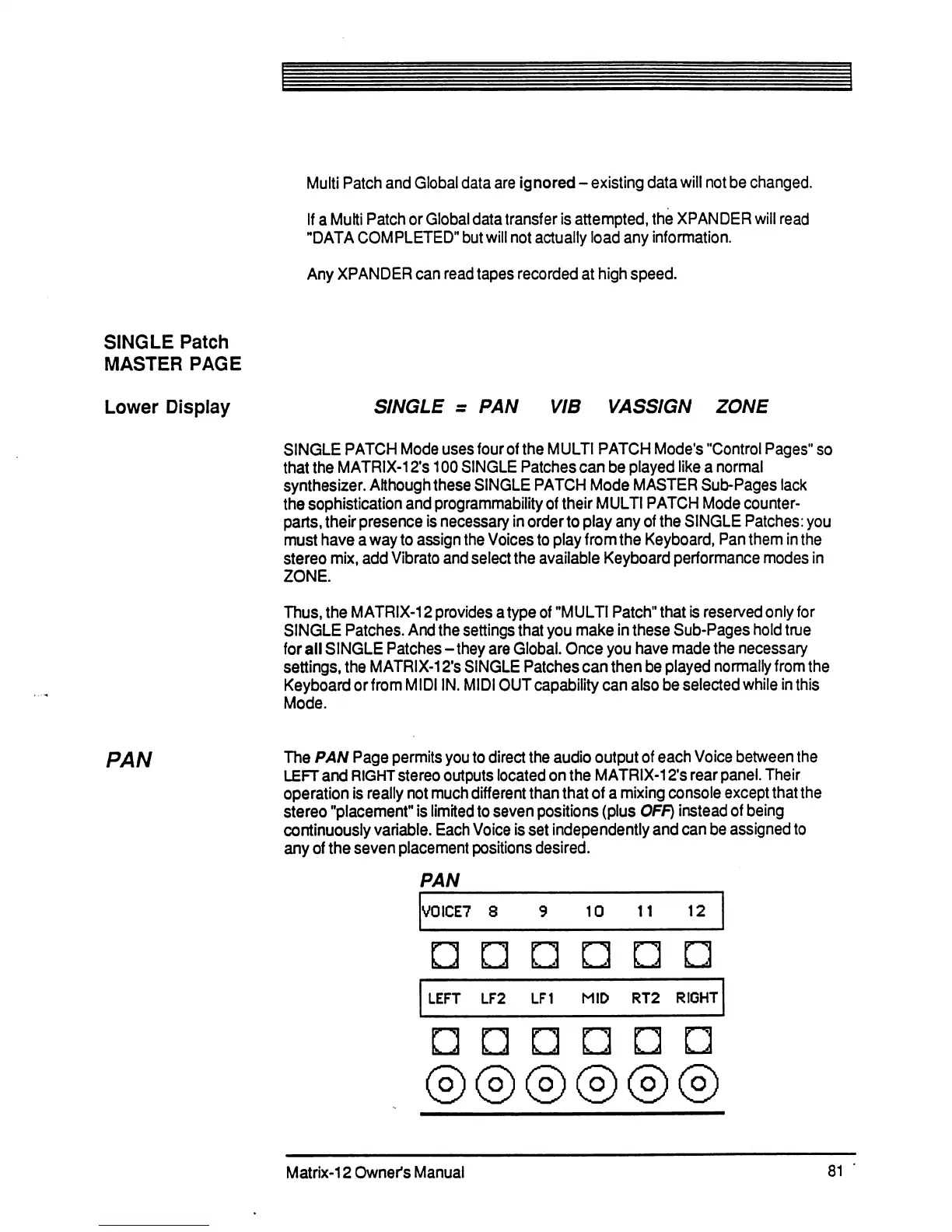
PAN
The
PAN
Page
permits
you
to
direct
the
audio
output
of
each
Voice
between
the
LEFT
and
RIGHT
stereo
outputs
located
on
the
MATRIX-12's
rear
panel.
Their
operation
is
really
not
much
different
than
that
of
a
mixing
console
except
that
the
stereo
"placement11
is
limited
to
seven
positions
(plus
OFF)
instead
of
being
continuously
variable.
Each
Voice
is
set
independently
and
can
be
assigned
to
any
of
the
seven
placement
positions
desired.
PAN
V0ICE7
8
10
12
LEFT
LF2
LF1
MID
RT2
RIGHT
n
©
Matrix-12
Owner's
Manual
81

Table of Contents

Related product manuals