EasyManua.ls Logo

Oberheim Matrix-12 - Page 180

Oberheim Matrix-12
194 pages
Print Icon
To Next Page IconTo Next Page
To Previous Page IconTo Previous Page
Loading...
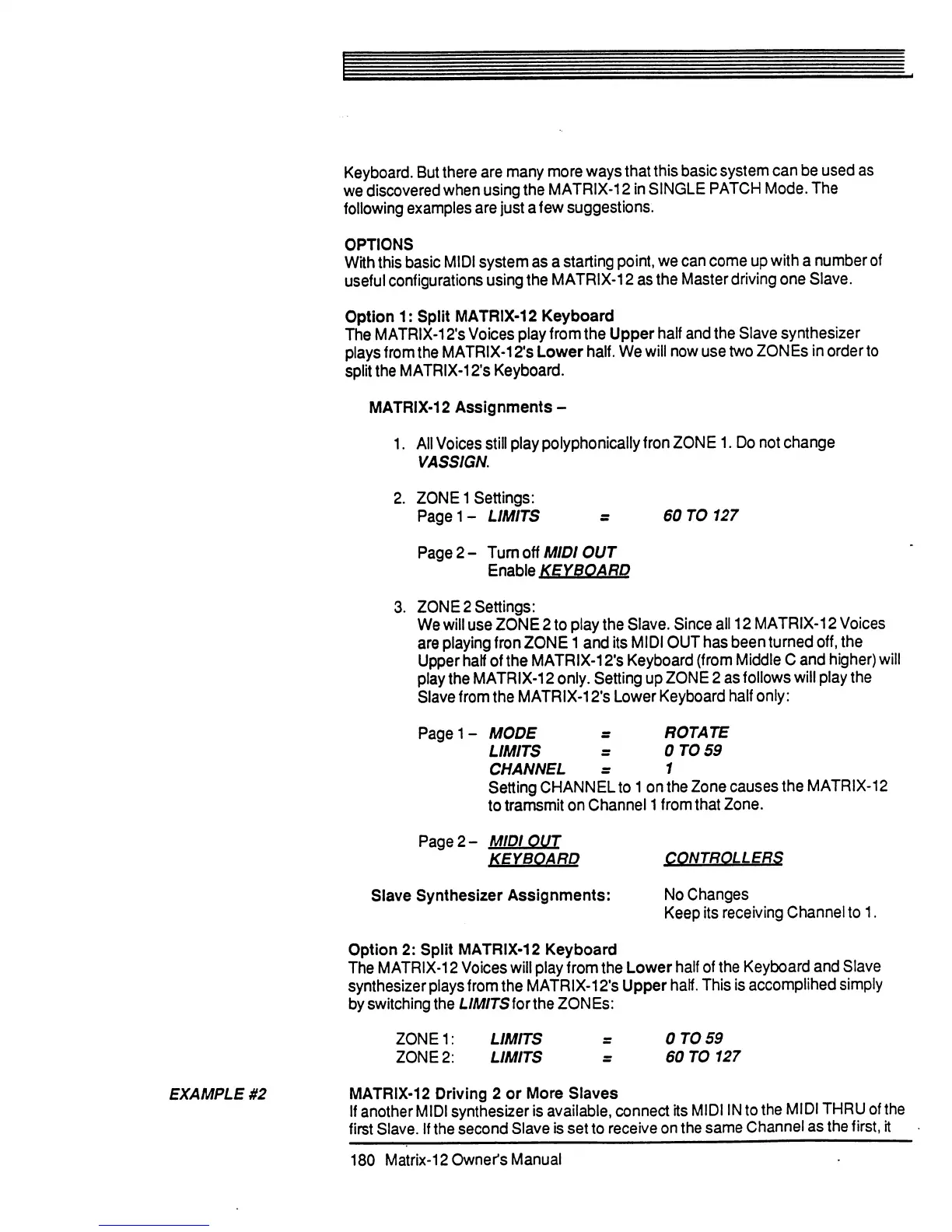
Keyboard.
But
there
are
many
more
ways
that
this
basic
system
can
be
used
as
we
discovered
when
using
the
MATRIX-12
in
SINGLE
PATCH
Mode.
The
following
examples
are
just
a
few
suggestions.
OPTIONS
With
this
basic
MIDI
system
as
a
starting
point,
we
can
come
up
with
a
number
of
useful
configurations
using
the
MATRIX-12
as
the
Master
driving
one
Slave.
Option
1:
Split
MATRIX-12
Keyboard
The
MATRIX-12's
Voices
play
from
the
Upper
half
and
the
Slave
synthesizer
plays
from
the
MATRIX-12's
Lower
half.
We
will
now
use
two
ZON
Es
in
order
to
split
the
MATRIX-12's
Keyboard.
MATRIX-12
Assignments
-
1.
All
Voices
still
play
polyphonically
fron
ZONE
1.
Do
not
change
VASSIGN.
2.
ZONE
1
Settings:
Pagei-
LIMITS
=
60
T0127
Page
2-
Turn
off
MIDI
OUT
Enable
KEYBOARD
3.
ZONE
2
Settings:
We
will
use
ZONE
2
to
play
the
Slave.
Since
all
12
MATRIX-12
Voices
are
playing
fron
ZONE
1
and
its
MIDI
OUT
has
been
turned
off,
the
Upper
half
of
the
MATRIX-12's
Keyboard
(from
Middle
C
and
higher)
will
play
the
MATRIX-12
only.
Setting
up
ZONE
2
as
follows
will
play
the
Slave
from
the
MATRIX-12's
Lower
Keyboard
half
only:
Pagei-
MODE
=
ROTATE
LIMITS
=
0TO59
CHANNEL
=
1
Setting
CHANNEL
to
1
on
the
Zone
causes
the
MATRIX-12
to
tramsmit
on
Channel
1
from
that
Zone.
Page
2-
MIDI
OUT
KEYBOARD
CONTROLLERS
Slave
Synthesizer
Assignments:
No
Changes
Keep
its
receiving
Channel
to
1.
Option
2:
Split
MATRIX-12
Keyboard
The
MATRIX-12
Voices
will
play
from
the
Lower
half
of
the
Keyboard
and
Slave
synthesizer
plays
from
the
MATRIX-12's
Upper
half.
This
is
accomplihed
simply
by
switching
the
L/Af/TSfortheZONEs:
ZONE1:
LIMITS
=
0TO59
ZONE
2:
LIMITS
=
60
T0127
EXAMPLE
#2
MATRIX-12
Driving
2 or
More
Slaves
If
another
MIDI
synthesizer
is
available,
connect
its
MIDI
IN
to
the
MIDI
THRU
of
the
first
Slave.
If
the
second
Slave
is
set
to
receive
on
the
same
Channel
as
the
first,
it
180
Matrix-12
Owner's
Manual

Table of Contents

Related product manuals