126 Océ 3165 User Manual
2 Click ‘Print’ (in some applications you must select ‘OK’).
The Océ 3165 printer driver window appears.
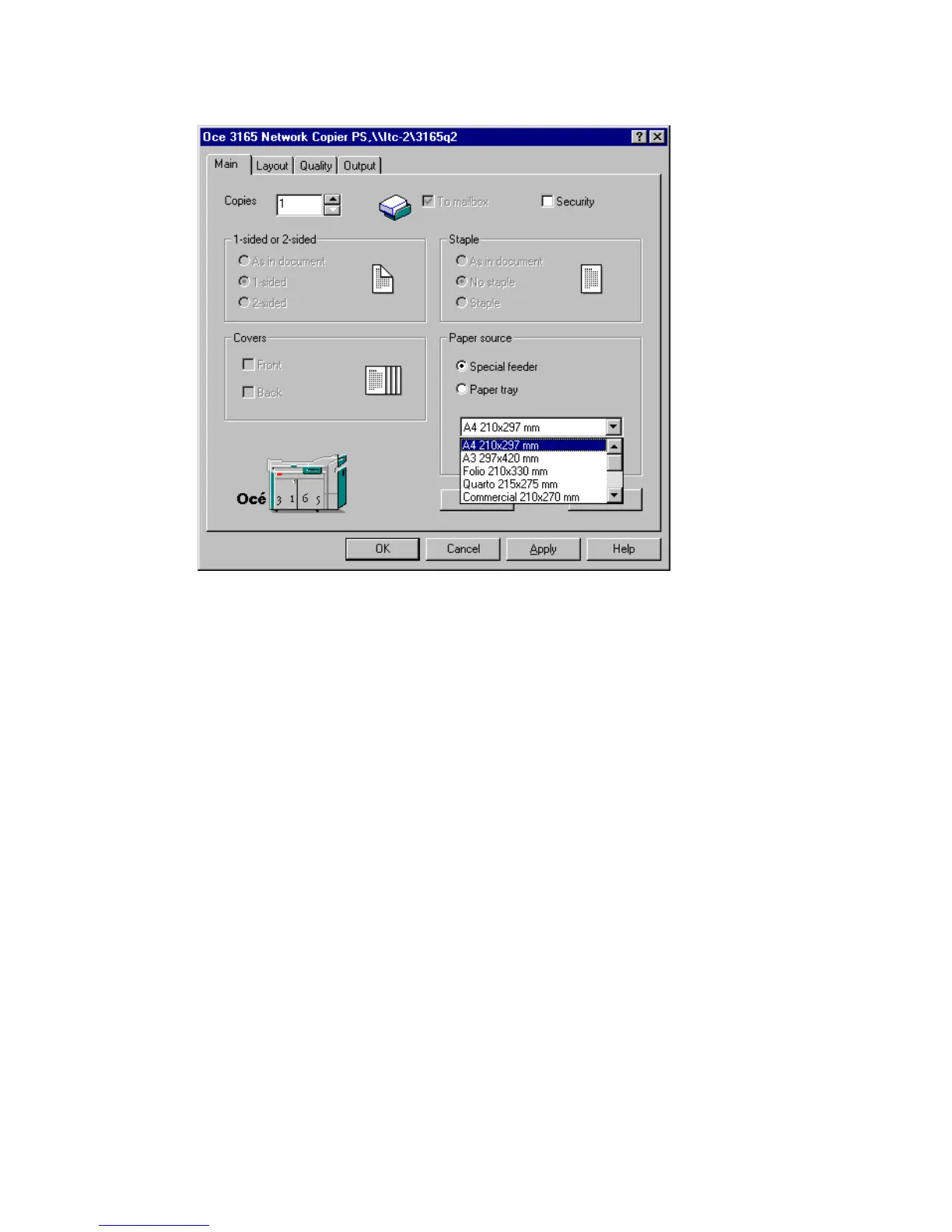
[65] Print a document using the special feeder
3 Check ‘Special feeder’. The job is then automatically stored in the printer’s
digital mailbox (see figure 65).
4 Define other settings as required.
Note: You cannot select covers, double-sided printing or stapling anymore.
5 Click ‘OK’.
The document is now transferred to your mailbox.
6 Walk up to the Océ 3165. If required, enter a PIN code or insert a coin or credit
card.
7 Open the section ‘Mailbox’. If you already entered a PIN code, your mailbox
is automatically opened. If so, continue with step11.
8 Use the arrow buttons to select your account in the ‘User’ list.
9 Press the function button ‘Show documents’.
10 If required, enter your PIN code. Your print files appear in the list.



 To Next Page