3-13
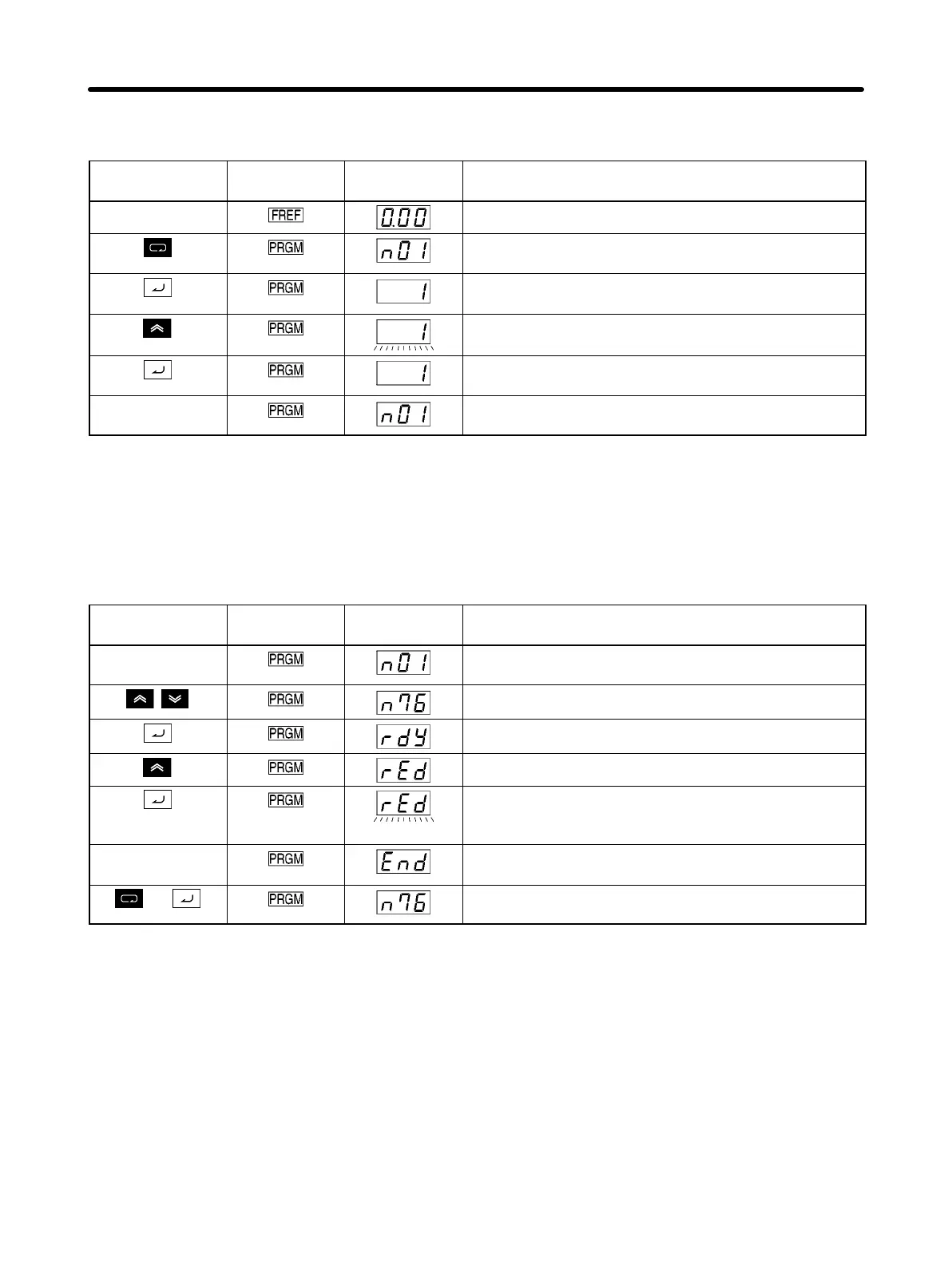
D Procedure for Setting the Parameter Write-prohibit Selection/Parameter
Initialization (n01)
Key sequence Indicators Display
example
Explanation
Power ON
Press the Mode Key until the PRGM indicator lights.
Check that n01 is shown on the data display.
Press the Enter Key. The setting for the specified
parameter will be displayed.
Press the Increment Key to display 1. (The display will
flash.)
Press the Enter Key to enter the setting. The display
will stop flashing.
In approximately
1 s.
The parameter number will be displayed.
H Reading Parameter Settings (rEd)
The parameter settings saved in the Inverter can be read to the memory of the Digital Operator by set-
ting the Parameter Copy and Verify Function (n76) to “rEd.”
D Procedure for Reading Parameter Settings
Key sequence Indicators Display
example
Explanation
Check that PRGM is lit. (Press the Mode Key if any
other indicator is lit.)
Use the Increment or Decrement Key to display n76.
Press the Enter Key. “rdy” will flash.
Press the Increment Key to display “rEd”.
Press the Enter Key. The Inverter parameters will be
read to the memory in the Digital Operator. During this
time, the display will flash.
(After
completion)
When reading has been completed, “End” will be
displayed.
or
Press the Mode Key or the Enter Key to return to the
parameter number display.
Preparing for Operation and Monitoring Chapter 3













 To Next Page