If this is a problem in your application, mitigate it in one of the following ways:
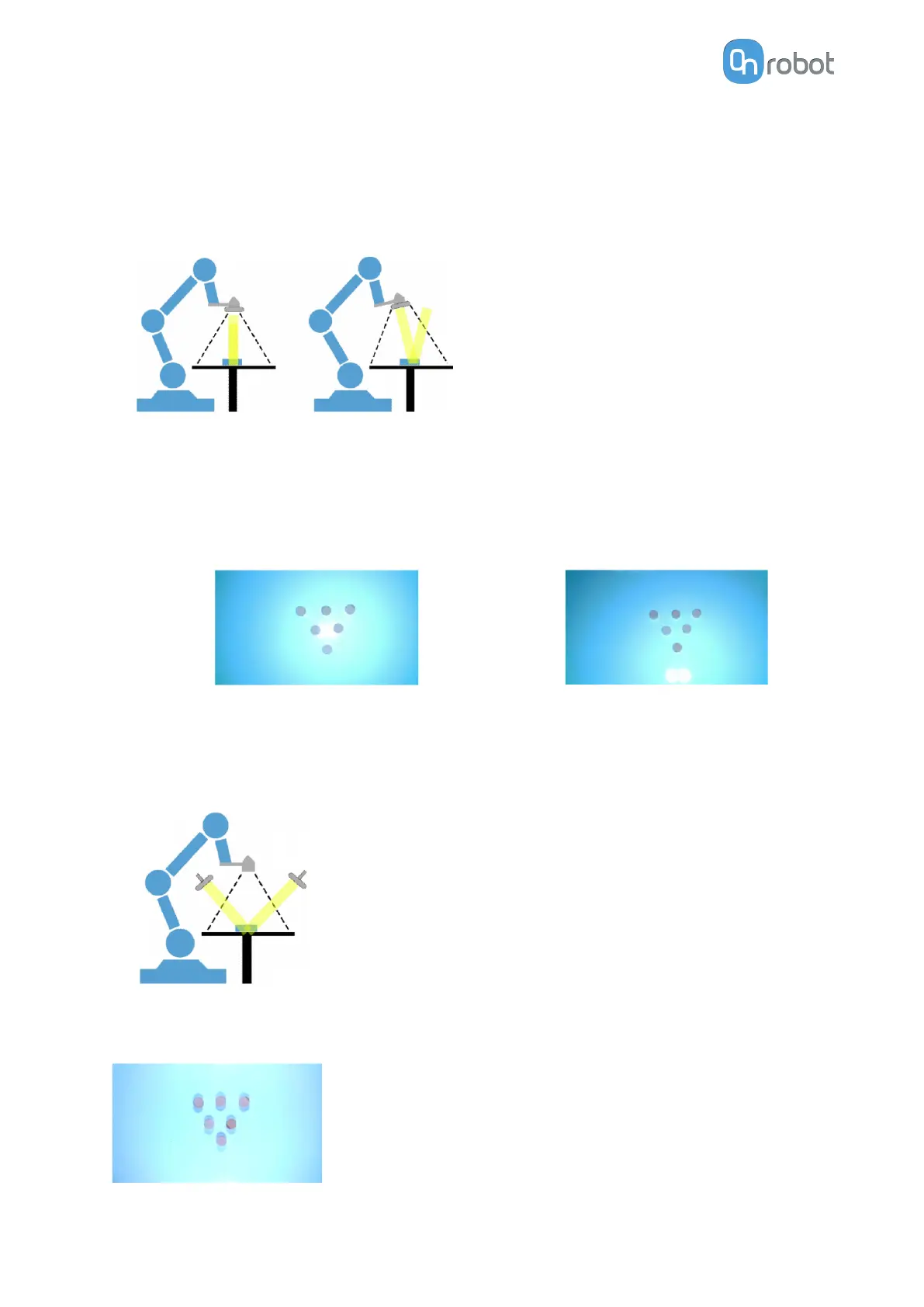
Tilt the camera
When you tilt the camera, the light will not be reflected directly into the camera, thus the
spotlight in the image will be reduced. It is recommended to use a tilt of 5 degrees.
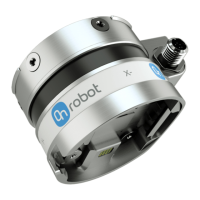
Place some objects on a reflective background and see the eect of this technique on these
objects. When the camera is parallel to the picking table, the light gradient appears from the
center of the image, covering most of the usable workspace.
On the other side, when you tilt the camera, the spotlight does not
aect the center of the
workspace, and thus the illumination is more uniform in that area.
Not tilted
Tilted
Use externally mounted light
Place the external light to avoid the light being reflected directly into the camera.
With this approach, you can get rid of the spotlight altogether as you can move the reflection
point out of the view of the camera.
OPERATION
100


 To Next Page