: jumps to the endpoint of the trajectory.
5.1.4.7. Path from Hand Guide
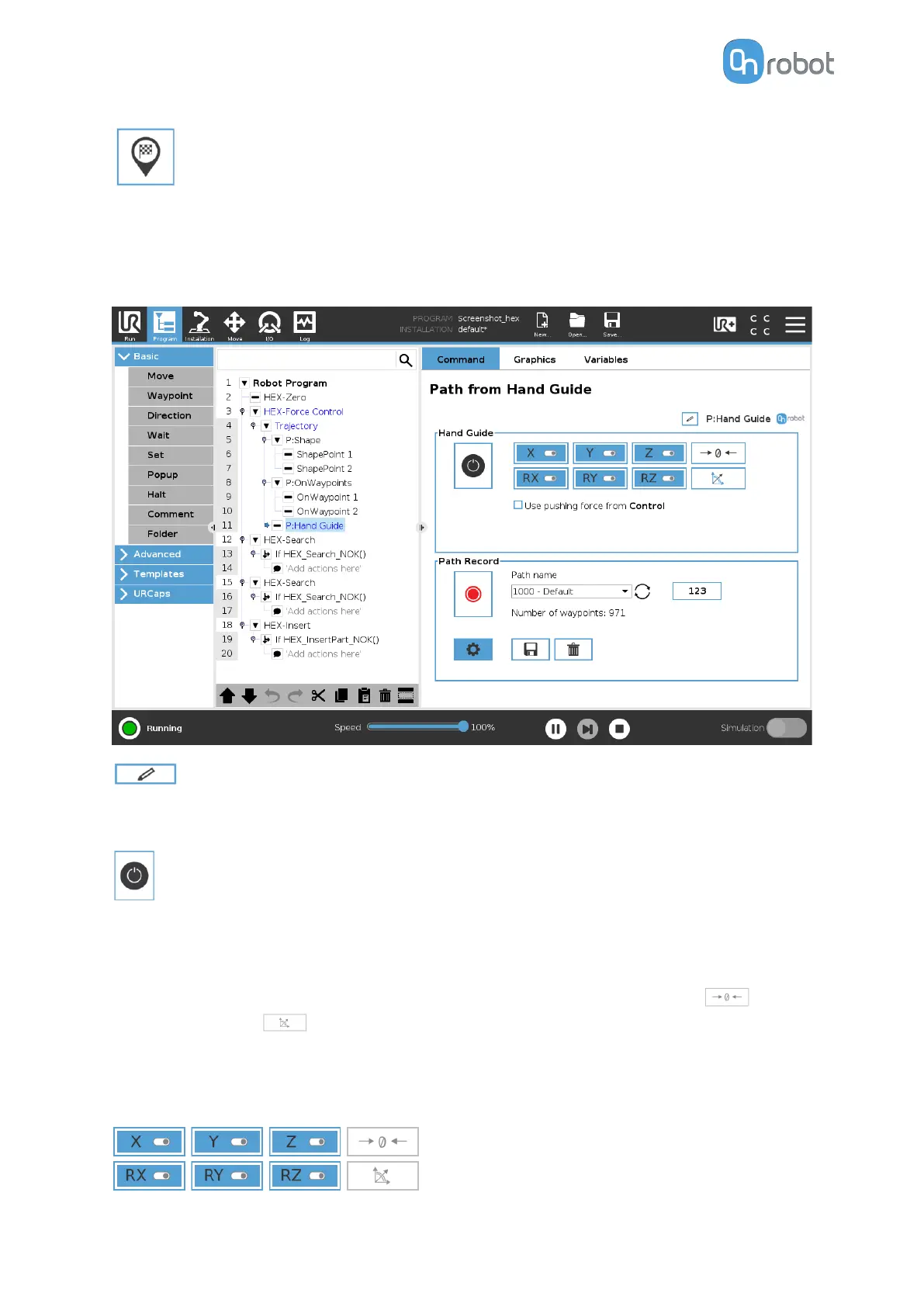
The Path from Hand Guide command generates a path using hand guide.
The color of the node is yellow until the path is saved.
: shows the name of the node. It can be edited and saved.
Hand Guide
: enables or disables hand guiding.
Use pushing force from SDR Control: uses the Push Force (F) value set for the SDR Control
node, see SDR Control.
Only visible if an SDR Control node exists.
The Hand Guide shows which axes are enabled for movement, the zero button and the
snap to axes button .
To toggle on or
o on an axis, tap the button. An axis is enabled if it turns from white to blue
and enables movement along the axis.
In the following example, the X, Y, Z, RX, RY, RZ items are selected:
OPERATION
116


 To Next Page