NOTE:
Changing the variable names or expression in the variable assignment nodes
will result in unwanted behavior from the Robot Program.
Select workpiece type
The user can select what workpiece information will be return in the assignments for this
command. When selecting Any workpiece type, the picking priority
configured in Eyes task
configuration is used to select which workpiece is returned.
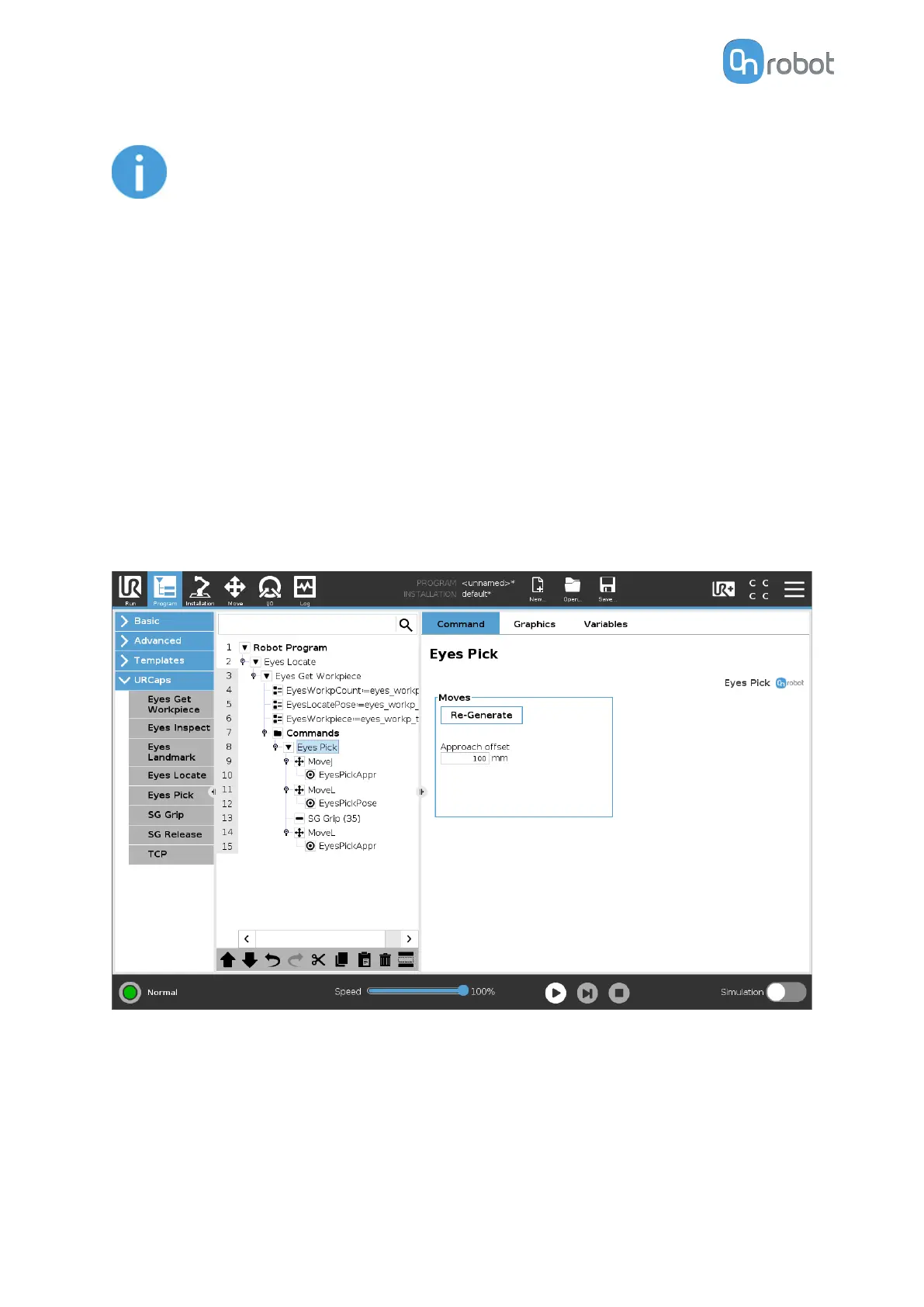
5.1.1.5. Eyes Pick
The Eyes Pick command is an optional helper function that can be used after an Eyes
Locate or Eyes Inspect and the Eyes Get Workpiece are executed. The command
enables a user to quickly setup a generic motion to pick a detected workpiece. The Eyes Pick
motion will perform a MoveJ until an approach
oset pose set by the user, a MoveL to the
workpiece's gripping position and finally a MoveL back to the oset pose.
This command needs to be inserted as a child command of the Eyes Get Workpiece
command.
Moves
Generate: When this button is pressed, the program structure will be completed with the
Move commands. If this program structure has already been generated, the Generate button
is transformed into a Re-Generate button. Pressing the latter, will overwrite the program
structure with the default one.
OPERATION
92



 To Next Page