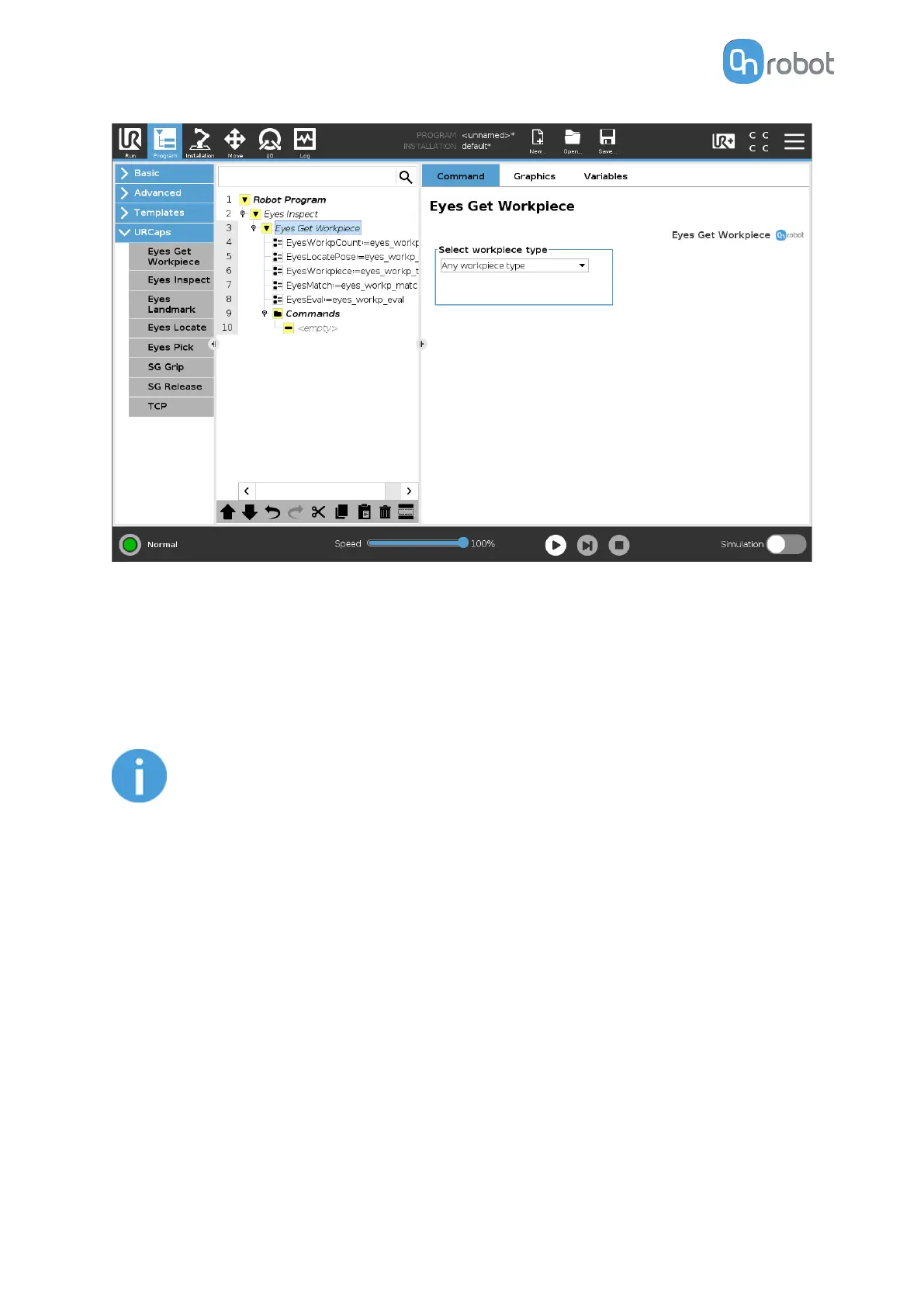
In the robot program, the created variables and their assignments can be seen. These
variables are explained below:
EyesWorkpCount: this variable assigns the number of detected workpieces located by the
Eyes Inspection Task.
EyesLocatePose: this variable assigns the detected workpiece’s pose when the Eyes Inspect
command is executed.
NOTE:
The detected workpiece's pose is given to the robot using the robot's Base
frame as reference.
EyesWorkpiece: this variable assigns the detected workpiece’s type as defined in the Eyes
Inspection Task.
EyesMatch: this variable assigns the match percentage between the workpiece's model and
the one in used as
defined in the Eyes Inspection Task.
•
If the color is taken into consideration in the task, this match % will be the average
between the color match and the shape match.
•
If the color is not taken into consideration in the task, this match will only be the shape
match.
EyesInspectEval: this variable assigns true if the match % is higher than the one
defined in
the Eyes Inspection Task. If the match % is lower, then it assigns false.
OPERATION
91



 To Next Page