3.5. Wiring
DANGER:
Use only original OnRobot tool data cables.
NOTE:
The Eye Box extends the functionality of the existing OnRobot Compute Box.
Products that can be used with the Compute Box are also supported by the
Eye Box.
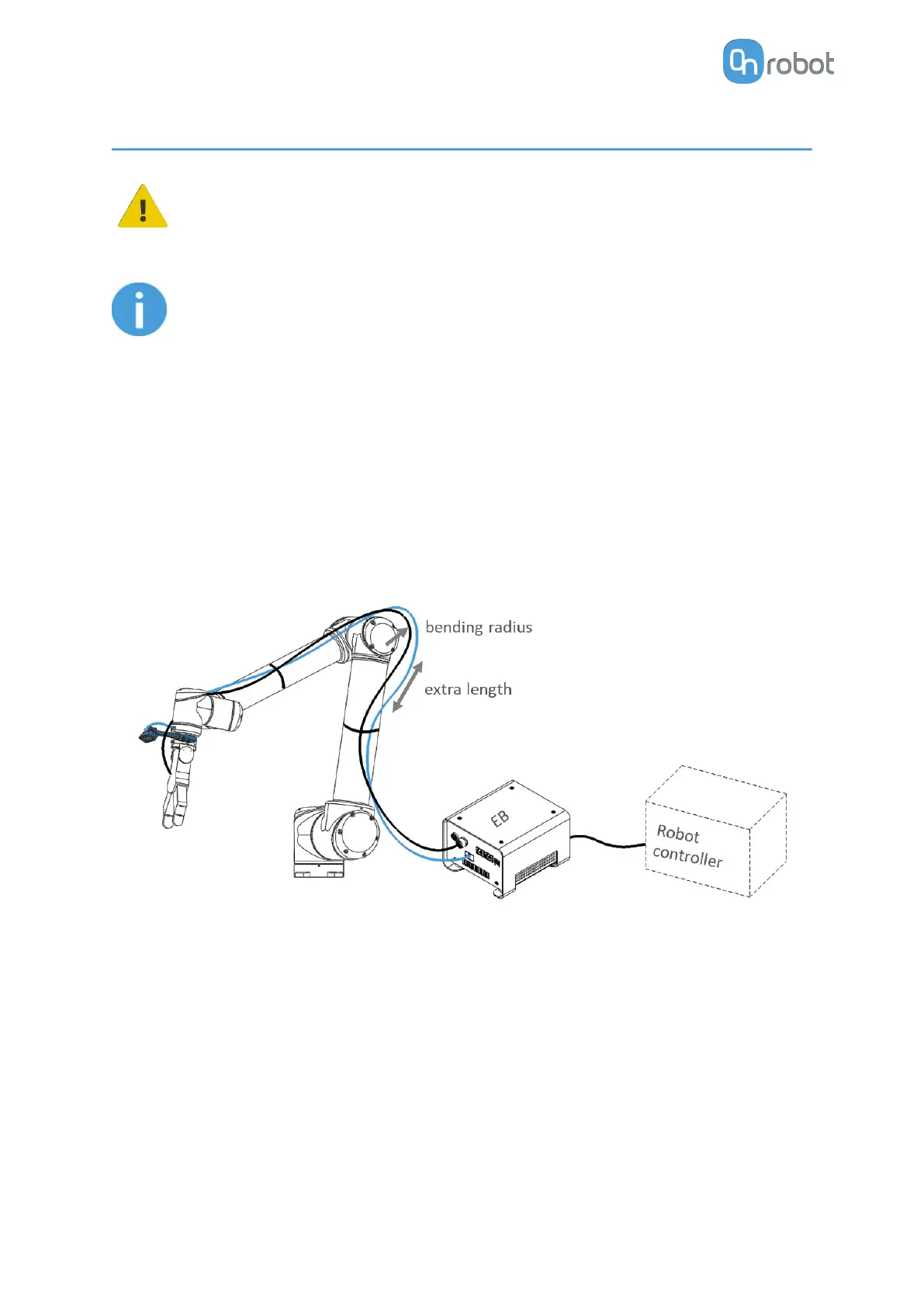
Connect the following cables to wire the system:
•
USB cable between the Eyes and the Eye Box
•
Optionally, Light cable between the Eyes and the Eye Box
•
Tool data cable between the Tool(s) and Eye Box
•
Ethernet cable between the robot controller and the Eye Box
•
Ethernet cable between a computer and the Eye Box (only for
configuration)
•
Power supply of the Eye Box
3.5.1. USB Cable
First connect the USB cable to the Eyes.
HW INSTALLATION
17


 To Next Page