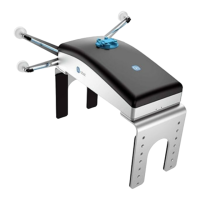
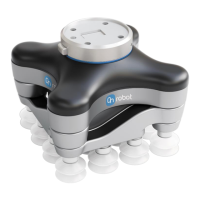
5.3.2. VG10/VGC10
When the OnRobot URCap is enabled, there will be several VG script functions available:
•
vg10_grip (channel, vacuum, timeout, alert, tool_index)
Commands the VG10 to perform a grip.
channel: Tells which channel to be gripped with.
•
0 = Channel A
•
1 = Channel B
•
2 = Channel A and Channel B
If not set, this parameter defaults to 2 (A and B).
vacuum: Tells how hard to grasp in the range of 0% to 80 % vacuum.
•
60 = 60% vacuum. A typical
firm grip.
•
30 = 30% vacuum. A typical soft grip.
If not set, this parameter defaults to 60%.
timeout: Tells how long to wait for commanded vacuum to be achieved. If vacuum is not
achieved, an air leakage at the workpiece or vacuum cups is reported in a popup and the
robot program stops.
•
0 = The function will not wait for vacuum, but return immediately after the command is
sent
•
>0 = Waiting time [s]. Floating point numbers can be used. E.g. 0.6 = 600 ms.
If not set, this parameter defaults to 5 seconds.
alert: Whether the grip should be monitored after vacuum (grip) is established. If vacuum
is lost while handling a workpiece, a popup warning is shown, and the robot program
stops. This setting cannot be used without a proper timeout setting, see above.
•
False = Vacuum is not monitored.
•
True = Vacuum is continuously monitored. Popup warning enabled.
If not set, this parameter defaults to True.
If only one VG10 gripper is attached, use:
tool_index=vg_index_get()
If two VG10 grippers are attached, use:
For primary:
tool_index=1
For secondary:
tool_index=2
OPERATION
140


 To Next Page